Best Digital Photo Frames
Top 5 on Amazon
Our #1 pick is the Aura Carver Mat. A Wi-Fi photo frame lets the whole family send pictures to Grandma’s living room from their phones. We compared the 5 best on Amazon, from Aura to a budget Frameo, on screen, setup and fees.
How we picked: we shortlist by Amazon Best Seller rank and number of ratings, then compare published specs. We don’t test these products hands-on.
By Jamilur Rahman, Founder & Editor · Updated October 10, 2026
- Owner reviews checked
- Features side by side
- Quick & easy compare
- Smarter purchase

The short answer
A digital photo frame is one of the best holiday gifts for parents and grandparents. You set it up once, then everyone in the family can send photos to it from their phones, and new pictures just show up. The best ones need no subscription and nothing from Grandma but a power outlet.
Our pick is the Aura Carver Mat. Aura charges no subscription, gives you unlimited photo and video storage, and the frame adjusts its brightness to the room. You can preload photos and a message before you wrap it. For a bigger, sharper screen that also works in portrait, get the Aura Aspen.
Nixplay and Skylight are just as easy to send to, by app or email. Nixplay’s basic plan is free, but Google Photos sync needs a paid plan. On a budget, a Frameo frame does the basics well with 32GB of storage built in.
How we picked: we compared the most popular models on Amazon and what real buyers say about them, the praise and the complaints after weeks of use. Then we checked each product’s specs and listing and compared them side by side to rank the top 5. We don’t claim lab tests: these picks reflect real owner experience. Checked October 2026.
Before you buy, see which Amazon deals are real. We check each one against its price history.
Compare them side by side
Everything that matters, in one table. Swipe to see all 5.
| Product | Best Overall Aura Carver Mat 10.1 in Wi-Fi frame with mat |  Best Big Screen Aura Aspen 12 in Wi-Fi frame |  Best for Big Families Nixplay 10.1" Touch Screen 10.1 in touchscreen frame | 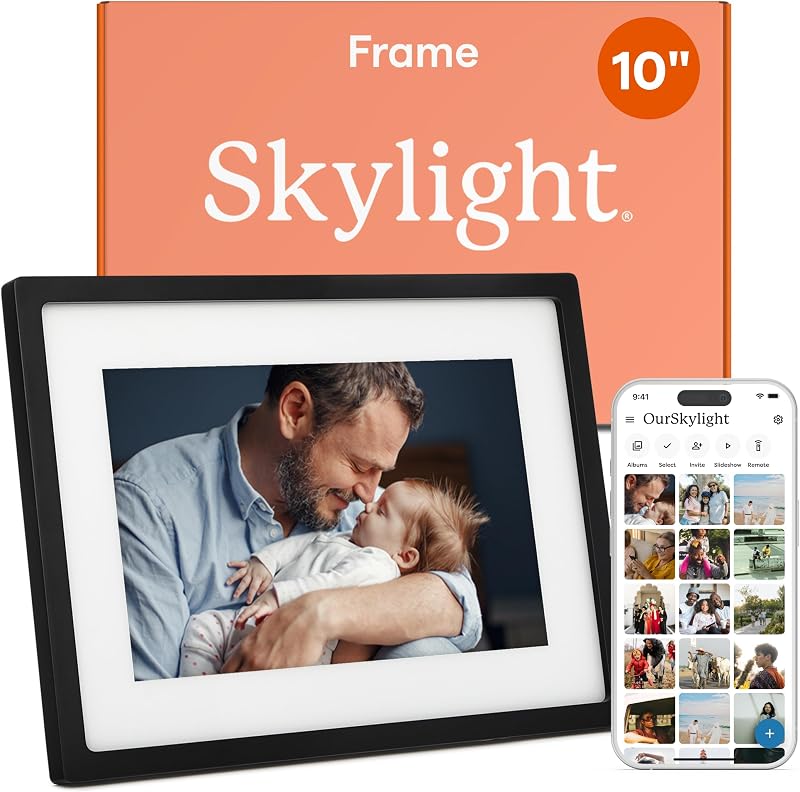 Easiest by Email Skylight Frame 10" 10 in touchscreen frame |  Best Budget Frameo 10.1" 32GB Frame 10.1 in touchscreen frame |
|---|---|---|---|---|---|
| BeastScore | 93 / 100 | 91 / 100 | 88 / 100 | 87 / 100 | 85 / 100 |
| Best for | Parents and grandparents who want zero fuss | Portrait photos and a sharper picture | Lots of relatives sending photos | Families who just want to email photos | A great gift for well under the price of an Aura |
| Screen | 10.1 in, landscape | 11.8 in, landscape or portrait | 10.1 in touchscreen | 10 in touchscreen | 10.1 in IPS touchscreen |
| Resolution | 1280 x 800 | 1600 x 1200 (4:3) | See listing | 1280 x 800 | 1280 x 800 |
| Storage | Unlimited (cloud) | Unlimited (cloud) | See listing | Cloud, no SD card needed | 32GB + microSD slot |
| Subscription | None, no fees | None, no fees | Free Basic plan; Google Photos needs a paid plan | Not needed (per listing) | See listing |
| Send photos by | Aura app, email, text, iCloud, Google Photos | Aura app, email, text, iCloud, Google Photos | Nixplay app, web or email | Its own email address | Frameo app (iOS and Android) |
| Key features |
|
|
|
|
|
BeastScore here is our overall rating out of 100, based on published specs and Amazon owner reviews. Prices change daily, so tap "View on Amazon" for today's price. We may earn a small commission, at no extra cost to you. Learn more
All 5 compared, in one look
See every pick on one chart, or tap one to put it head to head with Aura Carver Mat. Ratings out of 10 are our estimates from published specs and Amazon owner reviews, not hands-on tests. Bigger shape = better.
- DisplayAura Aspen · 9.6/10
- Easy setupAura Carver Mat · 9.8/10
- Photo sharingTie
- DesignAura Carver Mat · 9.6/10
- No feesTie
- ValueFrameo 10.1" 32GB Frame · 9.8/10
Which one should you buy?
Find your situation below. That's your pick.
- You want the best digital photo frame for grandparents
- You want no subscription and unlimited storage
- You take photos on an iPhone and want less cropping
- You want a bigger screen that works in portrait
- You have a big family all sending photos
- You want to cast photos to the TV too
- Your relatives just want to email photos
- You want a simple frame for seniors that also works offline
- You want a cheap gift that still has a touchscreen
- You want 32GB of storage built in
Aura Carver Mat
No fees, unlimited storage and the easiest setup. The photo frame most families will love.
- No subscription
- Unlimited storage
- Preload before gifting
Quick tips before you buy
Aura, Nixplay and Skylight let you preload photos with your phone, so it works the moment it is plugged in.
Most frames need Wi-Fi to get new photos. Make sure Grandma’s home has it, or pick a frame with storage built in.
Phone photos are 4:3. A 4:3 screen like the Aura Aspen crops less than a wide 16:10 frame.
Aura has no subscription. Nixplay’s Basic plan is free, but some features need a paid plan.
Quick answers
What is the best digital photo frame for grandparents?+
The Aura Carver Mat. Setup takes a minute, family can send photos from their phones, there is no subscription and storage is unlimited. You can preload it before you give it.
Aura vs Nixplay vs Skylight: which is best?+
Aura for no fees and the nicest design. Nixplay for big families sending lots of photos, with extras like TV casting. Skylight if you want everyone to simply email photos to the frame.
Do digital photo frames need a subscription?+
Not always. Aura has no subscription. Skylight’s listing says no subscription is needed. Nixplay has a free Basic plan, but Google Photos sync needs a paid plan.
Do digital photo frames need Wi-Fi?+
Wi-Fi frames need it to get new photos. Skylight can show saved photos offline, and Frameo frames keep photos on 32GB of built-in storage.
Can a digital photo frame play videos?+
Yes. Aura frames play videos up to 30 seconds with sound, and Frameo frames play short clips up to 15 seconds. Our picks are based on listing specs and owner reviews.
What is the best digital photo frame with no subscription?+
The Aura Carver Mat. Aura charges no fees at all and still gives you unlimited cloud storage for photos and videos, so there is nothing to renew later.
What is the best digital photo frame for iPhone users?+
The Aura Aspen. Its 4:3 screen matches the shape of iPhone photos, so it crops less, it supports Live Photos, and you can send pictures straight from iCloud.
What is the best digital photo frame for family sharing?+
The Nixplay 10.1" Touch Screen is built for lots of relatives sending photos by app, web or email. Its free Basic plan covers sharing; Google Photos sync needs a paid plan.