
Best Webcams
Top 5 for calls and streaming
Our #1 pick is the Logitech Brio Ultra 4K. Your laptop camera is probably the weakest part of your video setup. We compared five popular webcams on Amazon, from a classic 1080p workhorse to an AI-tracking 4K camera.
How we picked: we shortlist by Amazon Best Seller rank and number of ratings, then compare published specs. We don't test these products hands-on.
By Jamilur Rahman, Founder & Editor · Updated October 18, 2026
- Owner reviews checked
- Features side by side
- Quick & easy compare
- Smarter purchase

The short answer
For most people, the Logitech Brio Ultra 4K is the webcam to buy. It records up to 4K at 30 fps, has RightLight 3 HDR to cope with bad lighting, three field-of-view presets and dual noise-canceling microphones, and it works with the Logi Options+ app on Windows and Mac. It is also one of the best-known webcams on Amazon, so drivers and support are rarely a problem.
If you stream or record, the Elgato Facecam MK.2 is built for you: uncompressed 1080p60 over USB 3, HDR and a physical privacy shutter. If you want the camera to follow you around, the Insta360 Link 2 pans and tilts with AI tracking on a 1/2-inch sensor, and the OBSBOT Tiny 2 Lite does a similar trick for a lower price. On a budget, the Logitech C920x is the classic 1080p webcam that has been quietly sitting on desks for years.
Skip the Brio or the Link 2 if you only take the odd call. A 1080p camera such as the C920x looks the same on Zoom, which compresses video heavily. Don’t buy a 4K webcam to look better on a 720p video call; a bit of light in front of you does more than extra pixels. Skip the Facecam MK.2 if you need a built-in microphone, because it has none. How we picked: we compared popular webcams on Amazon by image, audio, software and what owners say about drivers and framing. We have not tested them ourselves. Checked October 2026.
Compare them side by side
Everything that matters, in one table. Swipe to see all 5.
| Product | Best Overall Logitech Brio Ultra 4K 4K webcam |  Best for Streamers Elgato Facecam MK.2 Streaming webcam |  Best AI Tracking Insta360 Link 2 AI-tracking 4K webcam | 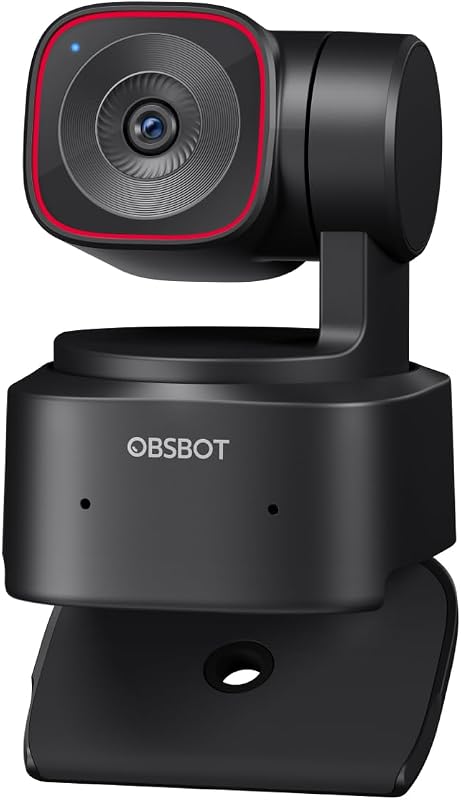 Best Value Tracking OBSBOT Tiny 2 Lite 4K PTZ tracking webcam | 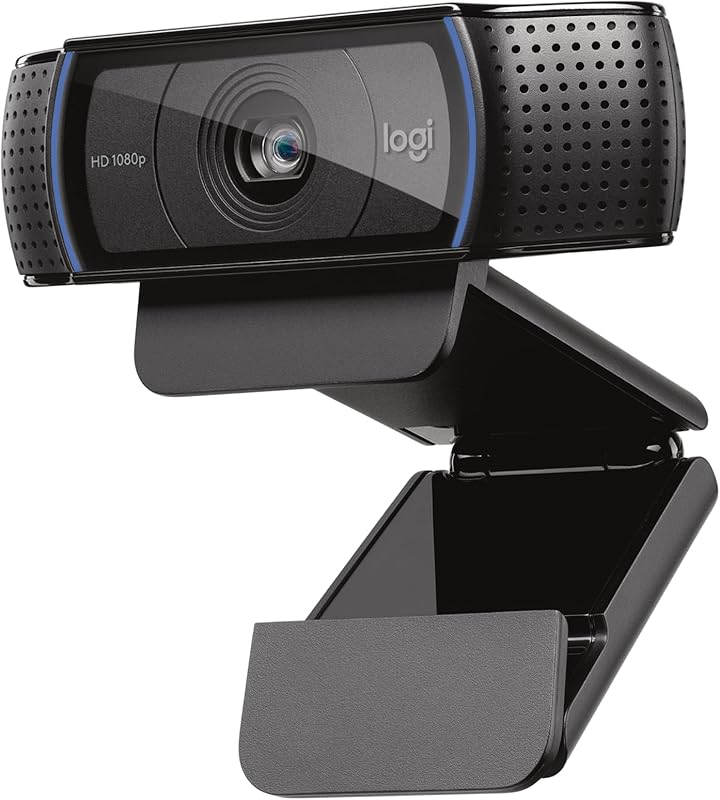 Best Budget Logitech C920x HD Pro 1080p webcam |
|---|---|---|---|---|---|
| BeastScore | 92 / 100 | 90 / 100 | 89 / 100 | 87 / 100 | 85 / 100 |
| Best for | Work calls and general streaming | Streamers and content creators | Presenters and teachers who move around | Teachers and meeting rooms on a budget | Everyday work calls on a budget |
| Typical price (checked October 18, 2026) | $160–$180 | $110–$130 | $190–$210 | $110–$130 | $60–$80 |
| Resolution | Up to 4K at 30 fps | 1080p, 60 fps uncompressed | 4K | 4K | 1080p at 30 fps |
| Field of view | 65°, 78° or 90° | See listing | See listing | See listing | See listing |
| Microphone | Dual noise-canceling | None built in | AI noise-canceling mic | See listing | Dual stereo |
| Extras | RightLight 3 HDR, 5x digital zoom | HDR, privacy shutter, Camera Hub | PDAF autofocus, gimbal tracking | AI tracking, preset positions | 3-month XSplit VCam license, no shutter |
| Key features |
|
|
|
|
|
BeastScore here is our overall rating out of 100, based on published specs and Amazon owner reviews. Prices change daily, so tap "View on Amazon" for today's price. We may earn a small commission, at no extra cost to you. Learn more
Why each one made the list
What each pick does best, where it falls short, and the typical Amazon price when we checked.
- 1. Best Overall
Logitech Brio Ultra 4K
BeastScore 92 / 100Typically $160–$180 on Amazon (checked October 18, 2026)The Brio is the safe, strong choice for most desks. The listing says it records up to 4K at 30 fps with autofocus and a 5x digital zoom. RightLight 3 automatically adjusts exposure and contrast for glare and backlighting, which is the problem that ruins most home-office calls. You can pick a 65°, 78° or 90° field of view, and dual omnidirectional microphones with noise cancellation capture audio from about 1.2 meters away. The Logi Options+ app lets you tweak zoom and color. It is the most-reviewed 4K webcam here, and owners praise the picture and compatibility. The downside is price, and a 4K picture is wasted on most video-call apps.
Pros- 4K picture with HDR-style light correction
- Choose a wide, medium or tight field of view
- Good built-in microphones for calls
Cons- A 4K image is wasted on most meeting apps
- Costs more than the 1080p webcams
- No built-in physical privacy shutter listed
- 2. Best for Streamers
Elgato Facecam MK.2
BeastScore 90 / 100Typically $110–$130 on Amazon (checked October 18, 2026)The Facecam MK.2 is aimed at people who stream or record video. The listing says it captures uncompressed video at up to 1080p60, which gives your streaming software a clean signal to work with, and it supports HDR for tricky lighting. Camera Hub software gives DSLR-style control of exposure and color, and a slide shutter covers the lens for privacy. It is also priced like a mid-range webcam rather than a pro tool. The catch is audio: the listing doesn’t mention a microphone, so plan on using a separate mic. It is also a 1080p camera, so if you want 4K or AI tracking, look at the Brio or the Link 2.
Pros- Clean, uncompressed 1080p60 for streaming
- Camera Hub offers detailed manual control
- Built-in privacy shutter
Cons- No built-in microphone mentioned in the listing
- 1080p only, no 4K
- Full quality needs a USB 3 port
- 3. Best AI Tracking
Insta360 Link 2
BeastScore 89 / 100Typically $190–$210 on Amazon (checked October 18, 2026)The Link 2 is the webcam for people who don’t sit still. It physically pans and tilts to follow you, so you stay in the frame when you stand up or pace. The listing says it has a 1/2-inch sensor, 4K video with HDR, phase detection autofocus for fast, sharp focus and an AI noise-canceling microphone. You can control it with hand gestures or from your phone, and a whiteboard mode helps teachers. Natural-looking background blur comes from the Link Controller software. It is the most expensive webcam here, and the motorized head makes it bulkier than a plain USB camera. It is a bigger step up than most home setups need.
Pros- Motorized AI tracking keeps you in frame
- Larger 1/2-inch sensor with HDR for low light
- Gesture control and whiteboard mode
Cons- Most expensive webcam in this guide
- Bulkier than a fixed webcam
- Extra features need the Link Controller app
- 4. Best Value Tracking
OBSBOT Tiny 2 Lite
BeastScore 87 / 100Typically $110–$130 on Amazon (checked October 18, 2026)The Tiny 2 Lite brings AI tracking to a lower price. The listing describes a 4K PTZ webcam with several tracking modes, including upper body and hand tracking, plus customizable preset positions that save separate settings for each one. OBSBOT says this version drops some streaming features, such as whiteboard mode and voice control, to focus on teaching and meeting scenarios. That makes it a good fit for a classroom, a home office or a small conference room. It is less polished than the Insta360 Link 2 and has fewer features, but it sells for far less. Owners rate it well, and it has a large review base for a newer product.
Pros- AI tracking for about the price of a plain 4K webcam
- Preset positions with separate settings
- Good fit for teaching and meetings
Cons- Drops whiteboard mode and voice control
- Less refined than the Link 2
- Microphone details are not clear in the listing
- 5. Best Budget
Logitech C920x HD Pro
BeastScore 85 / 100Typically $60–$80 on Amazon (checked October 18, 2026)The C920x is the classic budget webcam. It records Full HD 1080p at 30 fps with autofocus and HD lighting adjustment, and it has dual stereo microphones for calls. The listing mentions compatibility with Nintendo Switch 2’s new GameChat mode and a 3-month XSplit VCam license for background removal. It has no privacy shutter. It is very well reviewed and costs a fraction of the 4K cameras, so for Zoom, Teams and Google Meet it is the best value on this list. Don’t expect clean low-light video, and it won’t give you 4K or tracking, but it will make a built-in laptop camera look dull.
Pros- Best price in this guide
- Reliable 1080p for Zoom, Teams and Meet
- Dual stereo mics and autofocus
Cons- Struggles in dim rooms
- No privacy shutter
- No 4K or tracking features
All 5 compared, in one look
See every pick on one chart, or tap one to put it head to head with Logitech Brio Ultra 4K. Ratings out of 10 are our estimates from published specs and Amazon owner reviews, not hands-on tests. Bigger shape = better.
- Image qualityTie
- Low lightTie
- MicrophoneTie
- SoftwareElgato Facecam MK.2 · 9.4/10
- FeaturesInsta360 Link 2 · 9.6/10
- ValueLogitech C920x HD Pro · 9.6/10
Which one should you buy?
Find your situation below. That's your pick.
- You want one great webcam for work and streaming
- You work in rooms with tricky lighting
- You stream or record video
- You already own a separate microphone
- You move around while you talk
- You want the best picture and tracking
- You want AI tracking at a lower price
- You teach or run meetings
- You want a great webcam for under $80
- You just need clear Zoom and Teams calls
Logitech Brio Ultra 4K
A sharp 4K picture, strong light correction and good built-in mics from a brand with excellent support.
- 4K at 30 fps
- RightLight 3
- Three field-of-view presets
Quick tips before you buy
Raise it on a stand or a stack of books. A camera at eye level is more flattering than one looking up from a laptop.
Place a lamp or window in front of you. Good light does more for picture quality than extra resolution.
A USB 3 port gives you higher resolutions and frame rates. A shared hub can limit quality.
A privacy shutter or a small cover protects your privacy when you are not on a call.
Quick answers
What is the best webcam for work calls?+
The Logitech Brio Ultra 4K is our top pick for most people, with strong light correction and good built-in microphones. If budget matters most, the Logitech C920x is the best 1080p option.
Is a 4K webcam worth it?+
For recording, streaming or cropping the image, yes. For most video calls, no. Zoom and Teams compress video heavily, so a good 1080p webcam such as the C920x looks very similar.
What is the best webcam for streaming?+
The Elgato Facecam MK.2 is built for it, with uncompressed 1080p60, HDR and Camera Hub controls. It has no microphone, so pair it with a separate one. The Brio is a good all-rounder if you want 4K.
What does AI tracking do on a webcam?+
The camera physically pans and tilts, or crops the image, to follow you as you move. The Insta360 Link 2 and OBSBOT Tiny 2 Lite do this and are useful for presenters, teachers and standing desks.
Do webcams have good microphones?+
The Brio, Link 2 and C920x all have built-in mics that are fine for calls. For streaming or podcasting, a dedicated USB or XLR microphone sounds much better.
Do I need special software to use these webcams?+
They work as plug-and-play cameras with most apps. The Logi Options+, Elgato Camera Hub, Insta360 Link Controller and OBSBOT software add manual controls, presets and tracking.
How do I make my webcam look better?+
Add soft light in front of your face, raise the camera to eye level, clean the lens and sit a little away from the screen. Then adjust exposure and white balance in the camera’s software.
Keep comparing
 Best USB Microphones: Top 5 for streaming and podcastingSound like a pro without an audio interface. The best USB mics compared.
 Best Monitors: Top 5 on AmazonOne great screen for work, play or photos. The best monitors compared.
 Best Wireless Mics for Video, Top 5 on AmazonClear voices for vlogs and interviews. The best wireless mic kits compared.
 Best Standing Desks: Top 5 on AmazonSit less, feel better. Electric desks and converters compared.