
Best WiFi Router
17 Picks, Mesh to Wi-Fi 7, From $55
Our #1 pick is the TP-Link Archer BE400. Dead zones, lag or a fast plan you can’t use? We compared 17 WiFi routers and mesh systems on Amazon, from a $55 Wi-Fi 6 router to Wi-Fi 7 and 10G fiber.
How we picked: we shortlist by Amazon Best Seller rank and number of ratings, then compare published specs. We don’t test these products hands-on.
By Jamilur Rahman, Founder & Editor · Updated November 12, 2026
- Owner reviews checked
- Features side by side
- Quick & easy compare
- Smarter purchase
The short answer
What is the best WiFi router? For most homes under about 2,500 sq ft, it is the TP-Link Archer BE400: Wi-Fi 7, two 2.5G ports, a USB 3.0 port and coverage the listing puts at up to 2,400 sq ft, for about $130 to $160. If dead zones are the problem, buy mesh instead. Our mesh pick is the TP-Link Deco BE25 2-pack, a Wi-Fi 7 system rated for up to 4,600 sq ft at about $150 to $180. On a tight budget, the Archer AX21 is Wi-Fi 6 for about $50 to $70.
By situation: a big house on a normal internet plan should look at the Deco X55 3-pack, rated for up to 6,500 sq ft at about $140 to $170. Gamers get the ASUS TUF Gaming BE6500. Fiber customers with a 2.5 Gbps plan can use the ASUS RT-BE82U or Archer BE550, and 5 to 10 Gbps plans need the eero Pro 7 mesh or the ASUS RT-BE88U. For the easiest app setup, take the eero 7. For the 6 GHz band without Wi-Fi 7 prices, pick the Archer AXE75 or Deco XE75.
Who should skip the top pick: the BE400 is one box. If your home is over about 2,500 sq ft, has several floors or thick walls, a single router will leave dead spots, so get mesh. Skip Wi-Fi 7 and 10G gear if your plan is under about 500 Mbps and your devices are a few years old, because the $55 AX21 will do the same job. Skip the Deco S4 if your plan tops 500 Mbps: it is Wi-Fi 5, with up to 1,300 Mbps on 5 GHz by the listing. A range extender only suits one small dead zone.
How we picked: we started with the routers that the big review sites rank and that sell on Amazon, then checked every listing on Amazon.com on 12 November 2026 for the exact model, pack size, price and specs it states. We compared them on Wi-Fi standard, coverage, ports and price, and kept 17 that each do a different job. We don’t run lab tests. Coverage, device counts and speeds are what each listing says, and real results change with walls, floors and your internet plan. Checked November 2026.
Compare them side by side
Everything that matters, in one table. Swipe to see all 17.
| Product | Best Overall TP-Link Archer BE400 Wi-Fi 7 router (BE6500) |  Best Mesh System TP-Link Deco BE25 (2-pack) Wi-Fi 7 mesh system (BE5000) |  Best Budget Router TP-Link Archer AX21 Wi-Fi 6 router (AX1800) | 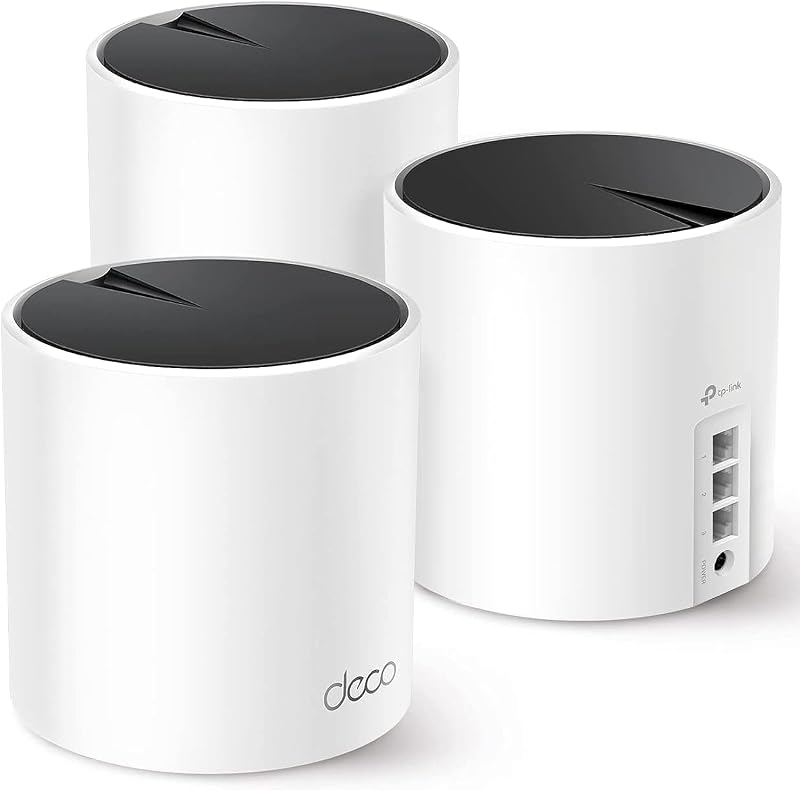 Best Value Mesh for Large Homes TP-Link Deco X55 (3-pack) Wi-Fi 6 mesh system (AX3000) |  Best for Gaming ASUS TUF Gaming BE6500 Wi-Fi 7 gaming router (BE6500) |  Best Budget Wi-Fi 7 TP-Link Archer BE230 Wi-Fi 7 router (BE3600) |  Best Premium Mesh for Large Homes NETGEAR Orbi 770 (3-pack) Wi-Fi 7 tri-band mesh (RBE773) |  Easiest Mesh Setup Amazon eero 7 (2-pack) Wi-Fi 7 mesh system (dual-band) |  Best Tri-Band Wi-Fi 7 Router TP-Link Archer BE550 Wi-Fi 7 tri-band router (BE9300) | 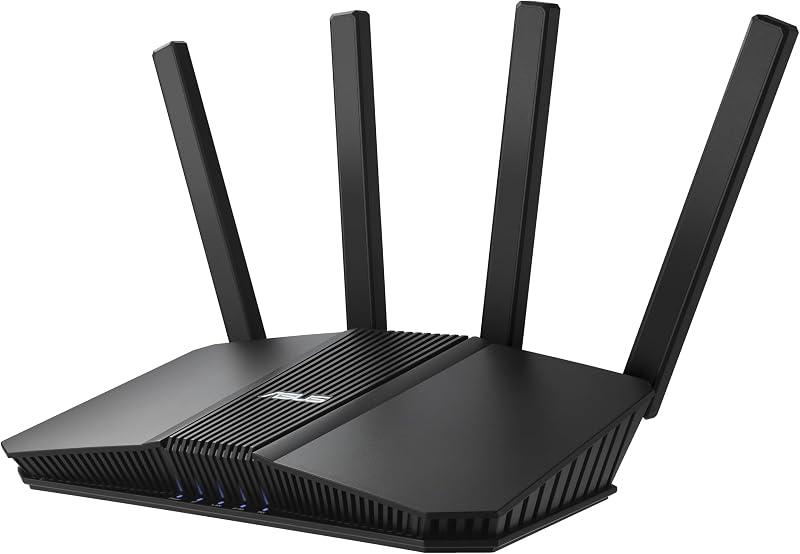 Best No-Subscription Security ASUS RT-BE82U Wi-Fi 7 router (BE6500) |  Best Wi-Fi 6E Router TP-Link Archer AXE75 Wi-Fi 6E tri-band router (AXE5400) |  Best Wi-Fi 6E Mesh TP-Link Deco XE75 (3-pack) Wi-Fi 6E tri-band mesh (AXE5400) |  Cheapest Whole-Home Mesh TP-Link Deco S4 (3-pack) Wi-Fi 5 mesh system (AC1900) |  Best for 10 Gig Fiber ASUS RT-BE88U Wi-Fi 7 router (BE7200) |  Best Multi-Gig Mesh Amazon eero Pro 7 (3-pack) Wi-Fi 7 tri-band mesh system | 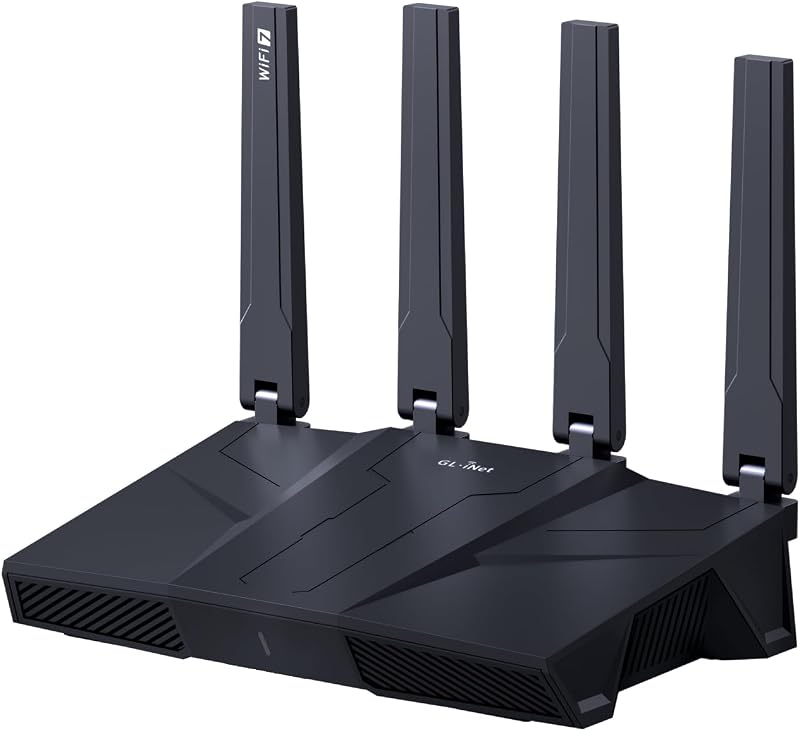 Best for VPN and Tinkering GL.iNet Flint 3 (GL-BE9300) Wi-Fi 7 tri-band VPN router |  Best High-End Gaming Router ASUS ROG Rapture GT-BE98 Pro Wi-Fi 7 quad-band gaming router |
|---|---|---|---|---|---|---|---|---|---|---|---|---|---|---|---|---|---|
| BeastScore | 92 / 100 | 91 / 100 | 86 / 100 | 88 / 100 | 89 / 100 | 87 / 100 | 87 / 100 | 88 / 100 | 88 / 100 | 88 / 100 | 87 / 100 | 88 / 100 | 85 / 100 | 86 / 100 | 86 / 100 | 84 / 100 | 85 / 100 |
| Best for | Most homes up to about 2,400 sq ft | Dead zones in homes up to about 4,600 sq ft | Apartments and small homes on plans under 500 Mbps | Big homes on a normal internet plan | Console and PC players who wire in | Wi-Fi 7 on a budget in a small home | Very large or multi-floor homes | Anyone who wants app-led setup and Echo integration | Wi-Fi 7 devices and a multi-gig wired setup | Fiber users and families who want free parental controls | Getting a 6 GHz band for under $100 | Big homes that want a 6 GHz backhaul | Big homes on plans under about 500 Mbps | 5 to 10 Gbps fiber plans and home labs | 5 Gbps plans and work-from-home households | Privacy-minded users who want a fast VPN router | Enthusiasts who want the most single-router headroom |
| Typical price (checked November 12, 2026) | $130–$160 | $150–$180 | $50–$70 | $140–$170 | $180–$220 | $70–$100 | $540–$600 | $220–$260 | $180–$220 | $150–$190 | $90–$120 | $190–$230 | $90–$120 | $320–$360 | $580–$640 | $200–$240 | $650–$720 |
| Wi-Fi standard | Wi-Fi 7 (BE6500), dual-band | Wi-Fi 7 (BE5000), dual-band | Wi-Fi 6 (AX1800), dual-band | Wi-Fi 6 (AX3000), dual-band | Wi-Fi 7 (BE6500), dual-band | Wi-Fi 7 (BE3600), dual-band | Wi-Fi 7 (up to 11 Gbps), tri-band | Wi-Fi 7, dual-band | Wi-Fi 7 (BE9300), tri-band | Wi-Fi 7 (BE6500), dual-band | Wi-Fi 6E (AXE5400), tri-band | Wi-Fi 6E (AXE5400), tri-band | Wi-Fi 5 (AC1900), dual-band | Wi-Fi 7 (BE7200), dual-band | Wi-Fi 7, tri-band | Wi-Fi 7 (BE9300), tri-band | Wi-Fi 7, quad-band (up to 30 Gbps) |
| Coverage (listing) | Up to 2,400 sq ft | Up to 4,600 sq ft | See listing | Up to 6,500 sq ft | See listing | Up to 2,000 sq ft | Up to 8,000 sq ft | Up to 4,000 sq ft | Up to 2,000 sq ft | See listing | See listing | Up to 7,200 sq ft | Up to 5,500 sq ft | Up to 3,000 sq ft | Up to 6,000 sq ft | Up to 2,000 sq ft | Up to 3,500 sq ft |
| Fastest ports | 2.5G WAN/LAN + 2.5G LAN | 2x 2.5G per unit | Gigabit (5 ports) | 3x gigabit per unit | Four 2.5G (1 WAN + 3 LAN) | 2.5G WAN/LAN + 2.5G LAN | 2.5G ports; plans up to 2.5 Gbps | Two 2.5G per unit | Five 2.5G (WAN + 4 LAN) | Five 2.5G | See listing | Gigabit (3 per unit) | Gigabit | 10G SFP+ + 10G WAN/LAN | Two 5G per unit | Five 2.5G | Two 10G + four 2.5G |
| In the box | 1 router | 2 mesh units | 1 router | 3 mesh units | 1 router | 1 router | Router + 2 satellites | 2 mesh units | 1 router | 1 router | 1 router | 3 mesh units | 3 mesh units | 1 router | 3 mesh units | 1 router | 1 router |
| Key features |
|
|
|
|
|
|
|
|
|
|
|
|
|
|
|
|
|
BeastScore here is our overall rating out of 100, based on published specs and Amazon owner reviews. Prices change daily, so tap "View on Amazon" for today's price. We may earn a small commission, at no extra cost to you. Learn more
Why each one made the list
What each pick does best, where it falls short, and the typical Amazon price when we checked.
- 1. Best Overall
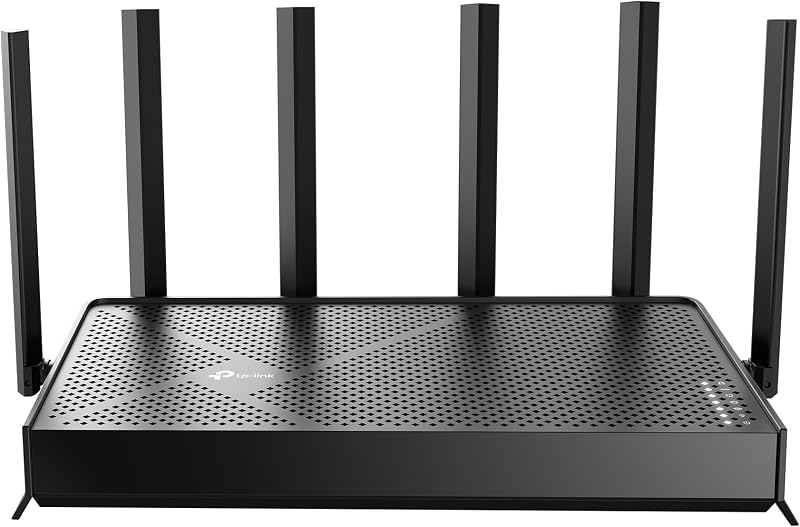
TP-Link Archer BE400
BeastScore 92 / 100Typically $130–$160 on Amazon (checked November 12, 2026)The BE400 is the one we would buy first because it puts the useful Wi-Fi 7 parts in a mid-priced box. The listing shows BE6500 speeds (up to 5,764 Mbps on 5 GHz), a 2.5G WAN/LAN port plus a second 2.5G LAN port, a USB 3.0 port and coverage of up to 2,400 sq ft for 90 devices. That fits a typical house or large apartment and a gigabit or 2 Gbps plan. If a dead zone shows up later, it can join an EasyMesh network. Skip it for homes over about 2,500 sq ft, or if you want the 6 GHz band, which this dual-band model lacks.
Pros- Wi-Fi 7 with two 2.5G ports at about $140
- Covers up to 2,400 sq ft from one box
- USB 3.0 port and EasyMesh expansion
Cons- Dual-band, so no 6 GHz band
- Only two 2.5G ports; the other three are gigabit
- One router won’t cover a big multi-floor house
- 2. Best Mesh System
TP-Link Deco BE25 (2-pack)
BeastScore 91 / 100Typically $150–$180 on Amazon (checked November 12, 2026)If dead zones are why you are shopping, this is the mesh to start with. The listing says two units cover up to 4,600 sq ft for 150+ devices, each unit has two 2.5G Ethernet ports, and you can run a cable between units so they use wired and wireless backhaul together. One network name and one app run the whole house. The 3-pack covers up to 6,600 sq ft for about $250. Skip it if you want a 6 GHz band, which these dual-band units lack, or if your home is under about 1,500 sq ft, where one router is enough.
Pros- Wi-Fi 7 mesh for far less than eero or Orbi
- Up to 4,600 sq ft from two units
- 2.5G ports for wired backhaul or a PC
Cons- Dual-band: no 6 GHz band
- Each unit has only two ports
- Two units are overkill for a small apartment
- 3. Best Budget Router
TP-Link Archer AX21
BeastScore 86 / 100Typically $50–$70 on Amazon (checked November 12, 2026)For a small home or apartment, one cheap router beats mesh, and the AX21 is the cheapest sensible way to get Wi-Fi 6. The listing says up to 1,200 Mbps on 5 GHz and 574 Mbps on 2.4 GHz, with OFDMA for many devices, four antennas with beamforming, and a built-in OpenVPN and PPTP server. It needs your own modem. Skip it if you pay for gigabit-plus internet, want 2.5G ports, or live in a big or multi-floor home: it has gigabit ports only, no 6 GHz band, and no stated square-foot rating.
Pros- Wi-Fi 6 for about $55
- OFDMA and beamforming for a busy apartment
- Built-in VPN server
Cons- Gigabit ports only, no 2.5G
- No 6 GHz band
- No stated coverage rating and no help for big homes
- 4. Best Value Mesh for Large Homes
TP-Link Deco X55 (3-pack)
BeastScore 88 / 100Typically $140–$170 on Amazon (checked November 12, 2026)The X55 is the affordable mesh we would send a big-house owner to. Three units for about $150 are rated for up to 6,500 sq ft and 150 devices, with AX3000 speeds (up to 2,402 Mbps on 5 GHz) and three gigabit ports on each unit for wired backhaul or a TV. That is more coverage per dollar than any Wi-Fi 7 mesh here. The trade-off is age: it is Wi-Fi 6 and dual-band. Skip it if you own Wi-Fi 7 phones and laptops and pay for more than about 1 Gbps, or want 2.5G ports. Then the Deco BE25 is the better buy.
Pros- Up to 6,500 sq ft for about $150
- Three gigabit ports on every unit
- Wired backhaul for steadier speeds
Cons- Wi-Fi 6, not Wi-Fi 7
- Dual-band: no 6 GHz band
- Gigabit ports only, so no multi-gig plans
- 5. Best for Gaming
ASUS TUF Gaming BE6500
BeastScore 89 / 100Typically $180–$220 on Amazon (checked November 12, 2026)This is the gaming router for people who want game features without a $600 price. The listing says BE6500 speeds with Multi-Link Operation, four 2.5G ports (one WAN, three LAN) and a dedicated Gaming Port that ranks your console or PC first, plus one-tap priority for mobile games. Security comes without a subscription, and the listing calls it mesh compatible. Skip it if you want the cheapest Wi-Fi 7: the BE400 has the same BE6500 speed class for about $55 less. It is dual-band, so no 6 GHz, and the listing gives no coverage rating.
Pros- Four 2.5G ports and a dedicated Gaming Port
- Game Accelerator and mobile game priority
- Security and parental controls without a subscription
Cons- Dual-band, so no 6 GHz band
- No coverage rating on the listing
- About $55 more than the BE400
- 6. Best Budget Wi-Fi 7
TP-Link Archer BE230
BeastScore 87 / 100Typically $70–$100 on Amazon (checked November 12, 2026)The BE230 is the cheapest way here to buy a Wi-Fi 7 router. For about $80, the listing gives you BE3600 speeds (up to 2,882 Mbps on 5 GHz), one 2.5G WAN/LAN port and one 2.5G LAN port, a USB 3.0 port and a quad-core processor. It covers up to 2,000 sq ft and 60 devices. That suits a flat or small house and a plan up to about 2 Gbps. Skip it for a bigger home or a crowded smart home: the BE400 costs about $60 more but covers 2,400 sq ft and 90 devices. Neither has a 6 GHz band.
Pros- Wi-Fi 7 and two 2.5G ports for about $80
- USB 3.0 port
- Works with EasyMesh extenders
Cons- Lists only 60 devices and 2,000 sq ft
- Dual-band, so no 6 GHz band
- Three of the five ports are gigabit
- 7. Best Premium Mesh for Large Homes
NETGEAR Orbi 770 (3-pack)
BeastScore 87 / 100Typically $540–$600 on Amazon (checked November 12, 2026)The Orbi 770 is the one for a house that other meshes can’t fill. The listing rates three units at up to 8,000 sq ft and 100 devices, and its tri-band design with Enhanced Backhaul is the listing’s reason for faster Wi-Fi across the home. It is ready for plans up to 2.5 Gbps and works with cable or fiber equipment. Skip it unless your home is over about 4,000 sq ft: the Deco BE25 3-pack covers up to 6,600 sq ft for less than half the price. NETGEAR Armor is a free trial for 30 days, then paid.
Pros- Up to 8,000 sq ft from three units
- Tri-band with Enhanced Backhaul
- Ready for plans up to 2.5 Gbps
Cons- More than twice the price of the Deco BE25 3-pack
- Armor security is paid after the 30-day trial
- Overkill for homes under about 4,000 sq ft
- 8. Easiest Mesh Setup
Amazon eero 7 (2-pack)
BeastScore 88 / 100Typically $220–$260 on Amazon (checked November 12, 2026)Pick the eero 7 when you want the network to set itself up and stay out of your way. The listing calls it Amazon’s most affordable Wi-Fi 7 router, with two auto-sensing 2.5G ports per unit, plans up to 2.5 Gbps, wireless up to 1.8 Gbps, and 120+ devices over 4,000 sq ft for two units. It works with every older eero and with Echo devices that have eero Built-in. Skip it if price per square foot matters: the Deco BE25 2-pack costs about $70 less and lists 4,600 sq ft. Some extras need a paid eero Plus plan.
Pros- Guided app setup, with older eeros supported
- Two 2.5G ports per unit and plans up to 2.5 Gbps
- Works with Echo eero Built-in devices
Cons- About $70 more than the Deco BE25 2-pack
- Dual-band, so no 6 GHz band
- Some extras need a paid eero Plus plan
- 9. Best Tri-Band Wi-Fi 7 Router
TP-Link Archer BE550
BeastScore 88 / 100Typically $180–$220 on Amazon (checked November 12, 2026)The BE550 is the pick when you own Wi-Fi 7 phones or laptops and want the 6 GHz band without moving to a $500 router. The listing shows tri-band BE9300 speeds (up to 5,760 Mbps on 6 GHz with 320 MHz channels) and five 2.5G ports, one WAN and four LAN, so a PC, NAS and mesh node can all connect at 2.5G. Skip it if you don’t need 6 GHz: the BE400 is about $50 cheaper and covers more on paper. This one is listed for up to 2,000 sq ft.
Pros- Tri-band with a 6 GHz band and 320 MHz channels
- All five ports are 2.5G
- Can grow into EasyMesh
Cons- Lists only 2,000 sq ft of coverage
- About $50 more than the BE400
- Only helps if your devices support Wi-Fi 7 or 6E
- 10. Best No-Subscription Security
ASUS RT-BE82U
BeastScore 88 / 100Typically $150–$190 on Amazon (checked November 12, 2026)The RT-BE82U gives you the most 2.5G ports for the least money here: five 2.5GbE ports for about $160, so a 2.5 Gbps fiber plan, a desktop, a NAS and a mesh node can all run wired at full speed. The listing also says network security and parental controls come without a subscription (AiProtection Pro by Trend Micro), and AiMesh lets you add another ASUS router later. It is Wi-Fi 7 with up to 6,500 Mbps. Skip it if you want 6 GHz or a stated coverage rating. The listing gives no square-foot figure, and it is dual-band.
Pros- Five 2.5G ports for about $160
- Security and parental controls with no subscription
- AiMesh lets you add ASUS routers later
Cons- Dual-band, so no 6 GHz band
- The listing gives no coverage figure
- AiMesh only pairs with other ASUS routers
- 11. Best Wi-Fi 6E Router
TP-Link Archer AXE75
BeastScore 87 / 100Typically $90–$120 on Amazon (checked November 12, 2026)The AXE75 is the cheapest route to the 6 GHz band. It is a tri-band Wi-Fi 6E router with up to 2,402 Mbps on 6 GHz, 2,402 Mbps on 5 GHz and 574 Mbps on 2.4 GHz, a dual-core processor, and both a VPN server and client. It also works with EasyMesh and OneMesh extenders. For about $100 it gives phones and laptops that support 6E a clean extra lane. Skip it if you want Wi-Fi 7 features: the Archer BE230 costs about $20 less and is Wi-Fi 7, though dual-band. The listing gives no coverage figure or clear port speeds.
Pros- Tri-band Wi-Fi 6E with a 6 GHz band under $100
- VPN server and client built in
- Works with EasyMesh and OneMesh extenders
Cons- Wi-Fi 6E, not Wi-Fi 7
- Listing gives no coverage figure
- Port speeds are unclear on the listing
- 12. Best Wi-Fi 6E Mesh
TP-Link Deco XE75 (3-pack)
BeastScore 88 / 100Typically $190–$230 on Amazon (checked November 12, 2026)The XE75 is the mesh for a large house when you want the 6 GHz band to carry traffic between units. The listing rates three units at up to 7,200 sq ft and 200 devices, with a tri-band design (2,402 Mbps on 6 GHz, 2,402 Mbps on 5 GHz, 574 Mbps on 2.4 GHz) where 6 GHz can serve as the link between nodes by default. It costs about $50 more than the Deco X55 for that extra band. Skip it if you pay for more than 1 Gbps: its ports are gigabit, so a multi-gig plan wastes the hardware. It is also Wi-Fi 6E, not Wi-Fi 7.
Pros- Up to 7,200 sq ft from three units
- 6 GHz band can carry traffic between nodes
- Lists up to 200 devices
Cons- Gigabit ports, so no multi-gig plans
- Wi-Fi 6E, not Wi-Fi 7
- About $50 more than the Deco X55
- 13. Cheapest Whole-Home Mesh
TP-Link Deco S4 (3-pack)
BeastScore 85 / 100Typically $90–$120 on Amazon (checked November 12, 2026)The Deco S4 is the cheapest way to cover a whole house with one network, at about $96 for three units. The listing rates them for up to 5,500 sq ft and 100 devices, with one network name so phones roam without switching. Speeds are modest: AC1900 Wi-Fi 5, up to 1,300 Mbps on 5 GHz. One network name beats a router plus an extender here, because phones roam without switching. Skip it if you pay for more than about 500 Mbps or buy new devices often: the Deco X55 is Wi-Fi 6 with more coverage for about $55 more, and the BE25 adds Wi-Fi 7.
Pros- Whole-home mesh for about $96
- Up to 5,500 sq ft and 100 devices
- Easy app setup and parental controls
Cons- Older Wi-Fi 5 standard
- Won’t carry a gigabit plan to your devices
- Gigabit ports only
- 14. Best for 10 Gig Fiber
ASUS RT-BE88U
BeastScore 86 / 100Typically $320–$360 on Amazon (checked November 12, 2026)The RT-BE88U is for the few homes with 5 to 10 Gbps fiber. It has one 10G SFP+ port and one standard 10G WAN/LAN port, a quad-core 2.6 GHz processor and a USB port that can tether a 4G or 5G backup. Wi-Fi is BE7200, with coverage the listing puts at up to 3,000 sq ft. ASUS adds AiProtection Pro, VPN support and Guest Network Pro with no subscription. Skip it unless you have a multi-gig plan or a NAS to feed: for plans under 2.5 Gbps, the RT-BE82U gives you 2.5G ports for half the price. It is dual-band, so no 6 GHz band.
Pros- Two 10G ports for 5 to 10 Gbps plans
- Strong processor and USB tethering for backup
- Security with no subscription
Cons- About double the price of the RT-BE82U
- Dual-band, so no 6 GHz band
- Few homes have a plan that uses the 10G ports
- 15. Best Multi-Gig Mesh
Amazon eero Pro 7 (3-pack)
BeastScore 86 / 100Typically $580–$640 on Amazon (checked November 12, 2026)The eero Pro 7 is the mesh to buy if your plan is 5 Gbps and you want eero’s simple app. The listing says each unit has two auto-sensing 5 GbE ports, wireless speeds reach up to 3.9 Gbps, and three units cover 6,000 sq ft and 600+ devices. It works with older eeros and with Echo devices that have eero Built-in. Skip it unless you can use those ports: for about $350 less, the Deco BE25 3-pack covers up to 6,600 sq ft and has 2.5G ports. Some extras need a paid eero Plus plan.
Pros- Two 5G ports on every unit
- Tri-band Wi-Fi 7 with wireless up to 3.9 Gbps
- Simple eero app and older eero support
Cons- Costs about $600 for three units
- Most homes can’t use the 5G ports
- Some extras need a paid eero Plus plan
- 16. Best for VPN and Tinkering
GL.iNet Flint 3 (GL-BE9300)
BeastScore 84 / 100Typically $200–$240 on Amazon (checked November 12, 2026)The Flint 3 is for people who want to control their network rather than be walked through it. The listing says WireGuard and OpenVPN speeds up to 680 Mbps, supports AdGuard Home for DNS ad blocking, and has room for extra plugins. It is tri-band Wi-Fi 7 with five 2.5G ports and up to 2,000 sq ft. Setup runs through a web admin panel, not a phone app. Skip it if you want guided setup or mesh with a simple app. GL.iNet is a smaller brand than TP-Link or ASUS.
Pros- VPN speeds up to 680 Mbps per the listing
- AdGuard Home support for DNS ad blocking
- Tri-band Wi-Fi 7 with five 2.5G ports
Cons- Web-panel setup, not a simple app
- Lists only 2,000 sq ft of coverage
- Smaller brand than TP-Link or ASUS
- 17. Best High-End Gaming Router
ASUS ROG Rapture GT-BE98 Pro
BeastScore 85 / 100Typically $650–$720 on Amazon (checked November 12, 2026)The GT-BE98 Pro is the no-compromise single router, and it is priced like it. The listing shows quad-band Wi-Fi 7 with speeds up to 30 Gbps, 320 MHz channels on 6 GHz, two 10G ports plus four 2.5G ports, external antennas and coverage of up to 3,500 sq ft. Game acceleration works from the gaming port to the server. The listing also calls it mesh compatible. Skip it unless you have a 5 to 10 Gbps plan or a big wired setup: the TUF Gaming BE6500 covers gaming for under a third of the price, and the 30 Gbps figure is a combined total across bands.
Pros- Quad-band with 320 MHz channels on 6 GHz
- Two 10G and four 2.5G ports
- Up to 3,500 sq ft from one router
Cons- Costs about $685
- The 30 Gbps figure is a combined total across bands
- Few homes have a plan that uses the 10G ports
All 17 compared, in one look
See every pick on one chart, or tap one to put it head to head with TP-Link Archer BE400. Ratings out of 10 are our estimates from published specs and Amazon owner reviews, not hands-on tests. Bigger shape = better.
- SpeedASUS ROG Rapture GT-BE98 Pro · 10.0/10
- CoverageNETGEAR Orbi 770 (3-pack) · 9.8/10
- Many devicesTie
- Easy setupTie
- Future-proofASUS ROG Rapture GT-BE98 Pro · 9.8/10
- ValueTP-Link Archer AX21 · 9.8/10
Which one should you buy?
Find your situation below. That's your pick.
- You live in a home or apartment up to about 2,400 sq ft
- You want Wi-Fi 7 and two 2.5G ports for about $140
- You have dead zones in a home up to about 4,600 sq ft
- You want Wi-Fi 7 mesh without paying for eero or Orbi
- You have an apartment and a plan under 500 Mbps
- You want the cheapest router worth buying
- You have a big house on a normal internet plan
- You want the most coverage per dollar
- You play on a wired console or PC
- You want game features at under $200
- You want Wi-Fi 7 for around $80
- You have a small home and a plan up to about 2 Gbps
- Your home is over 4,000 sq ft or has several floors
- You want a tri-band mesh built for big homes
- You want the simplest app setup
- You have Echo devices or older eero units
- You own Wi-Fi 7 devices and want the 6 GHz band
- You want five 2.5G ports for a wired setup
- You have a 2.5 Gbps fiber plan and want five 2.5G ports
- You want parental controls and security with no subscription
- You have Wi-Fi 6E devices and a budget under $100
- You want a VPN server and client built in
- You have a big home and want a 6 GHz band between units
- Your plan is gigabit or under
- You need the cheapest whole-home mesh
- Your plan is under about 500 Mbps
- You have a 5 or 10 Gbps fiber plan
- You want 10G ports for a NAS or home lab
- You have a 5 Gbps plan and want a simple mesh app
- You work from home and have many devices
- You want a fast VPN router with ad blocking
- You are comfortable with a web admin panel
- You want the most headroom from a single router
- You have 10G fiber or a heavy wired setup
TP-Link Archer BE400
The best mix of Wi-Fi 7, 2.5G ports and price for most homes.
- Wi-Fi 7 (BE6500)
- Two 2.5G ports
- Up to 2,400 sq ft
Quick tips before you buy
Up to about 2,000 sq ft, one router is enough. Above 2,500 sq ft or over several floors, get mesh.
Under 500 Mbps, Wi-Fi 6 is plenty. Gigabit and up is where Wi-Fi 7 and 2.5G ports earn their price.
Put the router in the middle of the home, off the floor and out of cabinets, away from the modem’s corner.
Connecting mesh units with Ethernet gives steadier speeds than wireless backhaul.
Quick answers
Mesh WiFi or a single router: which do I need?+
A single router suits most homes up to about 2,000 to 2,500 sq ft on one or two floors. Mesh uses several units with one network name to cover bigger homes, thick walls or several floors. If you only have one weak room in a small home, move the router first before spending on mesh.
What is the best affordable mesh WiFi system for a large home?+
The TP-Link Deco X55 3-pack, which the listing rates for up to 6,500 sq ft and which costs about $140 to $170. The Deco S4 3-pack is cheaper, around $90 to $120, but it is Wi-Fi 5. If you want Wi-Fi 7, the Deco BE25 covers up to 4,600 sq ft in a 2-pack and up to 6,600 sq ft in a 3-pack, which sells for about $250. For very large homes, the NETGEAR Orbi 770 is rated for up to 8,000 sq ft.
How many mesh nodes do I need?+
A common rule: one router for under 1,000 sq ft, a router plus one node for 1,000 to 2,500 sq ft, plus two nodes for 2,500 to 3,500 sq ft, and one more node for each extra 1,000 sq ft or so. Treat the sq-ft ratings on boxes as best-case numbers. More than four or five wireless nodes slows things down, so use Ethernet between units in a big house.
What is the best WiFi router for gaming?+
The ASUS TUF Gaming BE6500 for most players. It lists four 2.5G ports, a dedicated Gaming Port and game prioritization for about $180 to $220. For the most headroom, the ROG Rapture GT-BE98 Pro has dual 10G ports, but it costs about $685. Whichever you pick, plug your console or PC in with Ethernet when you can.
What is the best WiFi router for fiber internet?+
It depends on your plan. Up to about 2.5 Gbps, the ASUS RT-BE82U (five 2.5G ports) or TP-Link Archer BE550 will carry it, and the Archer BE400 is the cheaper choice with two 2.5G ports. For a 5 Gbps plan, the eero Pro 7 mesh has two 5G ports per unit, and for 10 Gbps the ASUS RT-BE88U has two 10G ports. Check which port your fiber box uses first.
Is Wi-Fi 7 worth it in 2026?+
Only if your devices and plan can use it. The Wi-Fi Alliance lists 320 MHz channels on 6 GHz and Multi-Link Operation, which uses several bands together, as the main upgrades. You only get them with Wi-Fi 7 phones and laptops. Older devices still connect at their own speed. If your plan is under about 500 Mbps, a Wi-Fi 6 router like the Archer AX21 is enough. At gigabit or higher with newer devices, the Wi-Fi 7 picks above are worth the extra.
Should I buy a mesh system or a WiFi extender?+
Buy mesh for a whole house, an extender only for one small dead zone. Extenders repeat your router’s signal and often add a second network name. Mesh units act as one network and roam your devices for you. Our WiFi Extender vs Mesh article breaks down the cost and trade-offs.
Keep comparing
 Best Home Security Cameras: Top 5 on AmazonCheck on your home from your phone, day or night.
 Best Streaming Sticks: Top 5 on AmazonFire TV vs Roku vs NVIDIA: make any TV smart.
 Best Echo Devices: Top 5 on AmazonEcho Dot, Spot or Show? Pick the right one in a minute.
 Best Surge Protectors: Top 5 on AmazonProtect your TV, PC and chargers from power spikes.