Which Kindle
should you buy?
For most people, get the Kindle Paperwhite. Amazon sells four kinds of Kindle, and the names don’t tell you much. We put the whole lineup side by side so you can pick the right one in a minute.
How we picked: we shortlist by Amazon Best Seller rank and number of ratings, then compare published specs. We don't test these products hands-on.
- Owner reviews checked
- Features side by side
- Quick & easy compare
- Smarter purchase

The short answer
For most people, the Kindle Paperwhite is the one to get. It has a bigger 7-inch screen than the basic Kindle, it is waterproof, and one charge lasts up to 12 weeks.
Get the basic Kindle if you want the smallest, lightest one and mostly read at home. Get the Kindle Colorsoft if you read comics, cookbooks or kids’ books and want color. Get the Kindle Scribe only if you also want to write: it is a big 11-inch notebook with a pen in the box.
Kindle is one of the most searched products on Amazon right now, and Kindles usually get some of the biggest discounts during Prime Big Deal Days (October 6–7, 2026). Pick your model now, then buy it on sale.
Compare them side by side
Everything that matters, in one table. Swipe to see all 4.
| Product | Best for Most People Kindle Paperwhite 7" e-reader (2024 model) | 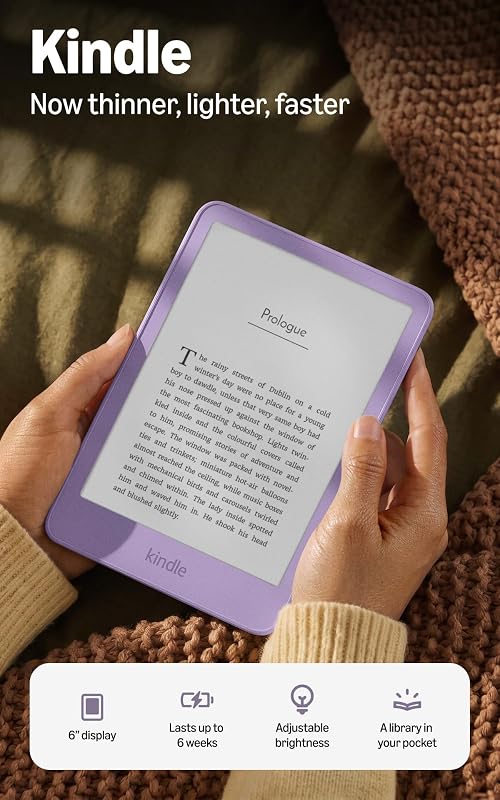 Smallest & Lightest Kindle (newest model) 6" e-reader |  Best for Color Kindle Colorsoft 7" color e-reader | 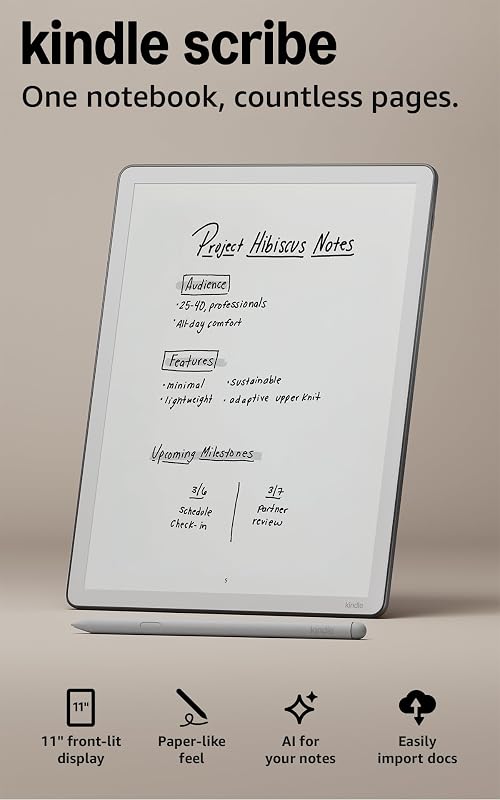 Best for Notes Kindle Scribe 11" e-reader and notebook (3rd gen) |
|---|---|---|---|---|
| BeastScore | 93 / 100 | 86 / 100 | 89 / 100 | 88 / 100 |
| Best for | Anyone who reads a lot | Light reading and small hands | Comics, cookbooks and kids’ books | Students and note-takers |
| Screen | 7" glare-free, 300 ppi | 6" glare-free | 7" Colorsoft | 11" glare-free, 300 ppi |
| Color | Black & white | Black & white | Yes | Black & white |
| Battery | Up to 12 weeks | Up to 6 weeks | Up to 8 weeks | See listing |
| Waterproof | Yes, IPX8 | Not listed | Yes, IPX8 | Not listed |
| Storage | 16 GB | 16 GB | 16 GB | 32 GB |
| Writing | No | No | No | Yes, pen included |
| Key features |
|
|
|
|
BeastScore here is our overall rating out of 100, based on published specs and Amazon owner reviews. Prices change daily, so tap "View on Amazon" for today's price. We may earn a small commission, at no extra cost to you. Learn more
All 4 compared, in one look
See every pick on one chart, or tap one to put it head to head with Kindle Paperwhite. Ratings out of 10 are our estimates from published specs and Amazon owner reviews, not hands-on tests. Bigger shape = better.
- Reading comfortKindle Scribe · 9.6/10
- PortabilityKindle (newest model) · 9.8/10
- BatteryKindle Paperwhite · 9.8/10
- ExtrasKindle Scribe · 9.9/10
- Water & buildTie
- ValueKindle Paperwhite · 9.4/10
Who wins where
The winner of each category, based on published specs and Amazon owner reviews. Pick the rounds that matter to you.
- Round 1
Screen size
Kindle Scribe winsThe Scribe’s 11-inch screen is huge, close to a sheet of paper. The Paperwhite and Colorsoft are 7 inches, and the basic Kindle is 6 inches. Bigger is nicer for PDFs and big fonts, but harder to hold in one hand.
- Round 2
Battery life
Kindle Paperwhite winsAmazon lists the Paperwhite at up to 12 weeks per charge, the longest of the four. The Colorsoft is up to 8 weeks and the basic Kindle up to 6 weeks. All of them charge over USB-C.
- Round 3
Color
Kindle Colorsoft winsThe Colorsoft is the only small Kindle with a color screen. Covers, comics and pictures look like a printed page. Plain novels look about the same as on a Paperwhite, so you only need it if you read in color.
- Round 4
Pool and bath
TieThe Paperwhite and Colorsoft are both waterproof (IPX8), tested in 2 meters of fresh water. The listings for the basic Kindle and the Scribe don’t list a waterproof rating, so keep those away from water.
- Round 5
Easiest to carry
Kindle (newest model) winsThe newest basic Kindle is thinner and lighter than before, with a 6-inch screen. It slips into a jacket pocket. The Scribe is the opposite: 400 g, more like a small tablet.
- Round 6
Writing and notes
Kindle Scribe winsOnly the Scribe lets you write. It comes with a pen that never needs charging, a built-in notebook, and AI tools that summarize your notes or turn handwriting into text.
Which one should you buy?
Find your situation below. That's your pick.
- You read most days
- You want to read by the pool or in the bath
- You hate charging things
- You want the smallest Kindle
- You mostly read in bed or on the couch
- It is a first Kindle or a gift
- You read comics, manga or cookbooks
- You like seeing book covers in color
- You highlight a lot
- You take notes for work or school
- You read PDFs and documents
- You want one device instead of paper notebooks
Kindle Paperwhite
The best mix of screen size, battery and price. It is the Kindle most people should buy.
- 7" glare-free screen
- Up to 12 weeks battery
- Waterproof (IPX8)
Quick tips before you buy
7 inches is the sweet spot. Go 6 for pockets, 11 only if you write or read PDFs.
Get the Paperwhite or Colorsoft. Both are IPX8 waterproof.
Even the basic Kindle lasts up to 6 weeks, so don’t overpay for battery alone.
Kindles are often discounted during Prime Big Deal Days and Black Friday.
Quick answers
What is the difference between a Kindle and a Kindle Paperwhite?+
The Paperwhite has a bigger 7-inch screen (vs 6 inches), is waterproof (IPX8) and lasts up to 12 weeks per charge (vs up to 6 weeks). The basic Kindle is smaller, lighter and cheaper.
Is the Kindle Colorsoft worth it over the Paperwhite?+
Only if you read things with pictures: comics, cookbooks, kids’ books or magazines. For plain novels, the Paperwhite is just as good and its battery lasts longer.
Can you read books on the Kindle Scribe?+
Yes. It is a full Kindle with an 11-inch screen. You can also write notes right on the page of a book, which the other Kindles can’t do.
Which Kindle is best for kids?+
The basic Kindle is small and light for little hands. For picture books, the Colorsoft shows color. Amazon also sells Kids versions with a cover and extra warranty.
Do Kindles have ads?+
The models we link are the versions without lockscreen ads. Amazon also sells cheaper versions with ads on the lock screen.