
Best E-Readers for PDF
8 Picks, 10 to 13 Inch Screens
Our #1 pick is the Kindle Scribe (newest model). Letter and A4 PDFs need a 10-inch screen or bigger. We compared 8 large e-readers, from a budget Boox to a 13.3-inch full-page screen, with price bands and who each one is for.
How we picked: we shortlist by Amazon Best Seller rank and number of ratings, then compare published specs. We don’t test these products hands-on.
By Jamilur Rahman, Founder & Editor · Updated November 22, 2026
- Owner reviews checked
- Features side by side
- Quick & easy compare
- Smarter purchase
The short answer
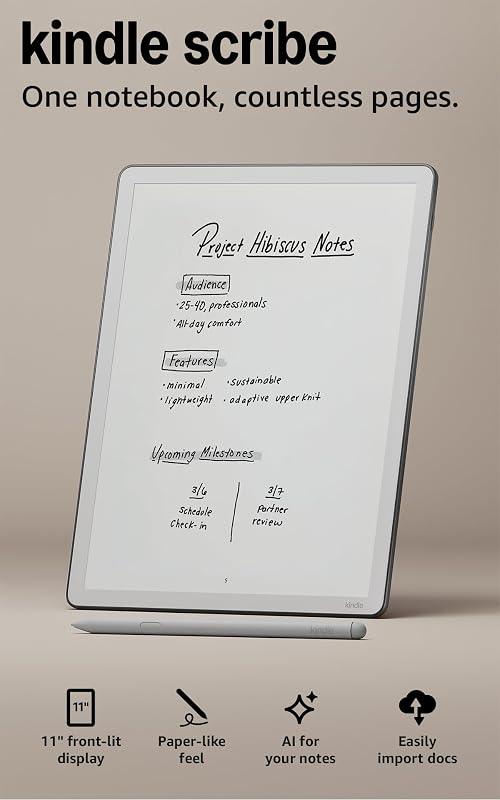
For most people who read PDFs, the Kindle Scribe (newest model) is the e-reader to buy. Its 11-inch screen shows a letter or A4 page at about three quarters of print size, the pen is in the box, and you can send a PDF to it, mark it up and export it again with almost no setup. On a budget? The Boox Note Air 4 C is a 10.3-inch color Android e-reader with a pen, in the $290 to $330 band on the November 22 listing, and its PDF tools (margin crop, reflow, split screen with notes) are why PDF-heavy readers pick Boox.
The other six fit narrower jobs. The Kobo Elipsa 2E is the pick if you read EPUB books and borrow library books as well as PDFs. The reMarkable Paper Pro has the nicest writing feel and an 11.8-inch color screen, so it suits people who mostly write on documents. The Boox Note Max is for engineers, musicians and anyone who wants a true full-size page: its 13.3-inch screen is the biggest here. The Kindle Scribe Colorsoft adds color for charts and highlights. The Boox Go 10.3 Gen II is the light, black-and-white Android pick, and the Boox Note Air6 C is the newest Boox for people who want the latest chip and Android 16.
Skip 6 and 7-inch e-readers for letter or A4 PDFs, including the Kindle Paperwhite and Kobo Libra Colour. By simple geometry, a letter page on a 7-inch screen shrinks to about half its printed size, so footnotes and tables turn unreadable without constant zooming. A 10.3-inch screen shows it at about three quarters, and a 13.3-inch screen at close to full size. Skip unknown-brand e-paper tablets with few owner reports, because you can’t count on updates or support when a file won’t open. And skip the Note Max if you read in bed: it has no front light. Most roundups list old models and never say that PDF reading comes down to screen size first, then the pen, then the software tools. This page ranks in that order and gives every pick a price band and a "who should skip it".
How we picked: on November 22, 2026 we read 17 live Amazon US listings and kept the 8 that fit a full PDF page best. We cross-checked specs and PDF features against outside sources: BOOX’s product and help pages, Kobo’s help center, reMarkable’s feature page, Android Central’s Note Air 5 C review and The eBook Reader’s NeoReader PDF guides. Prices are bands from those listings and move often, especially as Black Friday sales start. We did not test these ourselves: claims about PDF tools come from the listings and those sources, not from hands-on use.
Before you buy, see which Kindle deals on Amazon are real. We check each one against its price history.
Compare them side by side
Everything that matters, in one table. Swipe to see all 8.
| Product | Best Overall Kindle Scribe (newest model) 11" e-reader and notebook |  Best Budget Pick Boox Note Air 4 C 10.3" color Android e-reader |  Best for PDF and EPUB Kobo Elipsa 2E 10.3" e-reader with stylus |  Best for Handwritten Markup reMarkable Paper Pro 11.8" color paper tablet | 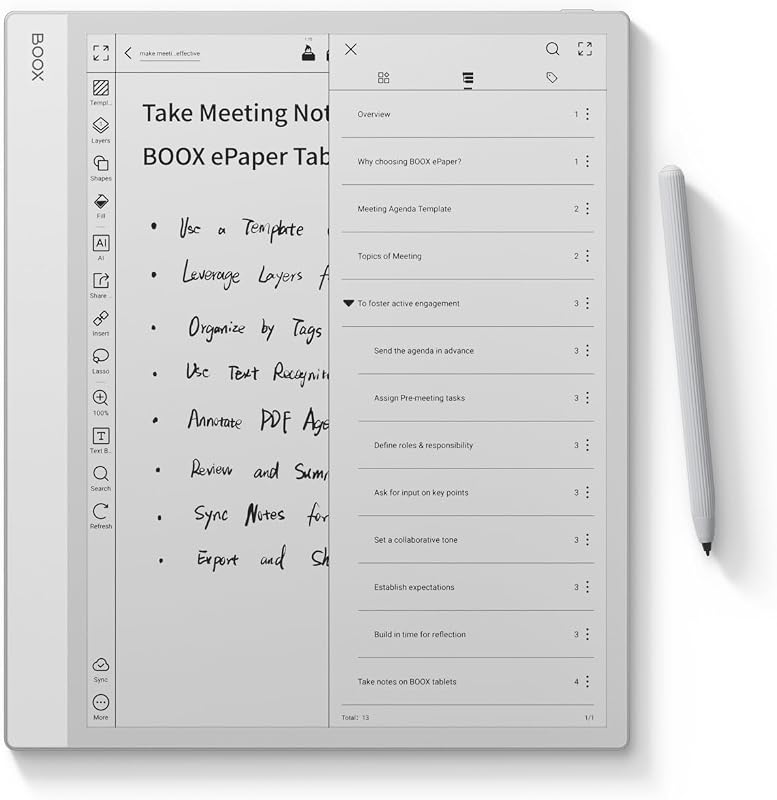 Best for Full-Size Pages Boox Note Max 13.3" black-and-white e-reader |  Best Color Kindle for PDFs Kindle Scribe Colorsoft 11" color e-reader and notebook |  Best Lightweight Android Pick Boox Go 10.3 Gen II 10.3" black-and-white Android e-reader |  Best Newest Boox Boox Note Air6 C 10.3" color Android e-reader |
|---|---|---|---|---|---|---|---|---|
| BeastScore | 92 / 100 | 91 / 100 | 89 / 100 | 88 / 100 | 87 / 100 | 86 / 100 | 84 / 100 | 83 / 100 |
| Best for | Most people: students, professionals and Kindle readers | PDF-heavy readers who want the most tools for the least money | Readers who want EPUB, library books and PDF markup, not Amazon | People who write on documents all day | Spreadsheets, sheet music, drawings and two-page spreads | Slides, graphs, maps and color-coded notes | Long reading sessions with text-heavy PDFs and papers | Buyers who want the latest Boox chip and Android 16 |
| Typical price (checked November 22, 2026) | $350–$390 | $290–$330 | $400–$430 | $680–$720 | $630–$680 | $450–$490 | $450–$480 | $580–$620 |
| Screen | 11" | 10.3" | 10.3" | 11.8" | 13.3" | 11" | 10.3" | 10.3" |
| Color | Black and white | Color (Kaleido 3) | Black and white | Color (Canvas Color) | Black and white | Color (Colorsoft) | Black and white | Color (Kaleido 3) |
| Pen in the box | Yes | Yes, per listing | Yes, Kobo Stylus 2 | Yes, Marker Plus | See listing | Yes | See listing | See listing |
| Android apps | No (Kindle software) | Yes, Android 13 | No (Kobo software) | No (Linux) | Yes, Android 13 | No (Kindle software) | Yes, Android 15 | Yes, Android 16 |
| Storage | 32 GB | 64 GB | 32 GB | See listing | 128 GB | 32 GB | 64 GB | 64 GB |
| Key features |
|
|
|
|
|
|
|
|
BeastScore here is our overall rating out of 100, based on published specs and Amazon owner reviews. Prices change daily, so tap "View on Amazon" for today's price. We may earn a small commission, at no extra cost to you. Learn more
Why each one made the list
What each pick does best, where it falls short, and the typical Amazon price when we checked.
- 1. Best Overall
Kindle Scribe (newest model)
BeastScore 92 / 100Typically $350–$390 on Amazon (checked November 22, 2026)The Scribe is the easiest large e-reader to live with. The listing describes an 11-inch glare-free display with a front light and a pen in the box. Send PDFs with Send to Kindle, pull files from Google Drive or OneDrive, write on the page, then export the marked-up file as a PDF. At 400 g and 5.4 mm it is light for this size, and Amazon says writing and page turns are 40% faster than on the old Scribe. It runs closed Kindle software, so there are no Android apps and fewer layout tools than a Boox. Skip it if you need crop and reflow tools.
Pros- 11-inch screen shows a letter page at about three quarters of print size
- Pen included, and handwritten markup exports back to a PDF
- Simple, closed system with Send to Kindle, Google Drive and OneDrive
Cons- No Android apps and fewer PDF layout tools than a Boox
- Files reach it through Amazon’s tools, not a plain file manager
- Costs more than the budget Boox, which does more with PDFs
- 2. Best Budget Pick
Boox Note Air 4 C
BeastScore 91 / 100Typically $290–$330 on Amazon (checked November 22, 2026)This is the cheapest way into a 10-inch PDF reader that does not feel cheap. It runs Android 13 with 6 GB of RAM and 64 GB of storage, and the listing says a stylus is included. PDF readers pick Boox for NeoReader: margin crop, PDF reflow, contrast settings and split screen, so you read on one side and take notes on the other, per BOOX’s help pages. The Air 5 C and Air6 C are newer, but Android Central’s review calls the 5 C almost identical, and both cost far more. The trade-offs: color text is soft, and Boox offers less hand-holding than Amazon or Kobo.
Pros- Runs Android 13 and supports third-party apps
- NeoReader adds margin crop, reflow and split screen
- Color screen, pen and 64 GB at the lowest price here
Cons- Color is 150 ppi against 300 ppi in black and white, so color text is soft
- Android 13 is older than the Air 5 C and Air6 C
- Busy settings and less support help than Amazon or Kobo
- 3. Best for PDF and EPUB
Kobo Elipsa 2E
BeastScore 89 / 100Typically $400–$430 on Amazon (checked November 22, 2026)The Elipsa 2E is the large e-reader for people who read EPUB books as well as PDFs. It has a 10.3-inch Carta 1200 screen with ComfortLight PRO, 32 GB of storage and the rechargeable Kobo Stylus 2 in the box. You can write on PDFs and ebooks, and Kobo’s help center says handwritten notes on non-protected PDFs save into the file, so you can copy it off over USB-C. You also get the Kobo Store and OverDrive library borrowing, a real alternative to Amazon’s store. Skip it if you need crop and reflow tools: the listing names markup and highlighting, not those.
Pros- Stylus 2 included, and notes on non-protected PDFs save into the file
- Reads EPUB and borrows library books through OverDrive
- ComfortLight PRO warm light and 32 GB of storage
Cons- Kobo’s help center says the stylus can’t write on DRM-protected PDFs
- No Android apps, and no crop or reflow tools named on the listing
- The stylus needs charging, unlike the Kindle’s battery-free pen
- 4. Best for Handwritten Markup
reMarkable Paper Pro
BeastScore 88 / 100Typically $680–$720 on Amazon (checked November 22, 2026)Pick the Paper Pro if you write on documents all day. Its 11.8-inch Canvas Color display is the biggest screen here outside the Boox Note Max, the Marker Plus pen is in the box, and the listing promises writing directly on PDFs, folders and tags, and up to 15 days of battery. Reviewers praise the writing feel, and it adds an adjustable reading light. But it is a notebook first. It runs Linux, not Android, imports DRM-free EPUB and PDF files, and has no book store. Skip it if you mostly read and rarely write, because it costs far more than a Kindle Scribe.
Pros- 11.8-inch color screen with an adjustable reading light
- Marker Plus pen included, and you can write directly on PDFs
- Folders and tags keep big document piles organized
Cons- Notebook first: reading is secondary and there is no book store
- Linux software, so no Android apps, and EPUB is import-only
- Costs more than any other pick here
- 5. Best for Full-Size Pages
Boox Note Max
BeastScore 87 / 100Typically $630–$680 on Amazon (checked November 22, 2026)The Note Max is the only pick here that shows a near-full-size page. Its 13.3-inch, 3200 x 2400 screen at 300 ppi shows a letter page close to print size, which helps with spreadsheets, sheet music, engineering drawings and two-page spreads. It runs Android 13 with 6 GB of RAM and 128 GB of storage, and Boox’s NeoReader tools (crop, reflow, split screen) apply. Skip it if you read in bed or carry it every day. It has no front light and weighs about 615 g, more than 200 g heavier than the Scribe. The listing also doesn’t say a pen is in the box, so check before you order.
Pros- 13.3-inch screen shows a letter or A4 page close to full size
- 300 ppi black and white and 128 GB of storage
- Android lets you install reading, cloud and file apps
Cons- No front light, so you need a lamp at night
- About 615 g, heavy for one hand or a commute bag
- The listing doesn’t say a pen is included
- 6. Best Color Kindle for PDFs
Kindle Scribe Colorsoft
BeastScore 86 / 100Typically $450–$490 on Amazon (checked November 22, 2026)The Colorsoft is the Scribe with a color screen. It has the same 11-inch display, the same 400 g and 5.4 mm body and the same pen, but the Colorsoft panel shows highlights, charts and diagrams that look gray on a black-and-white e-reader. By the listing it also imports from Google Drive and OneDrive and exports marked-up files as PDFs. Pay for it if your PDFs are slides, maps, graphs or color-coded notes. Skip it if your files are plain-text papers and textbooks. Color E Ink looks muted next to a tablet, and it costs about $100 more than the plain Scribe.
Pros- Color for highlights, charts, slides and diagrams
- Same 11-inch screen, pen and 400 g body as the Scribe
- Marked-up PDFs export from the device
Cons- About $100 more than the plain Scribe
- Color E Ink is muted next to a tablet screen
- Same closed Kindle software, no Android apps
- 7. Best Lightweight Android Pick
Boox Go 10.3 Gen II
BeastScore 84 / 100Typically $450–$480 on Amazon (checked November 22, 2026)The Go 10.3 Gen II is the lightest Android pick, at 364 g and 4.8 mm by the listing. It has a 10.3-inch black-and-white screen at 300 ppi (2480 x 1860), a warm and cold front light, Android 15, 64 GB of storage and 4 GB of RAM. Black-and-white panels usually look crisper than color ones, so it suits papers and textbooks, and Boox’s NeoReader tools apply. It costs more than the color Air 4 C, so buy it only if weight and sharp text matter more than color. The listing names stylus touch but doesn’t say a pen is included.
Pros- 364 g and 4.8 mm, the lightest large Android reader here
- 300 ppi black-and-white screen with warm and cold light
- Android 15 with NeoReader’s crop, reflow and split screen
Cons- Black and white only
- Costs more than the color Air 4 C
- Only 4 GB of RAM, against 6 GB on the Air models
- 8. Best Newest Boox
Boox Note Air6 C
BeastScore 83 / 100Typically $580–$620 on Amazon (checked November 22, 2026)The Note Air6 C is the newest Boox here. By the listing it runs Android 16 on a Qualcomm 6690 chip with 6 GB of RAM and 64 GB of storage, adds Bluetooth 6.0 and a microSD slot, and uses the same 10.3-inch Kaleido 3 color screen specs as the Air 4 C. You are paying for the chip and software, not a better screen. Most PDF readers should buy the Air 4 C and keep the difference. Skip the Air6 C unless you want Android 16 and the newest hardware. It costs far more, and the listing is new, so owner feedback is thin.
Pros- Android 16 on a Qualcomm 6690 chip
- microSD slot and Bluetooth 6.0
- 10.3-inch color screen with warm and cold front light
Cons- Same screen specs as the Air 4 C for far more money
- New listing, so fewer owner reports on reliability
- Color is 150 ppi, so color text is soft
All 8 compared, in one look
See every pick on one chart, or tap one to put it head to head with Kindle Scribe (newest model). Ratings out of 10 are our estimates from published specs and Amazon owner reviews, not hands-on tests. Bigger shape = better.
- Screen sizeBoox Note Max · 10.0/10
- PDF toolsTie
- Pen & notesreMarkable Paper Pro · 9.8/10
- ComfortTie
- File freedomTie
- ValueBoox Note Air 4 C · 9.6/10
Which one should you buy?
Find your situation below. That's your pick.
- You want the easiest big-screen PDF reader with a pen in the box
- You already buy Kindle books and want markup you can export as a PDF
- You want the most PDF tools for the lowest price
- You like Android apps, margin crop, reflow and split screen
- You read EPUB and borrow library books as well as PDFs
- You want a large e-reader that is not tied to Amazon
- You mostly write on documents and want the best pen feel
- You want an 11.8-inch color screen and don’t need apps or a store
- You need a near-full-size page for spreadsheets, scores or drawings
- You read at a desk and don’t need a front light
- Your PDFs are slides, graphs or color-coded notes
- You want the Kindle Scribe experience with color
- You read long, text-heavy PDFs and want the lightest big screen
- You want sharp black-and-white text with Android apps
- You want the newest Boox chip and Android 16
- You will use the microSD slot and don’t mind paying for the latest
Kindle Scribe (newest model)
The easiest big-screen PDF reader: an 11-inch display, a pen in the box and simple PDF import and export.
- 11" display
- Pen included
- Exports marked-up PDFs
Quick tips before you buy
By simple geometry, a letter page shows at about half size on 7 inches, three quarters on 10.3 to 11 inches and close to full size on 13.3 inches.
Boox runs Android, so you can install apps and tune PDFs. Kindle, Kobo and reMarkable are closed systems that need less setup.
The Boox 10.3-inch color panels show color at 150 ppi against 300 ppi in black and white, so text-heavy files look crisper on black-and-white models.
Load your heaviest file in the first days, try the pen on it and check what the box includes, while the return window is still open.
Quick answers
What is the best e-reader for PDF?+
For most people, the Kindle Scribe: an 11-inch screen, a pen in the box and simple import and export of PDFs. On a budget or for the most PDF tools, the Boox Note Air 4 C. For full-size pages, the 13.3-inch Boox Note Max.
Is Kindle good for PDF?+
A 6 or 7-inch Kindle is poor for letter-size PDFs, because the page shrinks to about half its printed size. The 11-inch Kindle Scribe is good for PDFs. By the listing you can send files with Send to Kindle or import them from Google Drive or OneDrive, mark them up with the pen and export them as PDFs.
Can you annotate PDFs on an e-reader?+
Yes, on models with a stylus: the Kindle Scribe, Kobo Elipsa 2E, reMarkable Paper Pro and the Boox tablets here. Regular Kindles and Kobo readers without a stylus can highlight but not write on the page. Kobo’s help center says its stylus can’t write on DRM-protected PDFs or PDFs that block markup.
What size e-reader is best for PDF?+
At least 10 inches for letter or A4 pages. A 10.3 to 11-inch screen shows them at about three quarters of print size, which most people can read. A 13.3-inch screen like the Boox Note Max gets close to full size, which helps with spreadsheets, sheet music and drawings.
Kindle Scribe vs Boox for PDF: which is better?+
The Scribe is simpler: pen included, Amazon’s store, easy Send to Kindle and no settings to learn. A Boox gives you more PDF tools (crop, reflow, split screen) and Android apps, and the Air 4 C costs less. Choose the Scribe for simplicity and the Boox if you work with awkward PDFs.
What is the best e-reader for PDF and EPUB?+
The Kobo Elipsa 2E if you want a simple device with a store and library borrowing. A Boox if you want to open every format and install your own apps. The reMarkable Paper Pro imports DRM-free EPUB and PDF but has no store, and Kindle books come only from Amazon’s store.
Why is the Boox Note Air 4 C so much cheaper than the Air 5 C?+
Android Central’s review calls the Air 5 C almost identical to the Air 4 C, with the same 10.3-inch color screen, so the Air 4 C is often the better buy. The newer models add a later Android version and newer chips. Boox prices move a lot on Amazon, so check the live price and confirm a pen is in the box.
Keep comparing
 Best E-Readers: Kindle vs Kobo, Plus the Best Under $150Kindle vs Kobo, the best e-reader under $150, and what to skip.
 Which Kindle should you buy?Kindle, Paperwhite, Colorsoft or Scribe? Every model in plain English.
 Best Tablets: Top 5 on AmazoniPad vs Galaxy Tab vs Fire: the right tablet for you.Black Friday 2026: Kindle deals worth waiting for (and the old models to skip)Buy the Kindle Paperwhite (newest model), Kindle Scribe and 1 more now. Wait on the Kindle Colorsoft (2024 model) and Kids Kindle (newest model).