
Portable Photo Printer Comparison
11 on Amazon, Pocket vs 4x6
Our #1 pick is the Fujifilm Instax Mini Link 3. Most portable photo printer lists rank brands. The better question is which print type you want to live with: a sticky 2x3, an instant film look, or a laminated 4x6. We compared 11 printers on Amazon and worked out the cost per print for each.
How we picked: we shortlist by Amazon Best Seller rank and number of ratings, then compare published specs. We don’t test these products hands-on.
By Jamilur Rahman, Founder & Editor · Updated October 30, 2026
- Owner reviews checked
- Features side by side
- Quick & easy compare
- Smarter purchase

The short answer
For most people the best portable photo printer is the Fujifilm Instax Mini Link 3: it has the best colour of the pocket printers, it is quick, and the listing and Fujifilm both put it at around 100 prints per charge. If you want a cheap, sticky-back printer for journals, the Canon Ivy 2 or the Kodak Step cost less to buy. If you want proper 4x6 prints for frames and albums, the Kodak Dock Plus, Liene M100 and Canon SELPHY CP1500 are a different class.
Here is what most ranking pages miss. The printer price is only half of it. A pocket printer can cost $80 and then $0.55 to $1.60 for every photo, while a 4x6 printer costs more up front and about $0.30 to $0.50 a print. We worked out an approximate cost per print for every pick from the paper and film pack prices on Amazon (packs change, so treat these as a guide). Also, the technology decides how your photos look. ZINK prints are sticky-back and ink-free but have softer colour. Instax film has the classic instant look but is the most expensive per print. Dye-sublimation prints are laminated and look closest to a lab print.
Who should skip all of this? If you print a few photos a year, a drugstore kiosk or an online order is cheaper. If you want big prints, none of these are the answer. And for each pick below we say who should look elsewhere. We compared Amazon listings and the makers’ spec pages. We did not test the printers hands-on. Prices checked October 2026.
Compare them side by side
Everything that matters, in one table. Swipe to see all 11.
| Product | Best Overall Fujifilm Instax Mini Link 3 Instant film smartphone printer, mini film |  Best ZINK Printer Canon Ivy 2 Mini Photo Printer ZINK sticky-back pocket printer |  Best Budget ZINK KODAK Step Instant Photo Printer ZINK sticky-back pocket printer | 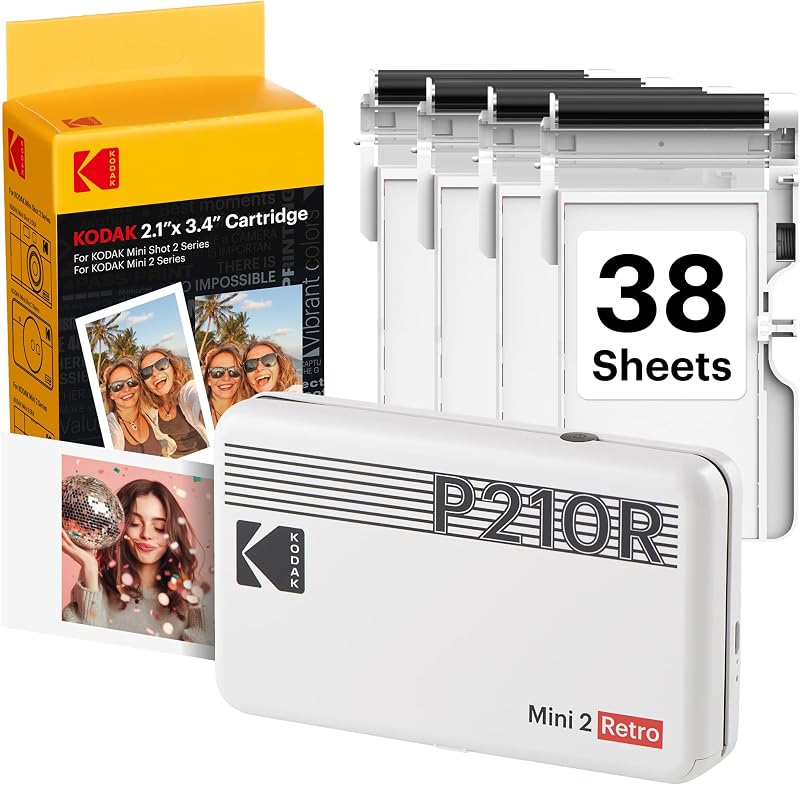 Best Pocket Dye-Sub KODAK Mini 2 Retro (2.1 x 3.4 in) Dye-sublimation pocket printer, card-size prints |  Best Square Prints Fujifilm Instax Square Link Instant film smartphone printer, square film |  Best Wide Instant Prints Fujifilm Instax Wide Link 2 Instant film smartphone printer, wide film | 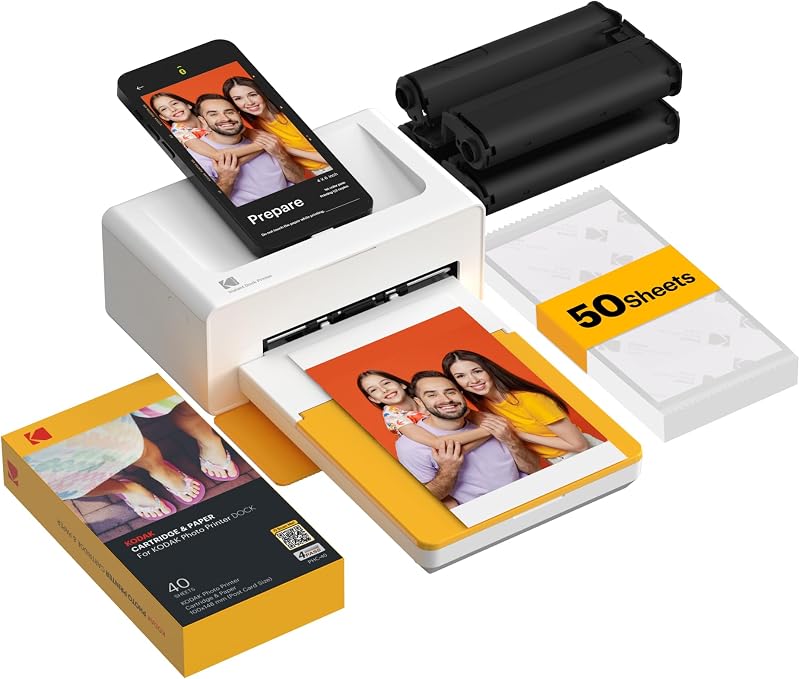 Best 4x6 for iPhone KODAK Dock Plus 4x6 Dye-sublimation 4x6 dock printer |  Best 4x6 Bundle Liene M100 4x6 Photo Printer Dye-sublimation 4x6 Wi-Fi printer |  Best Two Sizes Liene Amber M110 (4x6 and 3x3) Dye-sublimation 4x6 and 3x3 Bluetooth printer |  Best Cost per Print Canon SELPHY CP1500 Dye-sublimation 4x6 compact printer |  Best Compact Sticker Dye-Sub Canon SELPHY QX20 Dye-sublimation compact sticker printer |
|---|---|---|---|---|---|---|---|---|---|---|---|
| BeastScore | 92 / 100 | 88 / 100 | 85 / 100 | 86 / 100 | 84 / 100 | 82 / 100 | 90 / 100 | 87 / 100 | 86 / 100 | 89 / 100 | 83 / 100 |
| Best for | Instant-film look for iPhone and Android | Journaling, laptop stickers and notebooks | The cheapest way to try sticky prints | Laminated, credit-card-size prints for planners | Instagram-style square photos | Bigger instant prints for photo walls | Frames and albums from a desk or shelf | Lots of 4x6 prints with paper included | One printer for frames and sticker prints | The lowest cost per 4x6 print | Sticker prints with Canon dye-sub quality |
| Typical price (checked October 30, 2026) | $100–$110 | $90–$100 | $70–$90 | $90–$110 | $150–$160 | $170–$180 | $150–$170 | $130–$160 | $160–$180 | $150–$170 | $160–$180 |
| Print tech | Instax mini instant film | ZINK, no ink | ZINK, no ink | 4PASS dye-sublimation with laminate | Instax Square instant film | Instax Wide instant film | 4PASS dye-sublimation with laminate | Thermal dye-sublimation with laminate | Thermal dye-sublimation with laminate | Dye-sublimation, instantly dry | Dye-sublimation |
| Print size | About 2.4 x 1.8 in image (62 x 46 mm) | 2 x 3 in, peel and stick | 2 x 3 in, peel and stick | 2.1 x 3.4 in (credit-card size) | 2.44 x 2.44 in image on 3.39 x 2.83 in film | 3 x 5 in film | 4 x 6 in | 4 x 6 in | 4 x 6 in and 3 x 3 in sticky | 4 x 6 in | 2.1 x 3.4 in card or 2.7 x 2.7 in square sticker |
| Approx. cost per print | About $0.90 (Fujifilm mini film twin pack, 20 sheets for about $18) | About $0.58 (50 sheets for about $29) | About $0.60 (third-party 120-sheet pack for about $80 is about $0.67; check the pack price) | About $0.77 (30-sheet cartridge for about $23) | About $1.60 (20 sheets for about $32) | About $1.25 to $1.55 (40 sheets for about $50, or a 20-sheet twin pack) | About $0.49 (120-sheet pack for about $59) | About $0.46 (80 sheets and 2 cartridges for about $37) | About $0.46 (4x6) or $0.67 (3x3 sticker; 40 sheets for about $27) | About $0.33 to $0.38 (108-sheet set for about $35 to $41) | About $0.77 (60 sheets for about $46) |
| Connection | Bluetooth, USB-C charging | Bluetooth 5.0 with Canon Mini Print app | Bluetooth or NFC | Bluetooth, USB-C | Bluetooth | Bluetooth 5.1, USB-C charging | Bluetooth, plus a dock that charges your phone | Built-in Wi-Fi hotspot, up to 5 devices | Bluetooth, pairs in about 13 seconds per the listing | Wi-Fi, USB, memory card and phone | Wi-Fi via QR code, USB-C charging |
| Battery | About 100 prints per charge, per Fujifilm | Rechargeable via USB-C, about 45 minutes to charge per sellers | About 25 prints per charge, per the listing | See listing | About 100 prints per charge, per the listing | See listing | None, plugs into a wall outlet | See listing | See listing | Optional battery pack sold separately | Built-in battery, per the listing |
| Key features |
|
|
|
|
|
|
|
|
|
|
|
BeastScore here is our overall rating out of 100, based on published specs and Amazon owner reviews. Prices change daily, so tap "View on Amazon" for today's price. We may earn a small commission, at no extra cost to you. Learn more
Why each one made the list
What each pick does best, where it falls short, and the typical Amazon price when we checked.
- 1. Best Overall
Fujifilm Instax Mini Link 3
BeastScore 92 / 100Typically $100–$110 on Amazon (checked October 30, 2026)This is the pocket printer to buy if you care how the print looks. It uses Instax mini film, which develops into a real instant photo with the classic frame, and Fujifilm’s own spec page lists around 100 prints per charge. It is small enough for a jacket pocket and connects over Bluetooth, so it works with an iPhone or Android phone. The catch is cost: film costs about 90 cents a print on Fujifilm’s 20-sheet twin pack (skip the pricier reseller bundles), more than ZINK or 4x6 dye-sub, and the image is small. Pick it for gifts, parties and travel photos you will hand to someone, not for printing hundreds of pictures.
Pros- Best colour and the real instant-photo look
- About 100 prints per charge, per Fujifilm
- Small, quick and easy to set up
Cons- Highest cost per print of the pocket group
- Small image, and no sticky back for journals
- 2. Best ZINK Printer
Canon Ivy 2 Mini Photo Printer
BeastScore 88 / 100Typically $90–$100 on Amazon (checked October 30, 2026)The Ivy 2 is the easy way into sticky-back printing. The listing says it uses ZINK paper with colour crystals built in, so there is no ink to buy, and every print has a peel-and-stick back. Canon says this model improves skin tones and sharpness over the first Ivy. At about $97 and roughly 58 cents a print on a 50-sheet pack, it is a good fit for planners, scrapbooks and bullet journals. It is still ZINK, though: colour is softer and a little less rich than Instax or dye-sub prints, so photos look better as small decorations than as framed pictures.
Pros- No ink, and the paper sticks anywhere
- Cheaper per print than Instax
- Bluetooth 5.0 and a small body
Cons- Softer colour than film or dye-sub
- Only 2 x 3 in, too small for frames
- 3. Best Budget ZINK
KODAK Step Instant Photo Printer
BeastScore 85 / 100Typically $70–$90 on Amazon (checked October 30, 2026)If you want to know whether you will actually use a photo printer before spending real money, start here. The listing price is around $80 for the black version, and it prints the same 2 x 3 in ZINK sticky-back photos as the Ivy 2. The listing states about 25 prints per charge, which is plenty for a trip or a craft session. The Kodak app has collage, border and sticker tools. The trade-offs are the same as any ZINK printer: softer colour, and paper that is not cheap. And the battery claim is lower than the Instax figure, so a long party may need a charge.
Pros- Lowest printer price in this guide
- Sticky-back prints for journals and lockers
- Connects over Bluetooth or NFC
Cons- Softer colour than other types
- About 25 prints per charge, the lowest battery claim here
- 4. Best Pocket Dye-Sub
KODAK Mini 2 Retro (2.1 x 3.4 in)
BeastScore 86 / 100Typically $90–$110 on Amazon (checked October 30, 2026)This is the middle path between ZINK and 4x6. The listing says it uses 4PASS dye sublimation: three colour layers and a clear protective coat, which is the same basic method as the bigger Kodak and Canon printers. Prints are about the size of a credit card, so they fit wallets, planners and photo albums. The listing says each print takes around 55 seconds, which is slower than Instax. A cartridge of 30 sheets costs about $23, or around 77 cents a print. That is not cheap, but the laminated finish resists fingerprints and water, per the listing. Check the bundle you are buying, because the listing sizes vary.
Pros- Laminated prints that resist fingerprints
- Better detail than ZINK on paper
- Credit-card size fits planners
Cons- About 55 seconds a print, slower than Instax
- Not sticky-back, so you need glue or tape
- 5. Best Square Prints
Fujifilm Instax Square Link
BeastScore 84 / 100Typically $150–$160 on Amazon (checked October 30, 2026)Pick this if square photos are your style. The listing gives the image size as 2.44 x 2.44 in, which is noticeably bigger than the mini image, and the film looks like the classic instant square. It uses the same Bluetooth app idea as the Mini Link and the listing says about 100 prints per charge. Square film costs more than mini film: roughly $1.55 to $1.60 a print on a 20-sheet twin pack, against about 90 cents for mini. The printer is the main extra cost, at about $150 to $160, which is a lot more than the Mini Link 3. Buy it only if you really want the square frame. Otherwise the Mini Link 3 gives you the same Instax look for less.
Pros- Larger image than Instax mini
- Same Instax colour look
- Around 100 prints per charge, per the listing
Cons- About $50 more than the Mini Link 3
- Film is the priciest per print here
- 6. Best Wide Instant Prints
Fujifilm Instax Wide Link 2
BeastScore 82 / 100Typically $170–$180 on Amazon (checked October 30, 2026)This is the biggest instant print you can get from a phone. The listing says it prints 3 x 5 in Instax Wide photos, with two colour modes (Rich and Natural) and Bluetooth 5.1. It is the newest model here, so there are fewer owner reports than for older printers. Wide film is a good size for a wall, a card or a landscape photo. The printer is bulkier than the mini and square versions, and at around $175 it is the priciest unit in this guide. It also costs about $1.55 for every print. If you want a bigger print and love the instant look, this is the one; if not, a 4x6 dye-sub printer is cheaper per print.
Pros- Largest instant print of the group
- Rich and Natural colour modes
- Bluetooth 5.1
Cons- Most expensive printer here
- Bulkier, and about $1.55 a print
- 7. Best 4x6 for iPhone
KODAK Dock Plus 4x6
BeastScore 90 / 100Typically $150–$170 on Amazon (checked October 30, 2026)This is not a pocket printer. The listing describes a desk printer, with a dock on top that holds your phone, charges it and keeps the connection stable. In exchange you get 4 x 6 in prints, the standard photo size for frames and albums, with three colour layers and a clear laminate coat. At about $0.49 a print on a 120-sheet refill pack it is much cheaper per photo than any pocket model. It plugs into a wall outlet, so you cannot take it to a beach. Buy it for family photos at home or a gift for parents. Skip it if you need a battery.
Pros- 4x6 prints at about 49 cents each
- Laminated finish, per the listing
- Dock holds and charges the phone
Cons- Needs a power outlet, no battery
- Bigger and heavier than pocket printers
- 8. Best 4x6 Bundle
Liene M100 4x6 Photo Printer
BeastScore 87 / 100Typically $130–$160 on Amazon (checked October 30, 2026)This is the value pick for 4x6. The listing bundle comes with 100 sheets of paper and 3 colour cartridges, so you can start printing without a second order, and refill packs of 80 sheets cost about $37, or roughly 46 cents a print. It uses a built-in hotspot, so your phone joins the printer directly with no home Wi-Fi needed, and the listing says up to 5 devices can connect. The surface is laminated, per the listing. It is not a pocket printer, and it is a Wi-Fi model, not a Bluetooth one, so some people find the setup slower than a tap-and-print Bluetooth printer. Skip it if you want something to carry every day.
Pros- Big bundle: 100 sheets and 3 cartridges
- Around 46 cents a print on refills
- Works with no home Wi-Fi
Cons- Wi-Fi hotspot setup is slower than Bluetooth
- Not a pocket printer
- 9. Best Two Sizes
Liene Amber M110 (4x6 and 3x3)
BeastScore 86 / 100Typically $160–$180 on Amazon (checked October 30, 2026)The trick here is the dual tray. The listing says you can print standard 4 x 6 in photos and 3 x 3 in sticky-back prints from the same machine, which covers frames and journals in one box. Pairing over Bluetooth takes about 13 seconds, per the listing. Cost is about 46 cents for a 4x6 and about 67 cents for a 3x3 sticker. It costs more than the M100, and the bundle has fewer sheets, so you pay for the second size. If you only want one size, buy the M100 for 4x6 or a ZINK printer for stickers. Check the listing for battery details, because it is not stated.
Pros- Two print sizes from one printer
- Bluetooth, not just Wi-Fi
- Sticker prints for journals
Cons- Costs more than the M100
- Battery not stated on the listing
- 10. Best Cost per Print
Canon SELPHY CP1500
BeastScore 89 / 100Typically $150–$170 on Amazon (checked October 30, 2026)Canon’s SELPHY line is the old favourite for a reason. This is the one to buy when cost per print matters most: the 108-sheet ink and paper sets run roughly $35 to $41, which is about 33 to 38 cents a photo. The listing says it prints from Wi-Fi, USB, memory cards and phones, with a built-in 3.5 in screen for filters, and prints come out dry and water resistant. For travel, you need the optional battery pack sold separately. It is bigger than a pocket printer and has no dock like the Kodak. Skip it if you want a phone-only app experience without a screen and buttons.
Pros- Lowest cost per 4x6 print here
- Prints from cards, USB, Wi-Fi and phones
- Instantly dry, water resistant prints
Cons- Battery pack is extra
- Older design, bulkier than pocket models
- 11. Best Compact Sticker Dye-Sub
Canon SELPHY QX20
BeastScore 83 / 100Typically $160–$180 on Amazon (checked October 30, 2026)The QX20 is the Canon answer to ZINK. The listing says it prints on card-size (2.1 x 3.4 in) or square (2.7 x 2.7 in) sticker paper using dye sublimation, with a built-in battery and a paper tray. Prints come out dry and ready for pens and markers, which suits journaling. It connects over Wi-Fi using a QR code, which some owners find slower than Bluetooth. Paper is not included in the box, and cost is about 77 cents a print on a 60-sheet set. That makes it about as pricey per print as the Kodak Mini 2 Retro and more than ZINK. Buy it for the finish, not the price.
Pros- Sticker paper with dye-sub quality
- Built-in battery, USB-C charging
- Card-size and square options
Cons- No paper in the box
- Wi-Fi setup, and about 77 cents a print
All 11 compared, in one look
See every pick on one chart, or tap one to put it head to head with Fujifilm Instax Mini Link 3. Ratings out of 10 are our estimates from published specs and Amazon owner reviews, not hands-on tests. Bigger shape = better.
- Print lookCanon SELPHY CP1500 · 9.0/10
- PortabilityCanon Ivy 2 Mini Photo Printer · 9.4/10
- Cost per printCanon SELPHY CP1500 · 9.6/10
- EaseFujifilm Instax Mini Link 3 · 9.4/10
- Print sizeLiene Amber M110 (4x6 and 3x3) · 9.2/10
- ValueKODAK Step Instant Photo Printer · 9.2/10
Which one should you buy?
Find your situation below. That's your pick.
- You want the best-looking pocket prints
- You want about 100 prints per charge
- You want sticky prints for a journal
- You want a ZINK printer with improved colour
- You want the lowest printer price
- You are not sure you will use a printer
- You want a laminated pocket print
- You want credit-card-size prints for a planner
- You love square photos
- You want a larger instant image than mini
- You want the biggest instant print
- You like postcard-style collages
- You want 4x6 prints at home
- You want a dock that charges your phone
- You want lots of paper in the box
- You want 4x6 with no home Wi-Fi
- You want 4x6 and 3x3 sticker prints
- You want Bluetooth with 4x6
- You want the lowest cost per 4x6 print
- You print from cameras or memory cards
- You want dye-sub sticker prints
- You want a built-in battery
Fujifilm Instax Mini Link 3
The best-looking pocket prints, about 100 prints per charge, and the simplest to use. Pay more per print for the instant-film look.
- Instax film look
- About 100 prints per charge
- Bluetooth, tiny body
Quick tips before you buy
Pocket printers make 2 x 3 in prints. If you want frames or albums, go to 4 x 6 in, which is a different printer type.
The Kodak Dock Plus plugs into the wall. The Mini Link 3 lists about 100 prints per charge, and the Step about 25.
Divide the paper or film pack price by its sheets. Instax is about 90 cents (mini) to $1.60 (square and wide), ZINK about 55 to 65 cents, 4x6 dye-sub about 33 to 50 cents.
Pocket printers use Bluetooth. Some 4x6 models use a Wi-Fi hotspot, which can take longer to set up.
Quick answers
Are portable photo printers worth it?+
They are worth it if you print often or want prints you can hand to someone right away. Per print, they cost more than a drugstore order: about 33 to 50 cents for 4x6 dye-sub and up to $1.60 for Instax film. If you print only a few photos a year, ordering online is cheaper.
What is the best portable photo printer for iPhone?+
For a pocket printer, the Fujifilm Instax Mini Link 3 or the Canon Ivy 2 both connect over Bluetooth to iPhone and Android. For 4x6 prints at home, the Kodak Dock Plus has a dock that holds and charges the phone.
What is the best photo printer for journaling and scrapbooking?+
A sticky-back printer. The Canon Ivy 2 and Kodak Step print 2 x 3 in ZINK stickers with no ink. The Liene Amber M110 and Canon SELPHY QX20 print sticker prints with dye-sub quality, but cost more per print.
What is the best portable 4x6 photo printer?+
The Kodak Dock Plus is the easiest for a phone, the Liene M100 comes with the most paper and the Canon SELPHY CP1500 has the lowest cost per print. None of them is truly pocket-sized, and only the CP1500 has an optional battery pack.
How much does each print really cost?+
It depends on the pack. On Amazon right now, about $0.33 to $0.38 for a 4x6 SELPHY print, about $0.46 to $0.49 for Liene and Kodak 4x6, about $0.58 for Ivy 2 ZINK paper, about $0.90 for Instax mini film and about $1.25 to $1.60 for Instax square and wide film. Pack prices change, so divide the current price by the sheets.
ZINK vs instant film vs dye-sublimation: which is better?+
ZINK is cheap to start with, has no ink and prints stickers, but colour is softer. Instax film has the best instant look but is the most expensive per print. Dye-sublimation gives laminated, lab-like prints, and 4x6 dye-sub is the cheapest per photo.
Do I need Wi-Fi or Bluetooth?+
Pocket printers use Bluetooth. The Liene M100 uses its own Wi-Fi hotspot, so you do not need a home network. The Canon SELPHY CP1500 supports Wi-Fi, USB and memory cards.
Keep comparing
 Best Instant Cameras: Top 5 on AmazonPoint, shoot, hold the print. The best instant cameras compared.
 Best Digital Photo Frames: Top 5 on AmazonThe gift grandparents actually use. Aura, Nixplay, Skylight and Frameo compared.
 Best Home Printers: Top 5 on AmazonStop overpaying for ink. Tank, laser and inkjet compared.
 Best Kids Cameras: Top 5 digital picks on AmazonA first camera that survives drops. Five kid-friendly picks from $25 to $90.