
Top 5 USB-C Hubs
on Amazon
Modern laptops have too few ports. We compared the 5 best USB-C hubs on Amazon, from pocket 5-in-1 adapters to a 14-in-1 dual-monitor dock.
- Owner reviews checked
- Features side by side
- Quick & easy compare
- Smarter purchase

Compare them side by side
Everything that matters, in one table. Swipe to see all 5.
| Product | Best Overall UGREEN 5-in-1 USB-C Hub Compact USB-C hub |  Best for 4K 60Hz UGREEN Revodok Pro 6-in-1 10 Gbps USB-C hub |  Best with Ethernet UGREEN Revodok 6-in-1 Ethernet USB-C hub with Ethernet |  Best for iPad & iPhone BENFEI 5-in-1 USB-C Hub Compact USB-C hub | 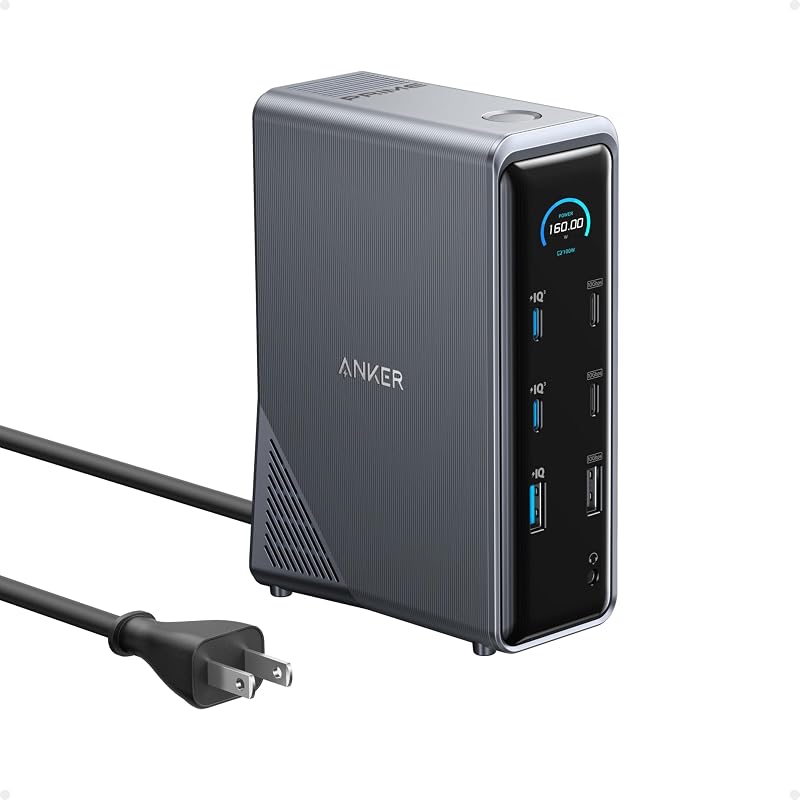 Best Docking Station Anker Prime 14-in-1 Dock Dual-monitor docking station |
|---|---|---|---|---|---|
| BeastScore | 90 / 100 | 89 / 100 | 87 / 100 | 86 / 100 | 86 / 100 |
| Best for | Everyday laptop and MacBook use | Smooth monitors and fast drives | Wired internet for gaming and calls | Tablets, USB-C iPhones and travel | A full desk setup with two monitors |
| Ports | HDMI, USB-C PD, 3 USB-A | 2 USB-C + 2 USB-A (all 10 Gbps), HDMI, PD | Gigabit Ethernet, HDMI, 3 USB-A, PD | HDMI, USB-C PD, 3 USB-A | 14 ports, incl. 3 USB-C (100W max each) |
| HDMI | 4K | 4K 60Hz | 4K 30Hz | 4K 30Hz | Dual HDMI, up to 2K 60Hz |
| Laptop charging | 100W PD port | 100W PD | Up to 85W pass-through | Up to 90W pass-through | 160W total output |
| Key features |
|
|
|
|
|
Prices change daily, so tap "View on Amazon" for today's price. We may earn a small commission, at no extra cost to you. Learn more
All 5 compared, in one look
See every pick on one chart, or tap one to put it head to head with UGREEN 5-in-1 USB-C Hub. Bigger shape = better.
- PortsAnker Prime 14-in-1 Dock · 9.9
- Video outputUGREEN Revodok Pro 6-in-1 · 9.8
- Data speedUGREEN Revodok Pro 6-in-1 · 9.8
- Laptop chargingAnker Prime 14-in-1 Dock · 9.8
- PortabilityTie
- ValueTie
UGREEN 5-in-1 USB-C Hub
HDMI, USB-A and charging pass-through in a tiny, simple hub.
- 4K HDMI
- 100W PD port
- 3 USB-A ports
Quick tips before you buy
60Hz looks smoother on a monitor. Pick the Revodok Pro if you use an external display all day.
Pass-through charging needs your laptop charger plugged into the hub’s PD port.
USB-C iPhones and iPads can use a hub for HDMI, drives and keyboards.
A hub fits in a bag. A dock stays on your desk and can run two monitors.
Quick answers
Do USB-C hubs work with MacBooks?+
Yes. UGREEN lists MacBook M1 to M5 and the new MacBook Neo. Note that the MacBook Neo supports one external display.
Why is my monitor stuck at 30Hz?+
Many small hubs output 4K at 30Hz. For 4K at 60Hz you need a hub that supports it, like the Revodok Pro, and a laptop that does too.
Can a hub charge my laptop?+
Yes, through the USB-C PD port. The laptop gets a little less than your charger’s full power, because the hub keeps some for itself.