
Is Public Wi-Fi Safe?
Short answer: Modern HTTPS protects passwords in transit, but your DNS queries, visited domains, venue IP, and open device ports can remain visible or accessible on shared public networks without an encrypted VPN tunnel.
We explain the real network risks, what HTTPS already covers, what a VPN tunnel actually protects, and what features to verify before connecting at airports, hotels, and cafés.
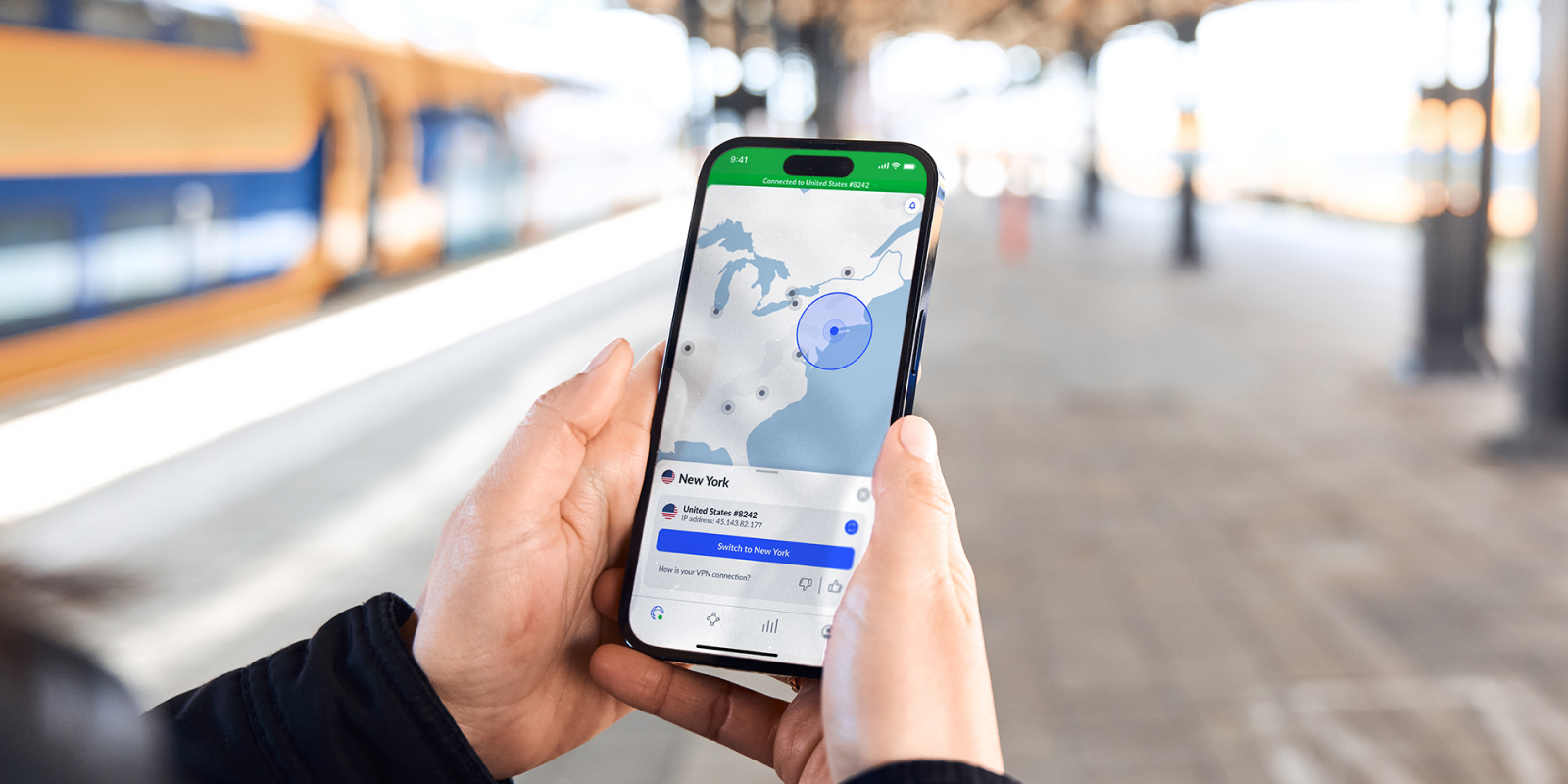
The Wi-Fi Network Isn't Yours
When you connect at an airport gate, hotel lobby, or local cafe, you are passing your device's packets through hardware managed by someone else. You do not control the router firmware, the upstream DNS resolvers, or who else is authorized on the same local subnet.
You sit down at an airport gate, see “Airport_Free_WiFi”, and tap connect without thinking twice. But who actually set up that hotspot? Is it the airport authority, or someone sitting three rows over with a laptop and a pocket Wi-Fi repeater? Even with HTTPS, every request your device sends still passes through their hardware first.
DNS & Domain Snooping
Anyone on the same Wi-Fi may be able to see which websites you visit.
Even with HTTPS protecting page contents, destination domain names and Server Name Indication (SNI) headers can remain visible. Without an encrypted tunnel, the local venue router or ISP can log which services and websites you contact.
Shared Subnet Probing
Devices on the same network can probe for open ports.
Many hospitality and café hotspots do not enforce client isolation. That allows other machines on the same local subnet to probe open network ports, file shares, and local services.
"Evil Twin" Clone Hotspots
Attackers can broadcast a fake network using the exact same name as the venue.
Anyone with a portable repeater can broadcast “Hotel_Guest_WiFi”. Devices with auto-join enabled may connect to the rogue access point, routing all packets through an untrusted gateway.
Encrypt your connection before joining shared airport or hotel hotspots.
30-day money-back guarantee · 10 devices covered · Under 2 min setup
How a VPN Encrypts the Public Wi-Fi Path
Understanding the difference between an exposed raw connection and an authenticated cryptographic tunnel. Compare both states below:
Even on HTTPS sites, your destination hostnames (such as employer portals, banking domains, or web services) can be logged by the venue router or local ISP.
Hotspots that do not enforce client isolation allow other connected devices on the same Wi-Fi to scan your machine for open ports and active local shares.
Without an intermediate encrypted tunnel, every destination server receives the airport or café gateway IP, linking your activity to that exact physical facility.
What a VPN Can — and Cannot — Protect
Honest security advice requires separating marketing promises from technical reality. Here is exactly what an encrypted tunnel delivers, and where good digital hygiene must take over.
- Encrypts All Outbound Data in TransitEncapsulates DNS lookups, SNI headers, and background app syncing inside cryptographic ciphertext that local routers cannot decipher.
- Protects Against Local Subnet SniffingIsolates your laptop or phone so malicious machines on the same public Wi-Fi access point cannot probe open ports or shared folders.
- Adds a Geographic Privacy LayerMasks your physical venue IP address with the VPN server IP, preventing commercial Wi-Fi aggregators from tracking your location.
- Defends Against Rogue Hotspot SpoofingEven if an attacker broadcasts a fake SSID clone, the encrypted tunnel will reject unauthenticated handshakes, protecting credentials.
- Cannot Stop Phishing WebsitesIf you click a fraudulent link in an email and willingly type your login credentials, a VPN cannot prevent credential compromise.
- Cannot Eliminate Malware or VirusesDownloading an infected file or Trojan will still execute on your machine unless your operating system or dedicated antivirus catches it.
- Cannot Make You 100% AnonymousIf you log into Google, Amazon, or social accounts, those platforms identify your identity through session cookies and browser fingerprints.
- Cannot Fix Weak or Reused PasswordsStolen credentials from third-party database breaches remain vulnerable regardless of whether you connected via an encrypted tunnel.
Ready to Encrypt Your Public Wi-Fi Traffic?
Pair good security habits with NordVPN’s automated untrusted hotspot protection, verified zero-logs architecture, and high-speed WireGuard tunnels.
NordVPN
Our recommended pick for public Wi-Fi security, evaluated against our travel security criteria for automatic untrusted SSID encryption and independently audited zero-logs infrastructure.
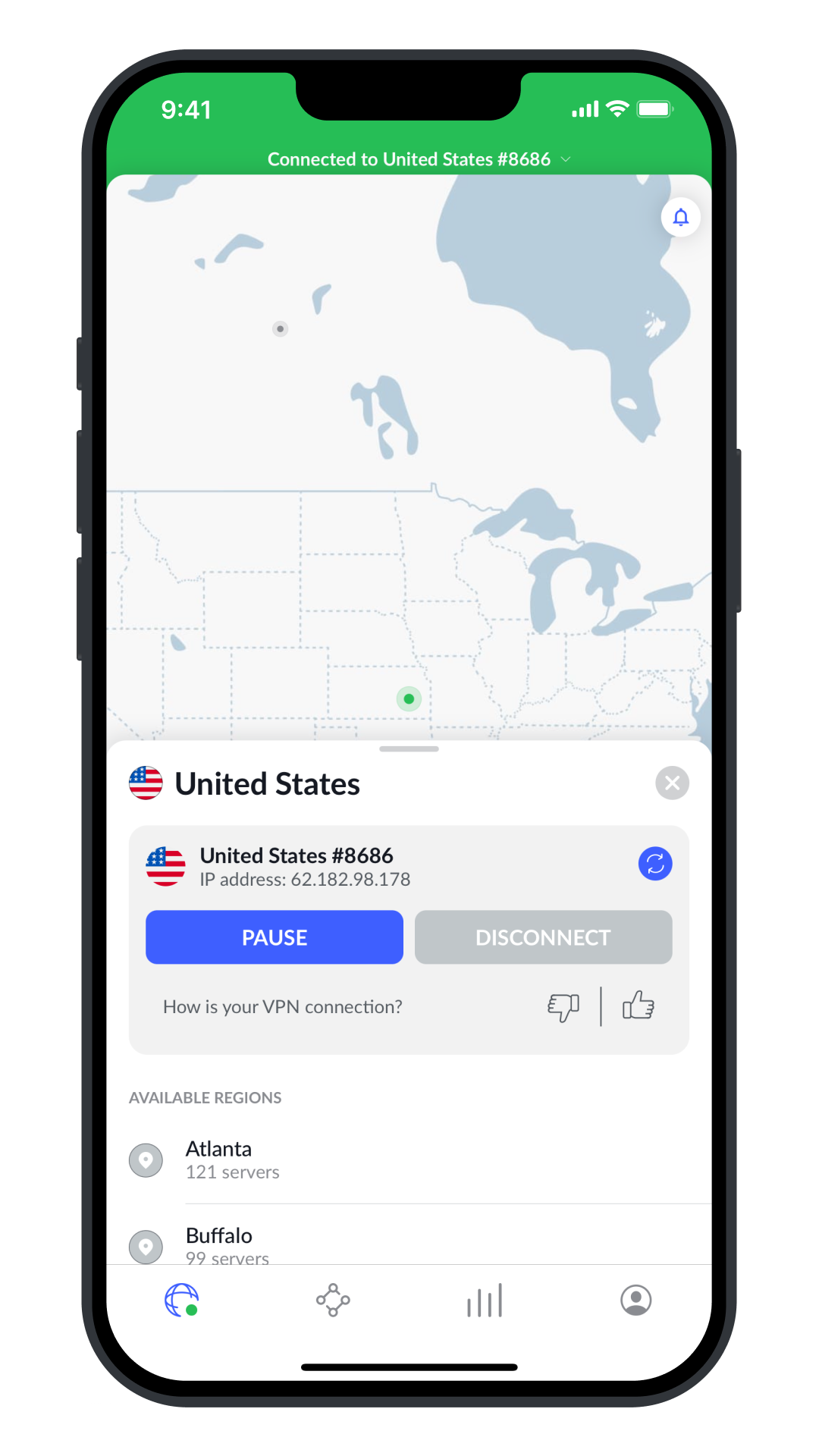
Instant Auto-Protection
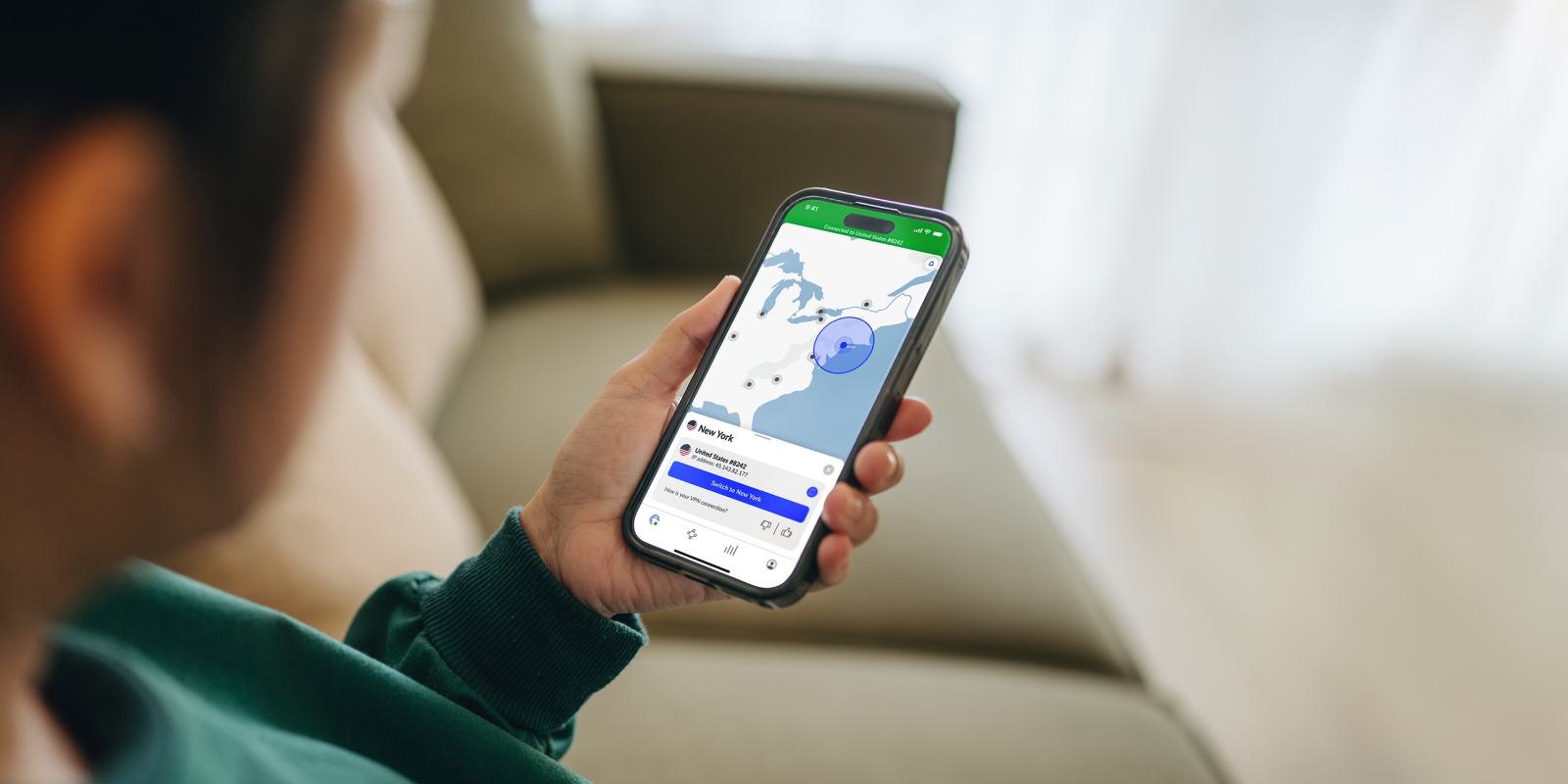
Live mobile interface showing active encrypted tunnel, assigned IP masking, and NordLynx WireGuard protocol engaged on untrusted public Wi-Fi.
- ✓Frequent travelers: Automates encryption on unfamiliar airport, hotel, and café Wi-Fi without manual toggling.
- ✓Multi-device travel kits: Up to 10 simultaneous devices covered (phones, travel laptops, tablets, and e-readers).
- ✓Fast streaming & work: NordLynx WireGuard protocol minimizes throughput loss and connection latency on congested networks.
- ✕One-week vacations: The pricing structure heavily favors 1-year and 2-year tiers; month-to-month pricing is substantially higher.
- ✕Total digital anonymity: A VPN shields network transit, but cannot prevent tracking if you stay logged into personal web accounts.
Why We Recommend It for Public Wi-Fi
NordVPN stands out in public Wi-Fi scenarios because its client detects unfamiliar networks and can automatically engage encryption within seconds of associating with an SSID. Built on the lightweight WireGuard protocol (NordLynx), connection handshakes are fast and energy-efficient, minimizing speed overhead on crowded coffee-shop or airport Wi-Fi. Its diskless RAM-only infrastructure ensures no operational browsing data can persist on hardware.
Today:$83.43 for the first 27 months (~$3.09/mo averaged over 27 months, including 3 bonus months; up to 75% off).
After promo:Renews at standard annual rate of $115.35/year ($9.61/mo).
Auto-renewal can be disabled at any time in your account dashboard (per NordVPN's subscription terms) while retaining your 30-day money-back guarantee. Pricing in USD; local rates and taxes may vary by region.
BeastCompare may earn an affiliate commission from qualifying purchases through this link. Learn more
NordVPN Public Wi-Fi Feature Matrix
Evaluating critical technical criteria required for reliable public Wi-Fi security against NordVPN's published specifications and independent third-party audit reports:
| Feature & Criteria | Why It Matters on Public Wi-Fi | NordVPN Offers |
|---|---|---|
| Automatic Wi-Fi Protection | Engages an encrypted tunnel the moment an untrusted or open SSID is detected. | Included (Configurable Trusted Networks) |
| System-Wide Kill Switch | Halts outbound traffic if signal drops between roaming airport or hotel access points. | Included (System & App-level) |
| Tunnel Cryptography | Encapsulates data packets to defend against local subnet packet sniffing. | ChaCha20 (NordLynx) & AES-256-GCM |
| RAM-Only Infrastructure | Designed so no operational logs or user activity can persist on physical hardware after power-cycling. | 100% Diskless RAM Fleet (per NordVPN published infrastructure) |
| Independent Zero-Logs Audits | Provides third-party verification that browsing history and IP logs are not retained. | Audited by Deloitte & PwC |
| Modern Protocol Efficiency | Prevents sluggish loading and high battery drain on congested public networks. | WireGuard (NordLynx) Architecture |
| Simultaneous Device Limit | Allows your travel laptop, smartphone, and tablet to remain protected simultaneously. | Up to 10 Simultaneous Devices |
| Post-Promo Renewal Rate | Long-term cost transparency after the 2-year promotional tier (24 + 3 bonus months = 27 months) ends. | $115.35/year ($9.61/mo standard rate; auto-renewal cancelable anytime) |
Why it matters: Engages an encrypted tunnel the moment an untrusted or open SSID is detected.
Why it matters: Halts outbound traffic if signal drops between roaming airport or hotel access points.
Why it matters: Encapsulates data packets to defend against local subnet packet sniffing.
Why it matters: Designed so no operational logs or user activity can persist on physical hardware after power-cycling.
Why it matters: Provides third-party verification that browsing history and IP logs are not retained.
Why it matters: Prevents sluggish loading and high battery drain on congested public networks.
Why it matters: Allows your travel laptop, smartphone, and tablet to remain protected simultaneously.
Why it matters: Long-term cost transparency after the 2-year promotional tier (24 + 3 bonus months = 27 months) ends.
How to Use a VPN on Public Wi-Fi
Follow this simple workflow whenever you connect your devices to shared public hotspots:
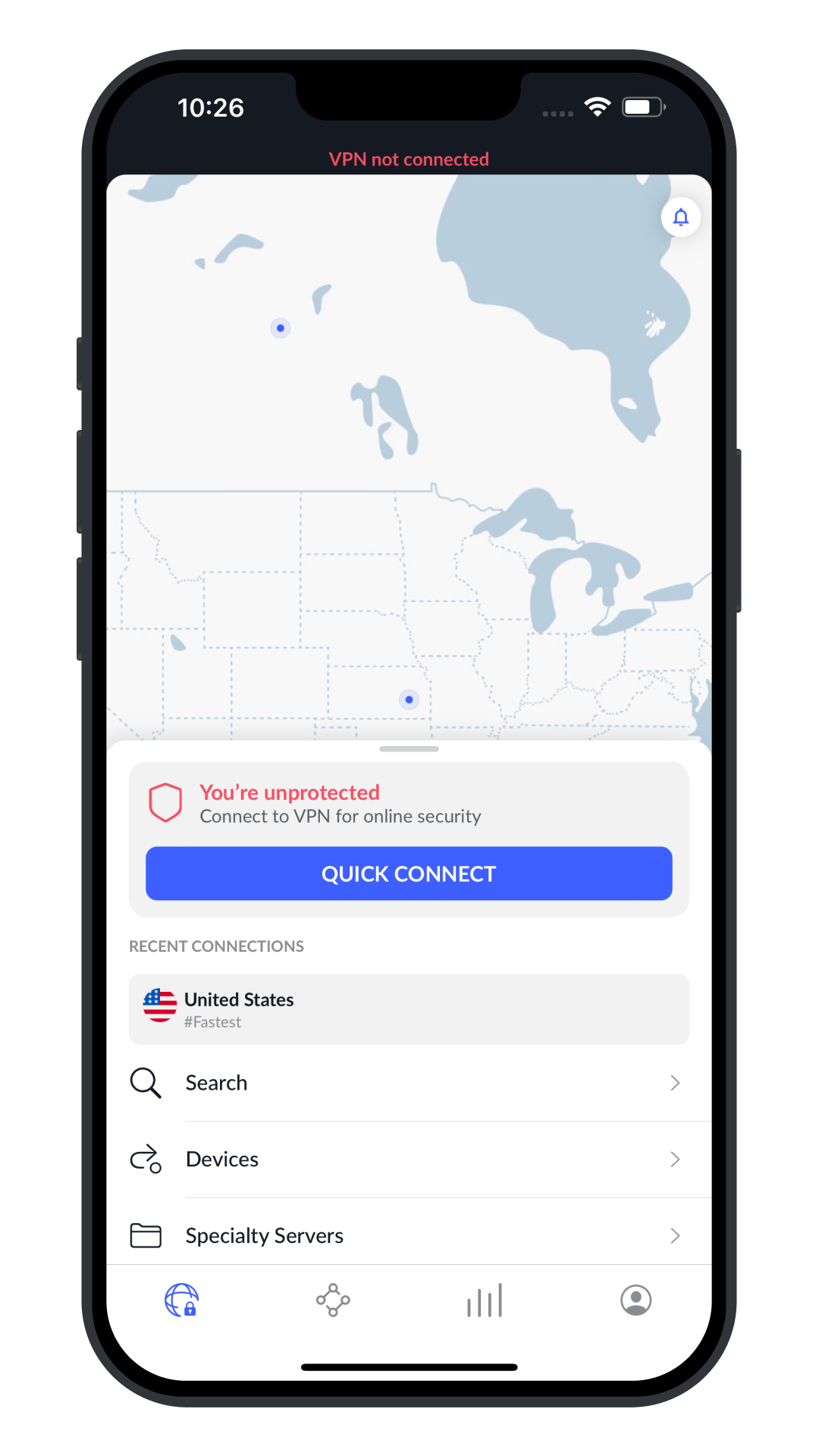
Install Before Connecting Out in Public
Download and install the VPN application on your smartphone and laptop while on a trusted network before arriving at the airport or hotel.
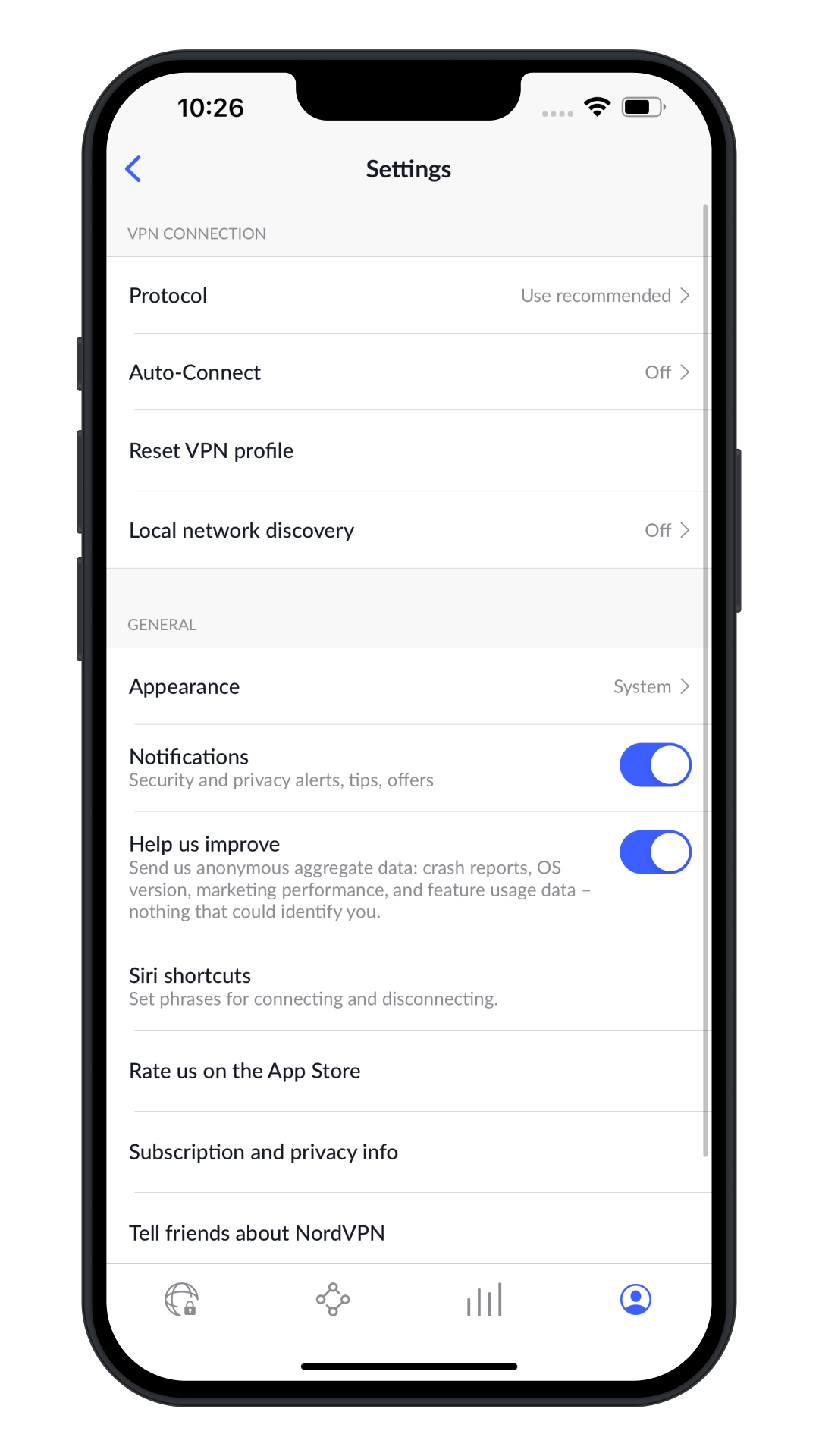
Enable Auto-Connect & Kill Switch
In settings, turn on "Auto-connect on untrusted Wi-Fi" and set the Kill Switch to active mode to ensure instant containment.

Authenticate Captive Portals Safely
If a venue requires accepting terms via a captive portal web page, complete the prompt. The VPN re-seals the tunnel immediately upon internet access.
Verify Encrypted Status
Confirm the green connected shield appears in your client or status tray before accessing email, corporate tools, or online banking.
Defense in Depth: Additional Travel Habits
Airport vs. Hotel vs. Coffee Shop
Different public networks present distinct exposure profiles. Here is how network architecture differs across common travel venues:
Airport Terminals & Transit
- Frequent AP roaming causes sudden connection drops
- High incidence of look-alike SSID clone broadcasts
- Aggressive bandwidth caps and captive portal timeouts
Hotels & Lounges
- Third-party hospitality providers often log browsing endpoints
- Client isolation disabled across guest subnets
- Laptops perform extensive overnight cloud backups

Cafés & Travel Work
- Unpassworded open SSIDs lacking WPA2/WPA3 layer encryption
- Patrons in close physical proximity sharing broadcast domains
- Open network shares on laptops visible to neighbor devices
Public Wi-Fi & VPN Security FAQ
Still wondering whether you actually need a VPN on public Wi-Fi? Here are concise, evidence-based answers to the questions we hear most often:
Is public Wi-Fi safe without a VPN?
Public Wi-Fi is safer today than a decade ago because modern websites enforce HTTPS encryption (TLS), protecting your passwords and form data from plain text sniffing. However, public Wi-Fi remains inherently untrusted: you do not control the router hardware, rogue or "evil twin" access points can spoof legitimate hotel or airport networks, and local network operators can still monitor your unencrypted DNS requests and Server Name Indication (SNI) hostnames.
Does a VPN protect me on public Wi-Fi?
A VPN protects your connection by wrapping all outbound device traffic in an encrypted tunnel before it leaves your device. This prevents anyone on the local Wi-Fi network—including the hotspot operator, airport ISP, or eavesdroppers on the same subnet—from seeing which domains you visit, intercepting DNS lookups, or executing local packet injection. However, a VPN does not protect against phishing scams, malware downloads, or entering credentials into fake websites.
Should I use a VPN at a hotel?
Yes. Hotel Wi-Fi networks typically host hundreds of unfamiliar guest devices on shared subnets for days at a time. Many hotel networks use basic captive portals with minimal client isolation. Running a VPN at a hotel ensures your browsing traffic, work email, and messaging are shielded from both the hotel ISP and other hotel guests on the same local network.
Should I use a VPN at an airport?
Yes. Airports are high-density transit hubs where thousands of travelers connect to shared public networks daily. This environment makes airports common targets for rogue access points (e.g., an unauthorized hotspot named "Free_Airport_WiFi"). Using a VPN with an automatic Kill Switch ensures that even if you connect to an unfamiliar network, your device will only transmit data through an authenticated, encrypted tunnel.
Does a VPN make me anonymous?
No commercial VPN makes you completely anonymous. While a VPN masks your IP address from websites you visit and shields your traffic from your local Wi-Fi operator, your identity can still be recognized through account logins (Google, Apple, social media), browser fingerprinting, tracking cookies, and telemetry. Reputable VPN providers offer privacy from network snooping, not absolute digital invisibility.
Does a VPN protect me from hackers?
A VPN protects against specific network-level attacks: man-in-the-middle (MitM) eavesdropping, rogue Wi-Fi access point snooping, and unencrypted packet inspection on shared networks. It does NOT protect against endpoint vulnerabilities, trojans, ransomware, credential phishing emails, or social engineering. Device security still relies on strong unique passwords, two-factor authentication (2FA), and regular operating system updates.
Does a VPN slow down Wi-Fi?
A VPN introduces a modest overhead due to cryptographic encryption and routing packets through an intermediate server. On modern lightweight protocols like NordLynx (WireGuard), throughput overhead is usually modest on nearby servers, avoiding noticeable lag during standard web browsing and video conferencing. In some cases on throttled public networks, a VPN can actually stabilize connections by bypassing arbitrary protocol shaping imposed by the venue.
Is NordVPN good for public Wi-Fi?
NordVPN is well-suited for public Wi-Fi due to several key features: its automatic Wi-Fi protection (which launches the encrypted tunnel the moment an untrusted SSID is detected), its system-level Kill Switch to prevent accidental IP leaks, its lightweight NordLynx (WireGuard) protocol for quick connection handshakes, and repeated independent third-party no-logs assurance audits conducted by PwC (2018, 2020) and Deloitte (2022, 2023, and 2024).
Can I use a VPN on my phone?
Yes. Leading VPN services maintain native applications for iOS (iPhone/iPad) and Android. On mobile devices, NordVPN allows you to set "Trusted Wi-Fi networks" (like your home Wi-Fi) while automatically engaging the VPN whenever your phone joins an unfamiliar airport, transit, or coffee shop hotspot.
Should I use a VPN with HTTPS?
Yes, they complement each other. HTTPS secures the application layer (encrypting the specific data exchanged with a website), while a VPN secures the transport and network layers (encrypting all device traffic, including non-HTTPS app data, and concealing destination hostnames and DNS queries from the local Wi-Fi provider). Using both gives you defense in depth on untrusted public networks.
Protect Your Connection Before You Connect
If you regularly use airport, hotel, or coffee-shop Wi-Fi, automated VPN encryption is one of the most effective, low-friction habits to safeguard your browsing data and device endpoints.
We may earn an affiliate commission. Learn more