
Best E-Readers for Manga
8 Picks for Black-and-White and Color Pages
Our #1 pick is the Kobo Libra Colour. Storage, page buttons, file support and screen size matter more than color. We compared 8 e-readers on Amazon, from a budget Kindle to a 10.3-inch Android reader.
How we picked: we shortlist by Amazon Best Seller rank and number of ratings, then compare published specs. We don’t test these products hands-on.
By Jamilur Rahman, Founder & Editor · Updated November 27, 2026
- Owner reviews checked
- Features side by side
- Quick & easy compare
- Smarter purchase
The short answer
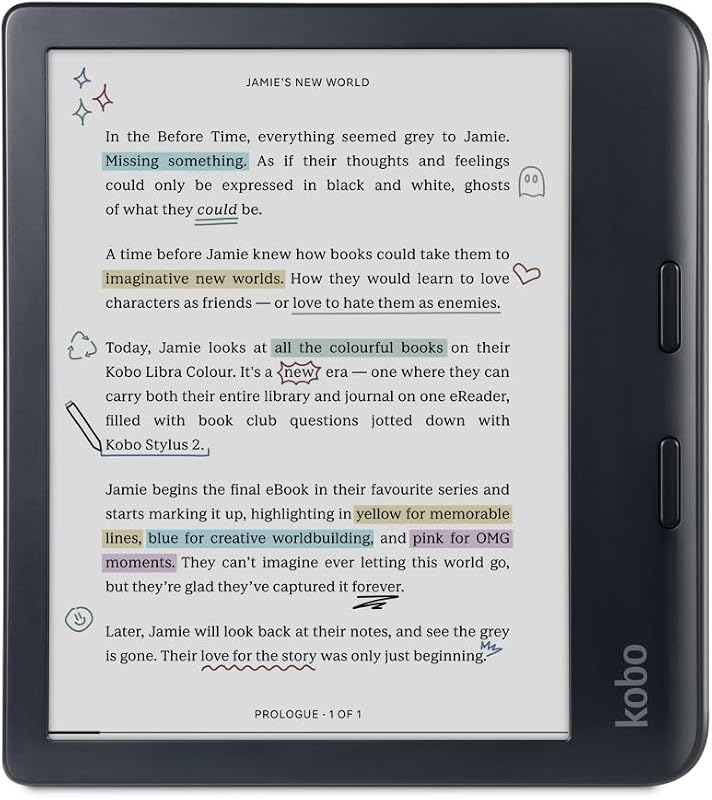
The best e-reader for manga for most people is the Kobo Libra Colour (about $230–$260 on our November 27, 2026 check). It has a 7-inch color screen, physical page-turn buttons and 32 GB of storage, and Kobo’s own spec says it opens CBZ and CBR comic files without conversion. Manga is a harder job than novels, and most ranking pages stop at “Kindle or Kobo”. Four things decide whether a reader works. Storage: a manga volume file is often 40 to 100 MB, against 1 to 3 MB for a novel, so 16 GB fills fast and 32 GB is the safe floor. Page buttons: you flip a lot of pages. Files: Kobo, PocketBook and BOOX readers open CBZ and CBR files, while a Kindle needs a converter first. Screen size: a standard tankobon page is roughly 5 by 7 inches. On our math from the 4:3 screen shape, a 7-inch reader shows it at about three-quarters of print size, 7.8 inches at about 85% and 10.3 inches a little larger than print. Color matters less than you would think. Most manga is black and white, and the Kaleido 3 color screens here are listed at 300 ppi in black and white but only 150 ppi in color, so line art is sharpest in black and white.
The best pick changes with where your manga comes from. If you buy from Amazon, get the Kindle Paperwhite Signature Edition 32GB: the biggest manga store and a 300 ppi black-and-white screen. On a budget, the Kindle Paperwhite 16GB (2024 model) is the cheapest way into that screen, but 16 GB is tight. For color inside the Kindle Store, there is the Kindle Colorsoft Signature Edition 32GB. If you want Android, so you can run manga and library apps, load files from a microSD card and still have buttons, pick the BOOX Go Color 7 Gen II for color or the BOOX Go 7 B/W for sharper black and white. For a bigger page without moving to a tablet, the PocketBook InkPad Color 3 is 7.8 inches with native CBR and CBZ support, and the BOOX Note Air 5 C is 10.3 inches, the only screen here where a two-page spread stays readable.
Skip every e-reader on this page if you mostly read webtoons or other scrolling comics: E Ink refreshes too slowly for long scrolls, and a phone or tablet does that job better. Skip the Libra Colour if your whole library lives in the Kindle app, and skip the Kindles if you own a large folder of CBZ files you do not want to convert. Skip the Colorsoft if you only read black-and-white volumes, because you pay about $70 more than the Paperwhite Signature for color you rarely use. Skip the Note Air 5 C for reading in bed: it weighs 15.2 oz. Skip the BOOX Go models if you want something that simply works, because they are Android devices that need setup. How we picked: we shortlisted current models from live Amazon listings, then compared screen size, ppi, storage, page buttons, file support and app support side by side, and kept only sellers we could confirm (Amazon, Kobo US, BOOX Official and PocketBook International). We don’t test hands-on, so every claim comes from the listing, the maker’s spec or what owners report. Prices are bands from the live listings, checked November 27, 2026.
Before you buy, see which Kindle deals on Amazon are real. We check each one against its price history.
Compare them side by side
Everything that matters, in one table. Swipe to see all 8.
| Product | Best Overall Kobo Libra Colour 7" color e-reader with page buttons |  Best Kindle for Manga Kindle Paperwhite Signature Edition 32GB 7" black-and-white Kindle |  Best Android Pick BOOX Go Color 7 Gen II 7" color Android e-reader |  Best Sharp Black and White BOOX Go 7 B/W 7" black-and-white Android e-reader |  Best Budget Kindle Paperwhite 16GB (2024 model) 7" black-and-white Kindle | 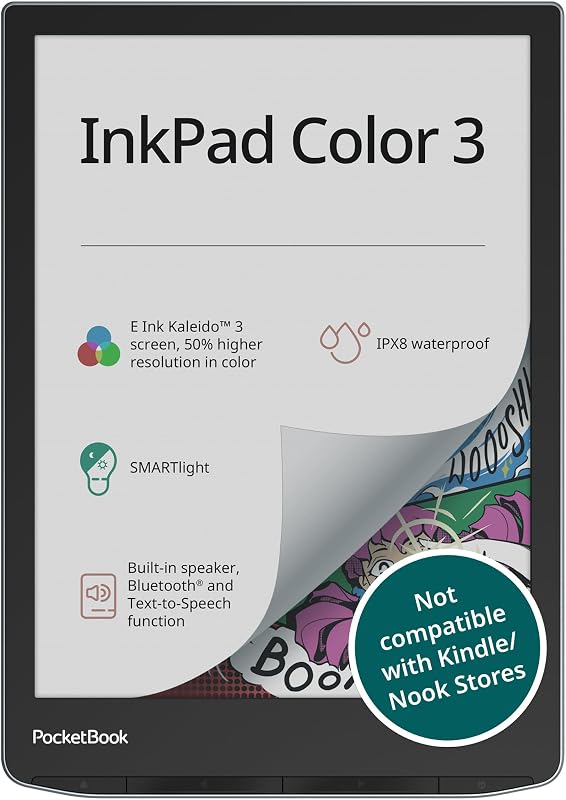 Best 7.8-Inch Screen PocketBook InkPad Color 3 7.8" color e-reader |  Best Color Kindle Kindle Colorsoft Signature Edition 32GB 7" color Kindle |  Best for Two-Page Spreads BOOX Note Air 5 C 10.3" color Android e-reader |
|---|---|---|---|---|---|---|---|---|
| BeastScore | 93 / 100 | 90 / 100 | 89 / 100 | 88 / 100 | 87 / 100 | 86 / 100 | 85 / 100 | 84 / 100 |
| Best for | Readers who load their own manga files or buy from Kobo and want page buttons | Readers who buy manga from the Kindle Store | Readers who want manga apps, a card slot and page buttons | Black-and-white manga readers who want Android and a card slot | Kindle Store manga readers on a tight budget | Readers who want a bigger page and native CBZ and CBR files | Kindle Store readers who want color covers and color comics | Readers who want a full-size page or two-page spreads on E Ink |
| Typical price (checked November 27, 2026) | $230–$260 | $250–$270 | $290–$320 | $270–$300 | $130–$200 | $340–$380 | $320–$350 | $500–$540 |
| Screen | 7" | 7" | 7" | 7" | 7" | 7.8" | 7" | 10.3" |
| Color or B&W | Color (Kaleido 3) | B&W, 300 ppi | Color (B&W 300 ppi, color 150 ppi) | B&W, 300 ppi | B&W, 300 ppi | Color (Kaleido 3) | Color (B&W 300 ppi, color 150 ppi) | Color (B&W 300 ppi, color 150 ppi) |
| Storage | 32 GB, no card slot | 32 GB | 64 GB + microSD | 64 GB + microSD | 16 GB | 32 GB + external memory | 32 GB | 64 GB + microSD |
| Page buttons | Yes | No | Yes | Yes | No | Yes (owners mention them) | No | No (power button only) |
| CBZ and CBR files | Yes, native | No, convert first | Yes, native | Yes, native | No, convert first | Yes, native | No, convert first | Yes, native |
| Android apps | No | No | Yes (Android 13) | Yes (Android 13) | No | No | No | Yes (Android 15) |
| Key features |
|
|
|
|
|
|
|
|
BeastScore here is our overall rating out of 100, based on published specs and Amazon owner reviews. Prices change daily, so tap "View on Amazon" for today's price. We may earn a small commission, at no extra cost to you. Learn more
Why each one made the list
What each pick does best, where it falls short, and the typical Amazon price when we checked.
- 1. Best Overall
Kobo Libra Colour
BeastScore 93 / 100Typically $230–$260 on Amazon (checked November 27, 2026)The Libra Colour is the best all-round manga reader because it fixes the three things that annoy manga readers on other devices. The page-turn buttons let you flip with one thumb, 32 GB holds a big shelf of volumes, and Kobo’s own spec lists CBZ and CBR among the formats it opens natively, so your own files need no converter. The 7-inch Kaleido 3 color screen shows covers in color, and the body is IPX8 waterproof. The limits: 7 inches shows a page below print size, there is no card slot, and it is the wrong pick if you buy all your manga from Amazon.
Pros- Page-turn buttons and landscape mode for one-hand reading
- Native CBZ and CBR support, no converter needed
- 32 GB of storage for about the price of a Kindle Paperwhite Signature
Cons- 7-inch screen shows a manga page below print size
- No microSD slot, so 32 GB is all you get
- Forum posts describe mixed results with right-to-left page order on CBZ files, so test a volume
- 2. Best Kindle for Manga
Kindle Paperwhite Signature Edition 32GB
BeastScore 90 / 100Typically $250–$270 on Amazon (checked November 27, 2026)This is the Kindle to buy if your manga comes from Amazon. The listing gives it a 7-inch display at 300 ppi in black and white, 32 GB of storage, an auto-adjusting warm front light, a waterproof body and up to 12 weeks of battery. Black and white at 300 ppi suits most manga, because line art stays sharp, and store-bought volumes just open and sync. The catch is controls and files: there are no page buttons (the listing points to Kindle Click, a separate wireless page-turn accessory), and CBZ or CBR files must be converted first. It costs about $20 more than the Libra Colour.
Pros- Sharp 300 ppi black-and-white screen with 32 GB of storage
- Opens the biggest manga store on the device itself
- Waterproof, no ads and up to 12 weeks of battery
Cons- No page buttons, so you tap the screen to turn pages
- Your own CBZ and CBR files need converting first
- Costs more than the Kobo Libra Colour and shows no color
- 3. Best Android Pick
BOOX Go Color 7 Gen II
BeastScore 89 / 100Typically $290–$320 on Amazon (checked November 27, 2026)The Go Color 7 Gen II is the manga reader for people who want it to do everything. It is a 7-inch Android 13 device that runs third-party apps, and the listing names CBZ and CBR among the formats it opens. It has page-turn buttons, 64 GB and a microSD slot, so storage stops being a worry, in a 195 g (6.9 oz) body. The screen is 300 ppi in black and white, 150 ppi in color. The cost is complexity: Android needs setup, the battery is 2,300 mAh, the listing warns that color E Ink looks grayer than an LCD, and owners rate it a notch below the Kobo.
Pros- Runs Android apps and opens CBZ and CBR files natively
- 64 GB plus a microSD slot, the best storage setup here at this size
- Page-turn buttons in a light 6.9 oz body
Cons- More setup than a Kobo or Kindle
- Small 2,300 mAh battery, and the listing gives no weeks-of-battery figure
- Color is 150 ppi, so it looks grayer than black and white
- 4. Best Sharp Black and White
BOOX Go 7 B/W
BeastScore 88 / 100Typically $270–$300 on Amazon (checked November 27, 2026)The Go 7 B/W is the Go Color’s black-and-white twin, and for black-and-white manga it is the sharper buy. The listing gives a 1680 x 1264 screen at 300 ppi with no color mode to soften it, plus the same Android 13, 64 GB, microSD slot, page-turn buttons and CBZ and CBR support in a 195 g body. It costs about $20 less than the color model. Pick it if you read black-and-white manga and want apps and a card slot. Skip it if you want color covers or comics, or an easier setup: a Kobo or Kindle is simpler.
Pros- Full 300 ppi black-and-white screen for crisp line art
- Android apps, CBZ and CBR support and a microSD slot
- About $20 less than the color model
Cons- No color for covers, color pages or Western comics
- Android setup, and no Kindle-style weeks of battery promise on the listing
- Stylus is not included, and the listing says only the InkSense works
- 5. Best Budget
Kindle Paperwhite 16GB (2024 model)
BeastScore 87 / 100Typically $130–$200 on Amazon (checked November 27, 2026)The 2024 Paperwhite is the cheapest way into a 7-inch, 300 ppi screen from a brand with a huge manga store. The listing gives it a 7-inch display at 300 ppi, a waterproof body, up to 12 weeks of battery and a weight of 7.4 oz (211 g). Its price band is wide because it goes on sale often, so wait for a dip if you can. The catch is 16 GB: at 40 to 100 MB a volume, that is a few hundred volumes at most. There are no page buttons and no direct CBZ support. Buy it if your manga comes from the Kindle Store.
Pros- Lowest price for a 7-inch, 300 ppi Kindle on this list
- Waterproof with up to 12 weeks of battery
- Same Kindle Store manga access as the Signature Edition
Cons- Only 16 GB, so a large manga shelf will not fit
- No page buttons, and CBZ files need converting
- Older model: the newer Paperwhite has 32 GB in the Signature Edition
- 6. Best 7.8-Inch Screen
PocketBook InkPad Color 3
BeastScore 86 / 100Typically $340–$380 on Amazon (checked November 27, 2026)The InkPad Color 3 is the pick when 7 inches feels too small. Its 7.8-inch Kaleido 3 screen shows a manga page larger than a 7-inch reader does, and the listing’s spec table names CBR and CBZ among the formats it opens. It has 32 GB with external memory support, IPX8 water protection and up to a month of battery, and owners mention its page-turn buttons. It also costs the most of the 7-inch-class readers here, runs PocketBook’s own system instead of Android, and has 1 GB of RAM, the least on this list. Skip it if you buy from the Kindle Store or want manga apps.
Pros- 7.8-inch screen shows a manga page about 85% of print size on our math
- CBR and CBZ files open natively, with a card slot for more storage
- Waterproof with up to a month of battery
Cons- Costs well over $100 more than the Libra Colour
- Not Android, so no manga apps
- Only 1 GB of RAM, and the listing does not state color ppi
- 7. Best Color Kindle
Kindle Colorsoft Signature Edition 32GB
BeastScore 85 / 100Typically $320–$350 on Amazon (checked November 27, 2026)The Colorsoft Signature is the color Kindle for manga fans who buy from Amazon. It has a 7-inch color display (the listing says 300 ppi in black and white and 150 ppi in color), 32 GB, an auto-adjusting front light, IPX8 waterproofing and no ads, and it lasts up to 8 weeks. Color helps covers, color volumes and Western comics. For black-and-white pages it is no sharper than the Paperwhite Signature, which costs about $70 less, and like other Kindles it has no page buttons and needs conversion for CBZ or CBR files. Skip it unless color matters: the older 16 GB Colorsoft costs far less if you only want to try color.
Pros- Color for covers, color manga volumes and Western comics
- 32 GB, waterproof and no lockscreen ads
- Full access to the Kindle Store
Cons- About $70 more than the Paperwhite Signature for color
- Color is 150 ppi, so it is softer than black and white
- No page buttons, and CBZ files need converting
- 8. Best for Two-Page Spreads
BOOX Note Air 5 C
BeastScore 84 / 100Typically $500–$540 on Amazon (checked November 27, 2026)The Note Air 5 C is for readers who want the page at full size. Its 10.3-inch Kaleido 3 screen shows a manga page a little larger than print and a two-page spread at about 80% of print size on our math, the only screen here where a spread stays readable. It runs Android 15 with 64 GB, a microSD slot and CBR and CBZ support. The cost is weight and price: 430 g (15.2 oz), no page buttons and the highest price on this page. The listing warns that LCD-style apps run slower on E Ink, and owners rate it below the 7-inch BOOX models. Skip it for bed or the commute.
Pros- Largest screen here, so spreads and tiny text stay readable
- Android 15 with a microSD slot and CBR and CBZ support
- 300 ppi black-and-white screen at 2480 x 1860
Cons- Heavy at 15.2 oz, so long one-hand sessions get tiring
- No page-turn buttons, only a power button with a fingerprint reader
- Costs over $200 more than the 7-inch BOOX models
All 8 compared, in one look
See every pick on one chart, or tap one to put it head to head with Kobo Libra Colour. Ratings out of 10 are our estimates from published specs and Amazon owner reviews, not hands-on tests. Bigger shape = better.
- Screen for mangaBOOX Note Air 5 C · 9.8/10
- File supportTie
- StorageTie
- Page turningKobo Libra Colour · 9.6/10
- Manga sourcesTie
- ValueKindle Paperwhite 16GB (2024 model) · 9.6/10
Which one should you buy?
Find your situation below. That's your pick.
- You want page buttons, 32 GB and native CBZ and CBR support
- You read manga and regular books and want one reader for both
- You buy your manga from the Kindle Store
- You want a sharp 300 ppi black-and-white screen with 32 GB
- You want manga and library apps, page buttons and a microSD card slot
- You read some color pages and do not mind Android setup
- You read black-and-white manga and want the sharpest 7-inch Android screen
- You want to save about $20 against the color model
- You buy from the Kindle Store and want the cheapest good screen
- You keep only a few volumes on the device at a time
- You want a bigger 7.8-inch page and native CBR and CBZ support
- You want a card slot and do not need Android apps
- You buy from the Kindle Store and want color covers and comics
- You can pay about $70 more than the Paperwhite Signature for color
- You want to read two-page spreads without squinting
- You mostly read at a desk or sofa and can live without page buttons
Kobo Libra Colour
Page buttons, 32 GB and native CBZ and CBR support on a 7-inch color screen.
- 7" color screen
- Page-turn buttons
- 32 GB, opens CBZ and CBR
Quick tips before you buy
A tankobon page is roughly 5 by 7 inches. A 7-inch reader shows it at about three-quarters of print size, 7.8 inches at about 85%, 10.3 inches a little larger than print.
A manga volume file is often 40 to 100 MB. 32 GB holds roughly 300 to 800 volumes, and 16 GB about half that. A microSD slot (BOOX) or 32 GB (Kobo, Signature Kindles) is the safe route.
Kobo, PocketBook and BOOX open CBZ and CBR files directly. A Kindle needs a free converter such as Kindle Comic Converter first, which has a manga mode for right-to-left order.
Skip an e-reader if you read webtoons that scroll: E Ink refreshes too slowly. Skip color if you only read black-and-white volumes, because color screens drop to 150 ppi in color.
Quick answers
What is the best e-reader for manga?+
For most people, the Kobo Libra Colour (about $230–$260 on November 27, 2026): a 7-inch color screen, page-turn buttons, 32 GB and native CBZ and CBR support. If you buy manga from Amazon, the Kindle Paperwhite Signature Edition 32GB is the better fit. For manga apps and a microSD card, pick the BOOX Go Color 7 Gen II or the BOOX Go 7 B/W. For two-page spreads, the BOOX Note Air 5 C is the big-screen pick.
Is a color e-reader worth it for manga?+
Usually not for black-and-white volumes. The Kaleido 3 color screens here are listed at 300 ppi in black and white but 150 ppi in color, so line art is sharpest in black and white, and color adds cost. Color is worth it for covers, full-color manga and Western comics. The BOOX Go 7 B/W costs about $20 less than its color twin and the Kindle Paperwhite Signature about $70 less than the Colorsoft Signature.
Can you read manga on a Kindle?+
Yes. Manga bought in the Kindle Store opens like any Kindle book. Your own CBZ or CBR files do not open directly, so convert them first with a free tool such as Kindle Comic Converter, which turns CBZ, CBR and other files into MOBI, AZW3 or EPUB and has a manga mode for right-to-left order. Then copy the converted file to the Kindle over USB. The 7-inch screen shows a page below print size.
Kindle or Kobo for manga?+
Pick a Kindle if you buy from Amazon and want the biggest manga store. Pick a Kobo if you load your own CBZ and CBR files and want page buttons: the Libra Colour has both, plus 32 GB. The catch with Kobo is page order. Forum posts describe mixed results with right-to-left turning on CBZ files, so test a volume while you can still return it.
What screen size is best for manga?+
Seven inches is the usual minimum. A tankobon page is roughly 5 by 7 inches, and on our math a 7-inch reader shows it at about three-quarters of print size. A 7.8-inch screen like the PocketBook InkPad Color 3 gets near 85%. The 10.3-inch BOOX Note Air 5 C shows a page a little larger than print and a two-page spread at about 80%, but it weighs 15.2 oz.
How much storage do I need for manga?+
Take 32 GB as the floor. A manga volume file is often 40 to 100 MB, so 32 GB holds roughly 300 to 800 volumes and 16 GB about half that. The Kobo Libra Colour has 32 GB but no card slot, the BOOX Go models have 64 GB plus microSD, and the PocketBook InkPad Color 3 has 32 GB with external memory support. Kindles keep your purchases in the cloud, so you can swap volumes in and out.
What is the best e-reader for manga and books?+
The Kobo Libra Colour. It reads EPUB books, borrows library books through OverDrive on the device and opens CBZ and CBR manga files, all with page buttons. If your books come from Amazon, the Kindle Paperwhite Signature Edition 32GB does both jobs inside the Kindle Store. The BOOX Go models can also install reading apps from the stores you already use, so check app support before you buy.
Keep comparing
 Best E-Readers 8 Picks, Kindle vs Kobo and the Best Under $150Best e-reader: the Kindle Paperwhite. Under $150: the basic Kindle. Plus Kobo, color and pocket picks.
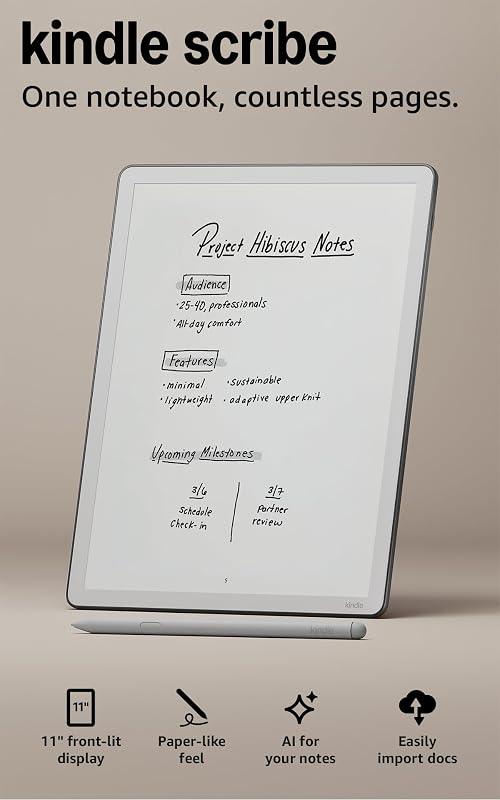 Best E-Readers for PDF 8 Picks, 10 to 13 Inch ScreensA 6-inch e-reader shrinks a PDF page to half size. These 8 big screens fit it.Which Kindle should you buy?Kindle, Paperwhite, Colorsoft or Scribe? Every model in plain English.
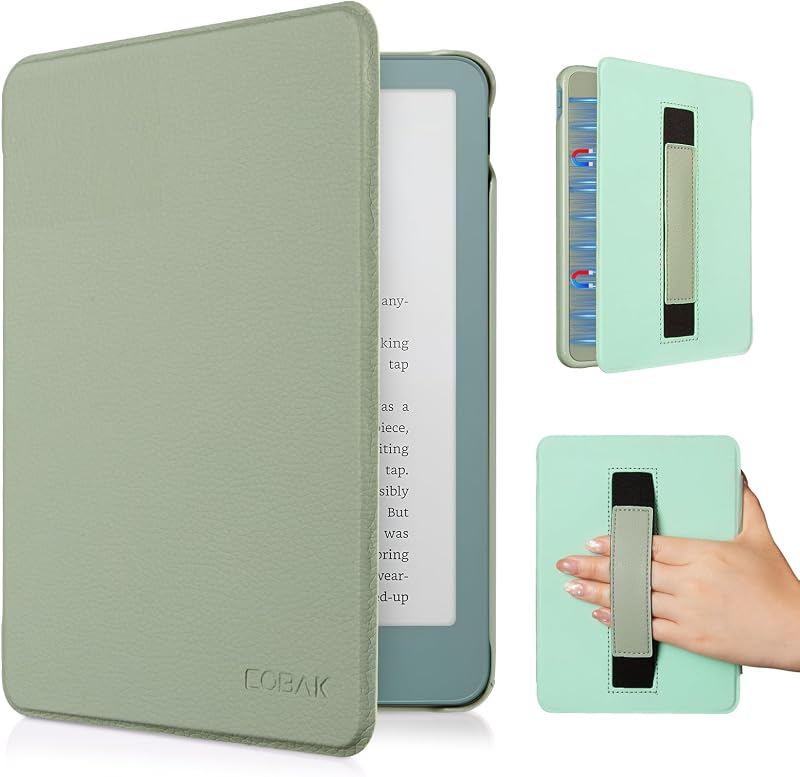 Best Kindle Colorsoft Cases and which Colorsoft each one fitsTwo Colorsoft bodies, one confusing fit. The cases that really fit yours.