
Black Friday 2026: monitor deals
to buy now, wait for or skip (4K, gaming, OLED)
Our best buy is the ASUS VY27UQ 27" 4K. Black Friday is 39 days away and Amazon has not announced its dates. We checked six monitors from ASUS, Samsung and Dell on October 19, covering 4K, 1440p gaming, OLED, ultrawide and budget 24-inch screens, to see which are worth buying now, which to wait on and which to skip.
How we picked: we shortlist by Amazon Best Seller rank and number of ratings, then compare published specs. We don't test these products hands-on.
By Jamilur Rahman, Founder & Editor · Updated October 19, 2026
- Owner reviews checked
- Features side by side
- Quick & easy compare
- Smarter purchase
The short answer
When do Black Friday 2026 deals start? Black Friday is Friday, November 27, 2026, the day after Thanksgiving (Thursday, November 26), and Cyber Monday is Monday, November 30. Amazon has not announced its 2026 Black Friday sale dates yet (we checked on October 19). In past years its Black Friday deals started about a week before Black Friday and ran through Cyber Monday.
This page is a buying plan for computer monitors sold on Amazon, written on October 19. Buy now: the ASUS VY27UQ 27" 4K, the ASUS TUF Gaming VG27AQM5A 27" 1440p and the Samsung 24" S30GD. All three are sold by Amazon.com and the listings show a clear drop from the list or typical price. Wait: the Samsung 27" Odyssey OLED G5 and the Samsung 34" Odyssey G5 ultrawide. The OLED sits close to LG’s rival at the same size, and the ultrawide is an older design with a very high list price. Skip: the Dell S2725QS 27" 4K, which shows only a small markdown and costs far more than the ASUS 4K.
Don’t wait if your screen has died or you need a second monitor for work. A monitor you can use beats a small saving. Don’t chase “percent off” badges either: several listings compare against a high list price, so judge each monitor against similar models, not against its own crossed-out number. Every monitor here is new and was sold by Amazon.com when we checked. Prices move daily, so tap “View on Amazon” for today’s number.
Compare them side by side
Everything that matters, in one table. Swipe to see all 6.
| Product | Best 4K Buy Now ASUS VY27UQ 27" 4K 27" 4K UHD IPS monitor |  Best 1440p Gaming Buy Now ASUS TUF Gaming VG27AQM5A 27" 1440p 27" QHD 300Hz Fast IPS gaming monitor |  Best OLED to Wait For Samsung 27" Odyssey OLED G5 (G50SF) 27" QHD QD-OLED gaming monitor |  Best Ultrawide to Wait For Samsung 34" Odyssey G5 Ultrawide 34" WQHD 165Hz curved ultrawide monitor |  Best Budget 24" Buy Now Samsung 24" Essential Monitor (S30GD) 24" FHD 100Hz IPS monitor |  Skip at This Price Dell S2725QS 27" 4K 27" 4K UHD 120Hz IPS monitor |
|---|---|---|---|---|---|---|
| BeastScore | 91 / 100 | 90 / 100 | 88 / 100 | 85 / 100 | 84 / 100 | 80 / 100 |
| Our call | Buy | Buy | Wait | Wait | Buy | Skip |
| Best for | A sharp 27" 4K screen for work and video on a budget | Fast 1440p PC gaming without paying OLED money | The cheapest way into QD-OLED gaming | Immersive racing and flight sims on a curved screen | A cheap, good-looking home or office screen | Only if you want 4K at 120Hz and the price drops |
| Typical price (checked October 19, 2026) | $150–$170 | $190–$210 | $320–$340 | $240–$260 | $70–$90 | $270–$290 |
| Model | ASUS VY27UQ | ASUS TUF VG27AQM5A | Odyssey OLED G5 (G50SF) | Odyssey G5 34" (older design) | Samsung S30GD | Dell S2725QS |
| Newer model out? | See listing | See listing | See listing | See listing | See listing | See listing |
| Why it’s here | 31% under list, the cheapest 4K here | 26% under list with a 300Hz panel | Big badge, but LG’s OLED is only about $20 more | 38% badge, but measured against a high list price | 15% under its typical price, already near the floor | Only 7% under list and far above the ASUS 4K |
| Key features |
|
|
|
|
|
|
BeastScore here is our overall rating out of 100, based on published specs and Amazon owner reviews. Prices change daily, so tap "View on Amazon" for today's price. We may earn a small commission, at no extra cost to you. Learn more
Why each one made the list
What each pick does best, where it falls short, and the typical Amazon price when we checked.
- 1. Best 4K Buy Now
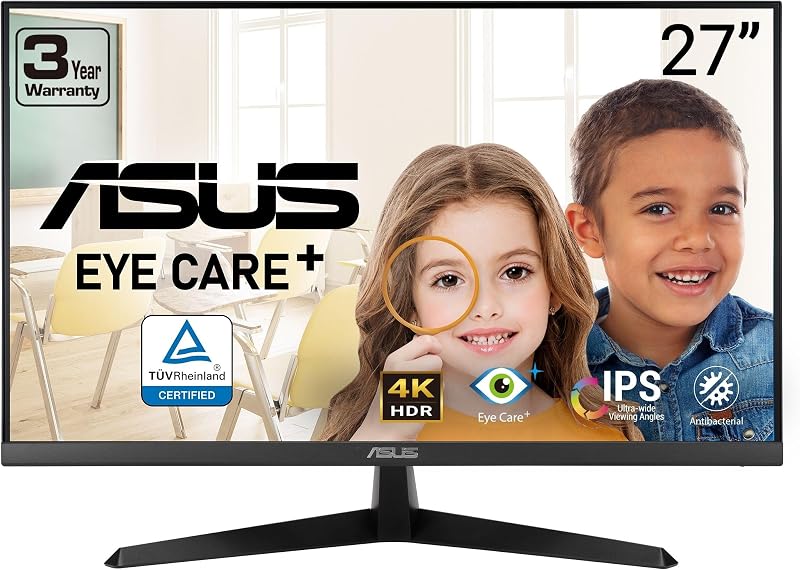
ASUS VY27UQ 27" 4K
BeastScore 91 / 100Typically $150–$170 on Amazon (checked October 19, 2026)The VY27UQ is the cheapest way into 4K in this guide. The listing shows 31% off a $229 list price and is sold by Amazon.com. It is a 27-inch 4K IPS panel with HDR10 support, adaptive sync, DisplayPort and HDMI inputs, plus built-in speakers and a 3-year warranty with advanced replacement. This is an office and media monitor, not a fast gaming one: the listing does not give a high refresh rate, so we mark it as 60Hz-class on paper. Because it already costs far less than other big-brand 27-inch 4K screens, a Black Friday cut is likely to be small. That is why we say buy now.
Pros- 4K at a price below most 27-inch 1440p gaming screens
- DisplayPort and HDMI, with built-in speakers
- 3-year warranty with advanced replacement per the listing
Cons- Not aimed at fast gaming, and the listing gives no high refresh rate
- HDR10 on a basic IPS panel is mild
- Stand adjustments may be limited per the listing
- 2. Best 1440p Gaming Buy Now
ASUS TUF Gaming VG27AQM5A 27" 1440p
BeastScore 90 / 100Typically $190–$210 on Amazon (checked October 19, 2026)This is the gaming monitor to buy now. The listing shows 26% off a $269 list price, sold by Amazon.com. It is a 27-inch QHD Fast IPS panel with a 300Hz refresh rate and a stated 0.3ms response time, plus ELMB Sync, which lets motion blur reduction and variable refresh work together. The listing also claims 95% DCI-P3 color and a 3-year warranty. At about $200 it costs less than LG’s 27GR83Q, which sits near $270 on the same day. A Black Friday cut is possible, but the price is already sharp, so we say buy.
Pros- 300Hz QHD at about $200
- ELMB Sync with variable refresh, per the listing
- 95% DCI-P3 and a 3-year warranty
Cons- An IPS panel, so blacks trail OLED
- A 300Hz screen only helps if your PC can push the frames
- Brightness and response figures are ASUS claims, not our tests
- 3. Best OLED to Wait For
Samsung 27" Odyssey OLED G5 (G50SF)
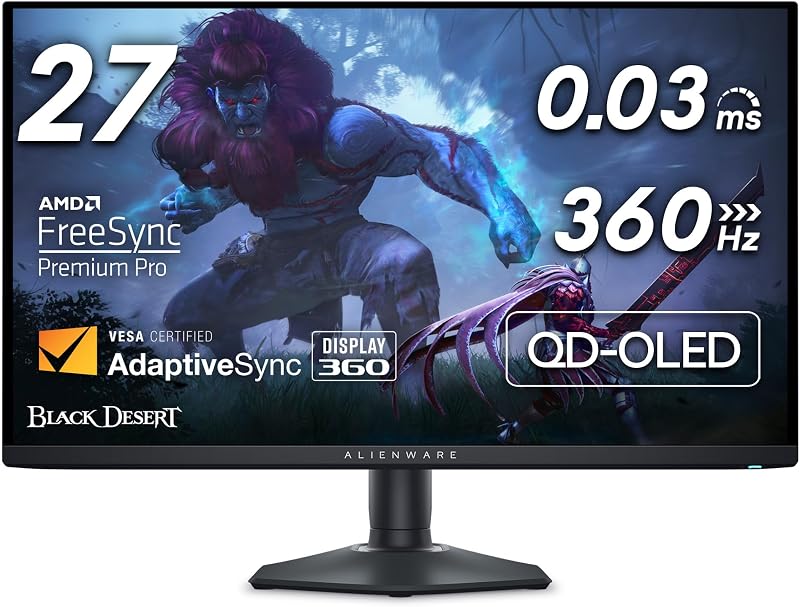
BeastScore 88 / 100Typically $320–$340 on Amazon (checked October 19, 2026)On paper this is the OLED deal of the guide. The listing shows 34% off a $499.99 list price, sold by Amazon.com. It is a QD-OLED QHD panel with a 180Hz refresh rate, 0.03ms response time and a glare-free screen, and Samsung says OLED Safeguard helps prevent burn-in. Our reason to wait is the field: LG’s 27GX704A OLED, which the listing says runs at 240Hz, costs only about $20 more with a smaller 8% discount, and several other 27-inch OLEDs are also near $330 to $350. With that many rivals, a Black Friday cut is plausible. Check the warranty terms before you buy any OLED.
Pros- QD-OLED QHD at roughly $330
- 0.03ms response time per the listing
- Glare Free screen and OLED Safeguard thermal system
Cons- 180Hz, while LG’s OLED lists 240Hz
- OLED burn-in is a long-term risk, so read the warranty
- The big percent off is measured against a high list price
- 4. Best Ultrawide to Wait For
Samsung 34" Odyssey G5 Ultrawide
BeastScore 85 / 100Typically $240–$260 on Amazon (checked October 19, 2026)The listing shows 38% off a $399.99 list price, which looks huge. We would read it with care, because this Odyssey G5 is an older design and ultrawides from other brands cost similar money. It is a 34-inch WQHD ultrawide with a tight 1000R curve, 165Hz refresh, 1ms (MPRT) response, FreeSync Premium and HDR10 on a VA panel. VA panels give deep contrast but can smear dark scenes, so check owner feedback on motion. Wait to see if Black Friday pushes it nearer $200, which would make it an easy buy.
Pros- Wide 34" WQHD view for games and spreadsheets
- 165Hz with FreeSync Premium
- Deep contrast from a VA panel
Cons- An older design with a very high list price
- A VA panel can show smearing in dark scenes
- The 1000R curve is strong and not for everyone
- 5. Best Budget 24" Buy Now
Samsung 24" Essential Monitor (S30GD)
BeastScore 84 / 100Typically $70–$90 on Amazon (checked October 19, 2026)A cheap monitor has little room to fall, which is why we say buy. The listing shows 15% under a $93.99 typical price and Amazon.com sells and ships it. It is a 24-inch IPS screen at Full HD with a 100Hz refresh rate, slim bezels and a Game Mode. The stand only tilts, so it is not for people who want height adjustment. Other 24-inch 100Hz screens, like the Philips 241V8LB, sit at about the same price. If you just need a second screen or a screen for a kid’s desk, there is no reason to wait for a drop of a few dollars.
Pros- IPS panel and 100Hz at a budget price
- Slim bezels for dual-screen setups
- Sold by Amazon.com
Cons- Tilt-only stand
- Full HD looks soft on larger screens
- No height or swivel adjustment
- 6. Skip at This Price
Dell S2725QS 27" 4K
BeastScore 80 / 100Typically $270–$290 on Amazon (checked October 19, 2026)The S2725QS has a nice spec sheet: 4K IPS, up to 120Hz, FreeSync Premium and 99% sRGB. Our problem is the price. The listing shows only 7% off a $299.99 list price, which is a small cut, and it costs about $120 more than the ASUS VY27UQ. For people who want 120Hz in 4K, that extra money might make sense, but most will be better off with the ASUS. If Black Friday pulls this Dell below about $220, it becomes interesting again. Until then, skip it.
Pros- 4K at up to 120Hz for smoother scrolling and games
- 99% sRGB with ComfortView Plus
- Clean, thin-bezel design
Cons- Only 7% off list
- Costs far more than the ASUS 4K
- HDR is only “ready” on paper
All 6 compared, in one look
See every pick on one chart, or tap one to put it head to head with ASUS VY27UQ 27" 4K. Ratings out of 10 are our estimates from published specs and Amazon owner reviews, not hands-on tests. Bigger shape = better.
- Deal valueASUS VY27UQ 27" 4K · 9.6/10
- Resolution / sizeTie
- Refresh and responseASUS TUF Gaming VG27AQM5A 27" 1440p · 9.6/10
- Picture (on paper)Samsung 27" Odyssey OLED G5 (G50SF) · 9.6/10
- Buy-now confidenceASUS VY27UQ 27" 4K · 9.2/10
Which one should you buy?
Find your situation below. That's your pick.
BuyThe cheapest 27" 4K we checked, 31% under list and sold by Amazon.com. A Black Friday cut is likely to be small.
- You want sharp text for work and video
- You do not need a high refresh rate
- You want the lowest price for 4K
Buy26% under list and cheaper than comparable LG and Dell screens. Buy now unless you want OLED.
- You play fast PC games
- Your PC can push 1440p at high frame rates
- OLED is out of budget
WaitA fair price, but LG and others are close and OLED prices are falling. Wait for the sale or buy now only if you want OLED today.
- You want OLED black levels
- You can wait for a sale
- LG’s OLED rival stays higher
WaitThe 38% badge compares against a high list price. Wait for a sale price closer to $200.
- You want a wide curved view
- You play racing or flight sims
- The price falls near $200
BuyA budget screen already priced near its floor. Buy now unless you want a height-adjustable stand.
- You need a cheap second screen
- Full HD is enough
- You do not need height adjustment
SkipA small markdown and a high price next to the ASUS 4K. Skip unless it falls near $220.
- You want 4K at 120Hz
- You like Dell’s design
- The price falls near $220
ASUS VY27UQ 27" 4K
A 27-inch 4K monitor at 31% under list, sold by Amazon.com and the cheapest 4K we checked. If you buy one monitor before Black Friday, make it this one.
- 27" 4K at a low price
- 31% under list price
- 3-year warranty per the listing
Quick tips before you buy
A 24-inch screen looks fine at Full HD. At 27 inches, 1440p or 4K is sharper. At 34 inches ultrawide, WQHD is the usual choice.
A 300Hz monitor only helps if your PC can run games at those frame rates. For work and video, 60 to 100Hz is plenty.
OLED monitors can burn in over time. Look for a warranty that mentions burn-in and use a screen saver or auto-dim.
Buy from Amazon.com or the brand’s own store. Avoid third-party listings with unknown brands or open-box units, and read the return window.
Quick answers
When do Black Friday monitor deals start on Amazon in 2026?+
Black Friday is Friday, November 27, 2026, and Cyber Monday is Monday, November 30. Amazon has not announced its 2026 sale dates (checked October 19). In past years its Black Friday deals started about a week before Black Friday. If it repeats that, early monitor deals could start around November 20. That is a guess, not an announcement.
Will 4K monitors be cheaper on Black Friday than they are now?+
Nobody knows before the sale. A 4K monitor that is already far below its list price, like the ASUS VY27UQ, has less room left to fall. A premium one with only a small markdown, like the Dell S2725QS, has more. That is why we split these monitors into buy and skip.
Are Black Friday gaming monitor deals worth it?+
They can be, if the price is already well under list and the seller is Amazon.com. The ASUS TUF VG27AQM5A is a good example: 300Hz QHD at about $200. Compare the monitor with others in the same size and tier before you trust the percent-off badge.
Should I wait for Black Friday to buy an OLED monitor?+
If you can wait, yes. Several 27-inch OLED monitors are priced between about $330 and $350, which means sellers are close and may cut further in a sale. The Samsung Odyssey OLED G5 is a fair price today, but it is not an urgent buy.
Is it better to buy a monitor now or wait for Black Friday?+
Buy now if the price is already low for the size and the seller is Amazon.com, or if you need the screen soon. Wait if the badge compares against a high list price, as with the 34" Odyssey G5. If you buy now and the price drops later, do not count on a refund. Check the return details first.
Are Black Friday monitor deals real or just inflated “was” prices?+
Some are real, some are not. A 46% or 38% badge can come from a very high list price, while similar monitors cost less. Compare each monitor with others in the same size and tier, not with its own crossed-out price.
What is the best monitor size for Black Friday: 24, 27 or 34 inches?+
It depends on your desk. 24 inches suits a small desk or second screen, 27 inches is the most popular size for work and gaming, and 34-inch ultrawides give a wide view for games and spreadsheets. See our best monitors guide for full picks.
Keep comparing
 Best Monitors: Top 5 on AmazonOne great screen for work, play or photos. The best monitors compared.
 Best Gaming Monitors: Top 5 on AmazonHigh refresh, deep blacks, zero blur. The best gaming monitors compared.
 Best OLED Monitors: QD-OLED vs WOLED, rankedPerfect blacks, instant response. The OLED monitors worth buying.