
Cricut vs Silhouette
Which cutting machine to buy
Our overall winner is the Cricut Explore 5 (Deluxe Bundle). Cricut and Silhouette are the two big names in home cutting machines. We compared the Explore 5 and Maker 4 with the Silhouette Cameo 5 Alpha, Cameo 5 Alpha Plus and Portrait 4, so you can pick an ecosystem before you buy mats and blades.
How we picked: we shortlist by Amazon Best Seller rank and number of ratings, then compare published specs. We don't test these products hands-on.
By Jamilur Rahman, Founder & Editor · Updated October 19, 2026
- Owner reviews checked
- Features side by side
- Quick & easy compare
- Smarter purchase
The short answer
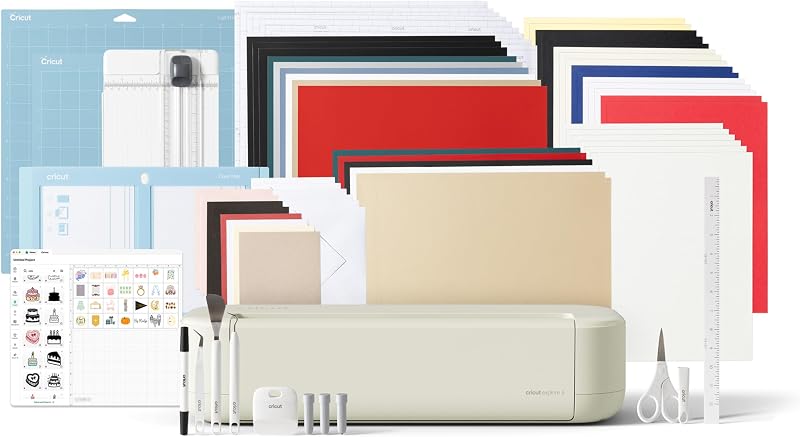
For most crafters, the Cricut Explore 5 is the safest pick. It is the newest Explore, it cuts 100+ materials such as vinyl, iron-on and cardstock, it is built around the beginner-friendly Design Space app, and the Deluxe bundle includes starter materials. Choose the Cricut Maker 4 if you want to cut leather, wood and other thick materials, since the listing says it works with 300+ materials.
The Silhouette side is the better fit for people who want more control over their design software and a bigger cutting area for the money. The Cameo 5 Alpha (quiet, 4-point registration, Fast Sketch Mode) is the all-rounder. The Cameo 5 Alpha Plus cuts up to 15 inches wide. The Portrait 4 is the cheap 9-inch machine for decals, labels and small projects. Silhouette Studio is the software, and the listing for the Plus says it comes with 100 designs and a 1-month subscription.
Skip both families if you only plan to make a few cards a year, because paper crafts need only a punch or a pair of scissors. Skip the Maker 4 if you only cut vinyl and paper, since you pay for materials you will never use. And skip the Portrait 4 if you want to make banners or large decals, because it is only 9 inches wide.
How we picked: we compared the current Cricut and Silhouette machines sold on Amazon. We checked each listing for cutting width, supported materials, software and what is in the box. We have not tested them hands-on, so this guide reflects the listings and what owners report. Checked October 2026.
Compare them side by side
Everything that matters, in one table. Swipe to see all 5.
| Product | Best Overall Cricut Explore 5 (Deluxe Bundle) Everyday cutting machine |  Most Materials Cricut Maker 4 (Engagement Bundle) Premium cutting machine |  Best for Big Projects Silhouette Cameo 5 Alpha Plus 15-inch cutting machine |  Best Silhouette Value Silhouette Cameo 5 Alpha 12-inch cutting machine | 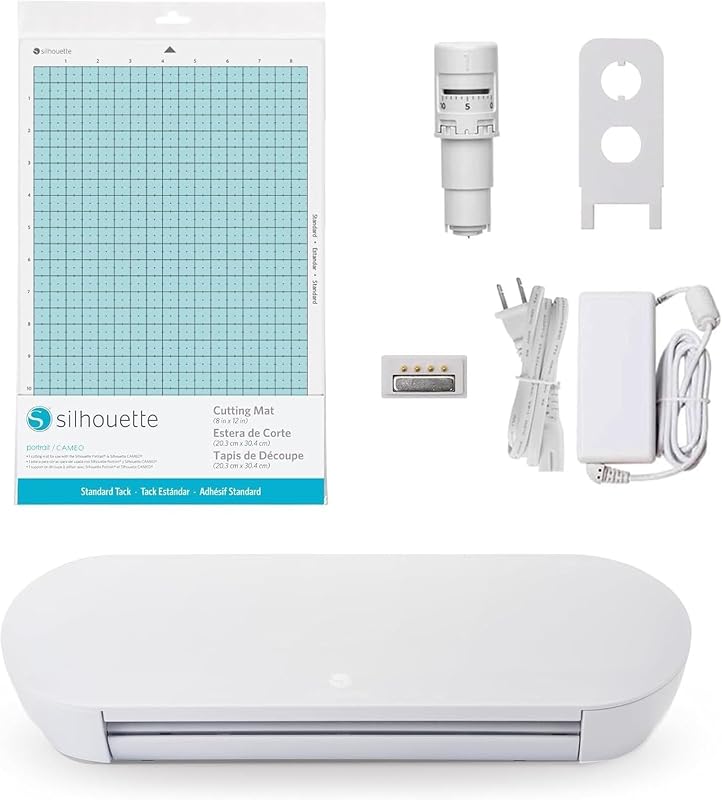 Best Budget Silhouette Portrait 4 9-inch cutting machine |
|---|---|---|---|---|---|
| BeastScore | 90 / 100 | 89 / 100 | 88 / 100 | 87 / 100 | 83 / 100 |
| Best for | Beginners who want a simple start | Crafters who cut thick materials | Large decals, signs and wide vinyl | Crafters who want Silhouette without paying for the Plus | Decals, labels and small projects |
| Typical price (checked October 19, 2026) | $260–$300 | $420–$480 | $380–$420 | $280–$320 | $180–$220 |
| Cutting width | 12 in (30.5 cm) | See listing | Up to 15 in | See listing | 9 in |
| Materials | 100+ materials | 300+ materials | Vinyl, paper, fabric and more | Up to 3mm thick | Vinyl, paper and more |
| Software | Cricut Design Space (free) | Cricut Design Space (free) | Silhouette Studio | Silhouette Studio | Silhouette Studio |
| Print & Cut | Yes | Yes | Yes, 4-point registration | Yes, 4-point registration | PixScan |
| Listing bundle | Smart Vinyl, Smart Iron-On, cardstock, insert cards | Blade, mat, pens, tools, Smart Vinyl, Smart Iron-On, cardstock | Mat, AutoBlade, pen adapter, 100 designs, 1-month subscription | Machine only (this listing) | See listing |
| Key features |
|
|
|
|
|
BeastScore here is our overall rating out of 100, based on published specs and Amazon owner reviews. Prices change daily, so tap "View on Amazon" for today's price. We may earn a small commission, at no extra cost to you. Learn more
Why each one made the list
What each pick does best, where it falls short, and the typical Amazon price when we checked.
- 1. Best Overall
Cricut Explore 5 (Deluxe Bundle)
BeastScore 90 / 100Typically $260–$300 on Amazon (checked October 19, 2026)The Explore 5 is the Cricut for most people. The listing calls it the newest generation of the Explore line, with a 12-inch cutting width and support for 100+ materials such as vinyl, iron-on, cardstock and printable materials. It also writes, draws, foils and scores, and it works with six tools. You design in Cricut Design Space on a phone or computer over Bluetooth, and the app walks you through projects step by step. This listing is the Deluxe bundle, which adds Smart Vinyl, Smart Iron-On, cardstock and insert card sets, so you can start on day one. The downsides are the cut-material limits compared with the Maker line, and that the free version of Design Space has limits on its content library. If you mostly make decals, shirts, stickers and cards, it is the sweet spot.
Pros- Beginner-friendly Design Space app
- Deluxe bundle includes starter materials
- Print Then Cut for full-color stickers
Cons- Fewer materials than the Maker 4
- Full image library needs a subscription
- Locks you into Cricut blades and mats
- 2. Most Materials
Cricut Maker 4 (Engagement Bundle)
BeastScore 89 / 100Typically $420–$480 on Amazon (checked October 19, 2026)The Maker 4 is the Cricut for people who want to cut almost anything. The listing says it works with 300+ materials, including leather, wood, vinyl, iron-on HTV and cardstock, and it can draw, foil and score as well. It uses the same free Design Space app as the Explore 5, and Print Then Cut works with most inkjet printers. This Engagement bundle adds a Fine-Point Blade, a Light Grip mat, pens, tools, Smart Vinyl, Smart Iron-On and cardstock, plus 30 bonus images. It costs more than the Explore 5, and that is the main reason to think twice. If you will only cut vinyl, iron-on and paper, the extra material support goes unused. If you want to make wood signs, leather keychains or fabric projects, it is the one to get.
Pros- 300+ supported materials per the listing
- Draws, foils, engraves and scores
- Bundle includes tools and starter materials
Cons- Costs well above the Explore 5
- Extra material support wasted on vinyl-only crafters
- Full image library is a paid add-on
- 3. Best for Big Projects
Silhouette Cameo 5 Alpha Plus
BeastScore 88 / 100Typically $380–$420 on Amazon (checked October 19, 2026)The Alpha Plus is the Silhouette to buy if size matters. The listing says it cuts up to 15 inches wide, which is three inches wider than the Cricut Explore 5. It uses an electrostatic mat that supports materials up to 0.5mm thick, speeds up to 400mm/s and a 4-point registration system for accurate Print and Cut. The AutoBlade adjusts blade depth for you, Fast Sketch Mode speeds up drawing, and the Power Slide Lid opens and closes on its own. You get Silhouette Studio, 100 designs and a 1-month subscription in the box. The trade-offs are cost and learning curve. It costs more than the standard Cameo 5 Alpha, and Silhouette Studio gives you more control but takes longer to learn than Design Space. Choose it for wide vinyl, large signs and bigger layouts.
Pros- Cuts up to 15 inches wide
- Fast, quiet and automatic blade depth
- 100 designs and a 1-month subscription included
Cons- Costs more than the standard Cameo 5 Alpha
- Studio software takes longer to learn
- The mat handles up to 0.5mm per the listing
- 4. Best Silhouette Value
Silhouette Cameo 5 Alpha
BeastScore 87 / 100Typically $280–$320 on Amazon (checked October 19, 2026)The Cameo 5 Alpha is the all-round Silhouette. The listing highlights a 4-point registration system for accurate Print and Cut, Fast Sketch Mode, Intelligent Path Technology (IPT) for cleaner cuts and a quiet motor that runs at up to 400mm/s. It handles vinyl, fabric and other materials up to 3mm thick, so it covers more than the Portrait 4. It uses the AutoBlade, which sets blade depth for you. This listing is the machine only, so check what you need for mats and materials before you click buy. It is cheaper than the Alpha Plus and about the same price as many Cricut bundles, but it has fewer starter materials in the box. If you like Silhouette Studio and want a quiet machine for home use, this is the one to get.
Pros- Quiet and fast, up to 400mm/s
- Cuts materials up to 3mm thick
- 4-point registration for Print and Cut
Cons- This listing is the machine only
- Silhouette Studio has a learning curve
- Narrower than the Alpha Plus
- 5. Best Budget
Silhouette Portrait 4
BeastScore 83 / 100Typically $180–$220 on Amazon (checked October 19, 2026)The Portrait 4 is the lowest-cost way into cutting machines on this list. The listing calls it a full redesign of the 9-inch Portrait, and says it is quieter and more precise, at 50 dB, with a belt-driven chassis. It uses Intelligent Path Technology to optimize the cut order, supports PixScan and works with the electric tool and ES mat. A 9-inch width is plenty for stickers, labels, small decals and greeting cards, and the machine is small enough for a desk. It is not a good fit for banners, wide vinyl or big iron-on designs. It also has a 1-year limited warranty per the listing. If you are not sure you will keep crafting, start here and upgrade later. Just remember that mats and blades you buy for it are not always interchangeable with the Cameo line.
Pros- Lowest price on this list
- Quiet and compact for a desk
- IPT and PixScan for accurate cuts
Cons- Only 9 inches wide
- Not for large projects
- Some accessories differ from the Cameo line
All 5 compared, in one look
See every pick on one chart, or tap one to put it head to head with Cricut Explore 5 (Deluxe Bundle). Ratings out of 10 are our estimates from published specs and Amazon owner reviews, not hands-on tests. Bigger shape = better.
- MaterialsCricut Maker 4 (Engagement Bundle) · 9.8/10
- Cutting sizeSilhouette Cameo 5 Alpha Plus · 9.6/10
- Beginner friendlyCricut Explore 5 (Deluxe Bundle) · 9.6/10
- SoftwareTie
- Quiet runningTie
- ValueSilhouette Portrait 4 · 9.4/10
Who wins where
The winner of each category, based on published specs and Amazon owner reviews. Pick the rounds that matter to you.
- Round 1
Beginner friendliness
Cricut Explore 5 (Deluxe Bundle) winsCricut Design Space guides you through projects step by step, and the Explore 5 Deluxe bundle includes starter materials. Silhouette Studio gives you more control but takes longer to learn.
- Round 2
Cutting width
Silhouette Cameo 5 Alpha Plus winsThe Cameo 5 Alpha Plus cuts up to 15 inches wide. The Cricut Explore 5 is 12 inches, and the Portrait 4 is only 9 inches.
- Round 3
Material range
Cricut Maker 4 (Engagement Bundle) winsThe Maker 4 works with 300+ materials per its listing, including leather and wood. The Explore 5 handles 100+, and the Cameo 5 Alpha handles materials up to 3mm thick.
- Round 4
Noise and speed
Silhouette Cameo 5 Alpha winsThe Cameo 5 Alpha pairs a whisper-quiet motor with cutting speeds up to 400mm/s, per its listing. The Portrait 4 is rated at 50 dB.
- Round 5
Price
Silhouette Portrait 4 winsThe Portrait 4 is the cheapest way in. If you want a 12-inch machine with starter supplies, the Explore 5 bundle is the better deal than a bare Cameo.
Which one should you buy?
Find your situation below. That's your pick.
- You want the easiest software
- You make decals, shirts and stickers
- You want starter materials in the box
- You cut leather, wood or thick materials
- You want to draw, foil and engrave
- You plan to sell your crafts
- You need wide vinyl or large signs
- You want 100 designs in the box
- You are happy to learn Silhouette Studio
- You want a quiet, fast home machine
- You want Silhouette for less
- You already own Silhouette mats
- You are on a budget
- You make labels and small decals
- You have limited desk space
Cricut Explore 5 (Deluxe Bundle)
The newest Explore is easy to learn, cuts 100+ materials and the Deluxe bundle includes starter supplies.
- 12 in cutting width
- 100+ materials
- Starter bundle included
Quick tips before you buy
Blades, mats, vinyl and iron-on add up fast. Check what is in the bundle before you compare prices.
A 12-inch machine covers most shirts and decals. Only buy 15 inches if you know you need wide vinyl.
Cutters need clear space at the front and back of the machine for the mat to move.
Both brands offer paid subscriptions for extra designs. The free software works without one.
Quick answers
Is Cricut or Silhouette better?+
Cricut is better for beginners because Design Space is simple and bundles include supplies. Silhouette is better if you want wider cutting options and more control in the software. Both cut vinyl, iron-on and paper well.
Which is better for beginners, Cricut or Silhouette?+
Most beginners find Cricut easier to start with. The Explore 5 Deluxe bundle includes starter materials and the app walks you through projects. The Silhouette Portrait 4 is the cheaper starter if you only need small cuts.
Can I use Cricut materials in a Silhouette machine?+
Often yes for vinyl and iron-on, since the material is the same. Mats and blades are usually brand-specific, so buy the ones made for your machine.
Do I need a subscription for Cricut or Silhouette?+
No. Both work with free software. A subscription adds extra designs, fonts and images. The Cameo 5 Alpha Plus listing includes a 1-month subscription.
Which is better for stickers?+
Both offer Print and Cut. Cricut Explore 5 and Maker 4 use Print Then Cut, and the Cameo 5 Alpha uses 4-point registration marks. The Explore 5 is the easier start; the Alpha is a good quiet option.
Is the Cricut Maker 4 worth the extra money?+
Only if you cut thick or unusual materials such as leather or wood. For vinyl, iron-on and cardstock, the Explore 5 does the job for less.
Keep comparing
 Best Cutting Machines: Top 5 for CraftersVinyl decals, cards and custom shirts. Cricut vs Silhouette vs Brother compared.
 Best Home Printers: Top 5 on AmazonStop overpaying for ink. Tank, laser and inkjet compared.
 Best 3D Printers: Top 5 on AmazonFast, reliable printers for makers. The best 3D printers compared.