
Google Home vs Alexa vs Apple Home
Which smart home ecosystem?
Our overall winner is the Amazon Echo Dot (newest model). Your first speaker or display decides which smart home ecosystem you live in. We compared starter devices from Amazon Alexa, Google Home and Apple Home, so you can choose the platform that fits your phone, your family and your budget.
How we picked: we shortlist by Amazon Best Seller rank and number of ratings, then compare published specs. We don't test these products hands-on.
By Jamilur Rahman, Founder & Editor · Updated October 19, 2026
- Owner reviews checked
- Features side by side
- Quick & easy compare
- Smarter purchase

The short answer
If you want one answer, Amazon Alexa is the easiest ecosystem to start with. The Echo Dot is a low-cost, vibrant-sounding speaker, it works with iPhone and Android, and the listing says it controls compatible smart home devices with your voice and with routines triggered by built-in motion or indoor temperature sensors. Alexa also has the widest range of compatible devices and the most low-cost hardware, so you can build a smart home without a big bill.
Your phone should break the tie. Apple Home is the best fit if your family uses iPhones, because the Apple HomePod works with Siri, HomeKit devices and sound recognition alerts, and it feels built into your phone. Google Home is the best fit if you use Android and Google services such as Photos and Calendar, and Google’s own speaker and the Google TV Streamer are its entry points. The Echo Show 5 adds a small screen to the Alexa side for cameras, photos and video calls.
Do not build a mixed setup in your first week. Buying an Echo, a HomePod and a Google speaker means three apps, three voice assistants and more setup. Matter and Thread support help devices work across platforms, but the daily experience is still best on one ecosystem. Skip the HomePod if you do not own an Apple device, because the setup needs an iPhone or iPad.
How we picked: we compared the current starter devices for each platform on Amazon. We checked each listing for what the device does, which assistant it uses and what it costs. Then we sorted them by who each ecosystem suits. We have not tested these hands-on, so this guide reflects the listings and what owners report. Checked October 2026.
Compare them side by side
Everything that matters, in one table. Swipe to see all 5.
| Product | Best Overall Amazon Echo Dot (newest model) Alexa smart speaker |  Best Screen for Alexa Amazon Echo Show 5 (newest model) Alexa smart display | 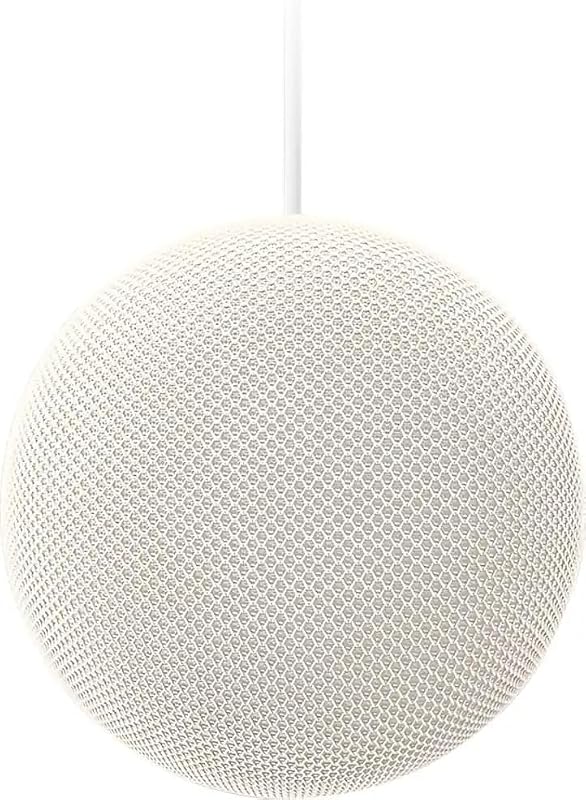 Best for Google Fans Google Premium Audio Speaker Google speaker with 360-degree sound |  Best Google Hub Google TV Streamer (4K) Streaming box with smart home control |  Best for iPhone Homes Apple HomePod (2nd generation) Apple Home smart speaker |
|---|---|---|---|---|---|
| BeastScore | 91 / 100 | 87 / 100 | 85 / 100 | 84 / 100 | 86 / 100 |
| Best for | Anyone starting a smart home | Bedside tables, kitchens and video calls | Android users who want better sound | Google homes that want the TV to run the house | iPhone owners who care about sound and privacy |
| Typical price (checked October 19, 2026) | $70–$90 | $90–$110 | $90–$110 | $130–$160 | $320–$360 |
| Platform | Amazon Alexa | Amazon Alexa | Google Home | Google Home | Apple Home (HomeKit) |
| Assistant | Alexa (Alexa+ ready) | Alexa (Alexa+ ready) | See listing | Voice search remote | Siri |
| Screen | No | 5.5 in | No | Your TV | No |
| Smart home control | Voice control and routines | Touch and voice control | See listing | Smart home control listed | HomeKit control and automations |
| Works best with | iPhone and Android | iPhone and Android | Android and iPhone via the Google Home app | Android and iPhone | iPhone and iPad |
| Key features |
|
|
|
|
|
BeastScore here is our overall rating out of 100, based on published specs and Amazon owner reviews. Prices change daily, so tap "View on Amazon" for today's price. We may earn a small commission, at no extra cost to you. Learn more
Why each one made the list
What each pick does best, where it falls short, and the typical Amazon price when we checked.
- 1. Best Overall
Amazon Echo Dot (newest model)
BeastScore 91 / 100Typically $70–$90 on Amazon (checked October 19, 2026)The Echo Dot is the easiest way into a smart home. It is a small speaker for a bedroom, office or dining room, and the listing says it plays music from Amazon Music, Apple Music, Spotify and others. The listing also says it controls compatible smart devices with your voice and routines triggered by built-in motion or indoor temperature sensors. With eero Built-in, it doubles as a mesh Wi-Fi extender, adding up to 1,000 sq. ft. of coverage to an existing eero network. It has a mic off button and layered privacy controls. It works with both iPhone and Android, which is a big reason it wins. The trade-off is that the sound is good for a small speaker but not a home audio system, and Alexa is tied to Amazon services. If you buy one smart home device this year, make it this one.
Pros- Lowest-cost way to start
- Works with iPhone and Android
- Routines using motion and temperature sensors
Cons- Small speaker, not for big rooms
- No screen
- Ties you to Amazon services
- 2. Best Screen for Alexa
Amazon Echo Show 5 (newest model)
BeastScore 87 / 100Typically $90–$110 on Amazon (checked October 19, 2026)The Echo Show 5 adds a screen to Alexa. The listing says it has a 5.5-inch display for news and weather, a 2 MP camera for video calls, and support for viewing compatible cameras and video doorbells. It also has deeper bass and clearer vocals than the older model, per the listing. It is a good fit for a nightstand, a kitchen counter or a desk, where you can check the weather, set timers and drop in on family. It shows a slideshow of your photos when idle. The listing says it has a mic and camera off button. The downsides are the small screen and the camera, which some people will not want in a bedroom. If you want to look at your smart home as well as talk to it, this is the entry point.
Pros- 5.5-inch screen for weather, cameras and photos
- Camera for video calls and drop-in
- Mic and camera off controls
Cons- Camera may not suit a bedroom
- Small screen for recipes or video
- Still tied to Amazon services
- 3. Best for Google Fans
Google Premium Audio Speaker
BeastScore 85 / 100Typically $90–$110 on Amazon (checked October 19, 2026)This is Google’s own speaker and the Google-side pick on this list. The listing describes 360-degree sound with clear vocals, detailed highs and deep bass, aimed at music, podcasts and audiobooks. It supports stereo pairing with a compatible second speaker for a wider soundstage, and it comes in four colors (Sage, Porcelain, Berry and Hazel). It is made by Google, so it fits best with the Google Home app, Google services and Android phones. The listing does not spell out voice assistant details or smart home control, so read the listing before you buy if those matter to you. For a Google household that wants better sound than a tiny speaker, it is a good fit. If you need a screen or a cheaper starter, the Echo Dot costs a little less.
Pros- 360-degree sound for music and podcasts
- Stereo pairing support
- Four colors to match your room
Cons- Listing is light on smart home details
- No screen
- Costs more than an Echo Dot
- 4. Best Google Hub
Google TV Streamer (4K)
BeastScore 84 / 100Typically $130–$160 on Amazon (checked October 19, 2026)The Google TV Streamer is the Google ecosystem’s living room hub. It is a 4K streaming box with a voice search remote and 32 GB of storage, and the listing says it supports up to 4K HDR with Dolby Vision plus Dolby Atmos with compatible speakers. It also lists smart home control in its title, so your TV becomes a place to check the home. The listing says it shows tailored recommendations for everyone in your home and gives you access to 800+ free channels. It costs more than a basic stick, and you need an HDMI 2.1 cable (sold separately). Pick it if you already live in Google services and want one device for entertainment and the home. If you only want a speaker or a smart display, it is not the right starting point.
Pros- 4K HDR with Dolby Vision
- Smart home control from the TV
- 32 GB storage and voice search remote
Cons- HDMI 2.1 cable sold separately
- Costs more than a basic streaming stick
- Not a speaker or display on its own
- 5. Best for iPhone Homes
Apple HomePod (2nd generation)
BeastScore 86 / 100Typically $320–$360 on Amazon (checked October 19, 2026)The HomePod is Apple’s answer to the Echo Dot, and it is a very different product. The listing describes a 4-inch high-excursion woofer and an array of five horn-loaded tweeters, with a four-microphone design for Siri. It controls HomeKit devices, creates automations and sends sound recognition alerts. It is the best-sounding speaker on this list, and it fits neatly into an iPhone household, with touch controls on top and privacy features built in. The price is the big catch: it costs several times more than an Echo Dot. It also needs an iPhone or iPad to set up and has a smaller list of compatible smart home devices than Alexa. Pick it if sound quality and Apple integration matter more than price. If you are on Android, skip it.
Pros- Best sound here, per its listing
- Siri and HomeKit automations
- Sound recognition alerts
Cons- Costs several times an Echo Dot
- Needs an iPhone or iPad
- Fewer compatible devices than Alexa
All 5 compared, in one look
See every pick on one chart, or tap one to put it head to head with Amazon Echo Dot (newest model). Ratings out of 10 are our estimates from published specs and Amazon owner reviews, not hands-on tests. Bigger shape = better.
- Device choiceAmazon Echo Dot (newest model) · 9.8/10
- Easy setupAmazon Echo Dot (newest model) · 9.4/10
- SoundApple HomePod (2nd generation) · 9.8/10
- Privacy controlsApple HomePod (2nd generation) · 9.4/10
- Phone fitApple HomePod (2nd generation) · 9.6/10
- ValueAmazon Echo Dot (newest model) · 9.8/10
Who wins where
The winner of each category, based on published specs and Amazon owner reviews. Pick the rounds that matter to you.
- Round 1
Device choice and price
Amazon Echo Dot (newest model) winsAlexa has the most compatible devices and the cheapest hardware, starting with the Echo Dot. Google and Apple cost more per device, and Apple has the narrowest range.
- Round 2
Sound quality
Apple HomePod (2nd generation) winsThe HomePod has a 4-inch woofer and five tweeters per its listing, and it is the best-sounding speaker here. Google’s premium speaker adds 360-degree sound and stereo pairing. The Echo Dot is the smallest.
- Round 3
Phone fit
Apple HomePod (2nd generation) winsThe HomePod is built for iPhone and iPad. Google’s devices fit Android best, and Alexa works the same on both. If your whole family is on iPhone, Apple Home is the smoothest.
- Round 4
Screens and cameras
Amazon Echo Show 5 (newest model) winsThe Echo Show 5 gives you a 5.5-inch display with a camera, plus compatible camera and video doorbell views. Apple has no entry-level smart display in this lineup.
- Round 5
Living room hub
Google TV Streamer (4K) winsThe Google TV Streamer turns your TV into a smart home control spot, with 4K HDR, a voice remote and 32 GB of storage. It is the only streaming box on this list.
Which one should you buy?
Find your situation below. That's your pick.
- You want the cheapest way in
- Your family uses a mix of iPhone and Android
- You want the most compatible devices
- You want a screen for cameras and calls
- You have a nightstand or kitchen spot
- You already use Alexa
- You use Android and Google services
- You want better music sound
- You may add a second speaker for stereo
- You want the TV as your hub
- You live in Google services
- You want 4K HDR streaming too
- Your family uses iPhones
- Sound and privacy matter most
- You already own HomeKit devices
Amazon Echo Dot (newest model)
The lowest-cost start, works with iPhone and Android, and Alexa supports the widest range of smart home gear.
- Works with iPhone and Android
- Motion and temperature routines
- Lowest price on the list
Quick tips before you buy
Android points to Google, iPhone to Apple, and a mixed family to Alexa. Switching later means rebuying gear.
Matter and Thread devices work across Alexa, Google and Apple, so they keep their value if you switch.
Look for a mic off switch and review voice history settings in each app before you start talking.
A small speaker suits a bedroom. A big living room needs more sound, so look at the HomePod or Google speaker.
Quick answers
Which is better, Alexa or Google Home?+
Alexa has more compatible devices and cheaper hardware. Google Home is the better fit if you use Android and Google services. Both control lights, plugs and thermostats by voice, and both work on iPhone and Android.
Is Alexa better than Apple Home?+
Alexa supports more devices at lower prices. Apple Home is better for iPhone households that value privacy and sound, but it needs an iPhone or iPad, and the HomePod costs more.
Can I use Alexa with an iPhone?+
Yes. The Alexa app runs on iPhone and Android. The Echo Dot listing says it plays music from Apple Music, Spotify and Amazon Music.
Can I mix Alexa, Google and Apple devices?+
You can, especially with Matter devices, but it gets messy. You will have several apps and assistants. We suggest picking one ecosystem for the first year.
Do I need a smart speaker to start a smart home?+
Not strictly, since you can use the phone app. But a speaker, display or hub gives you voice control and a place to run routines, so it is the best first purchase.
Which smart home ecosystem is best for privacy?+
All three offer a mic off control and privacy settings. Apple markets privacy the most heavily. Whichever you pick, review the voice history and sharing settings in the app.
Keep comparing
 Best Echo Devices: Top 5 on AmazonEcho Dot, Spot or Show? Pick the right one in a minute.
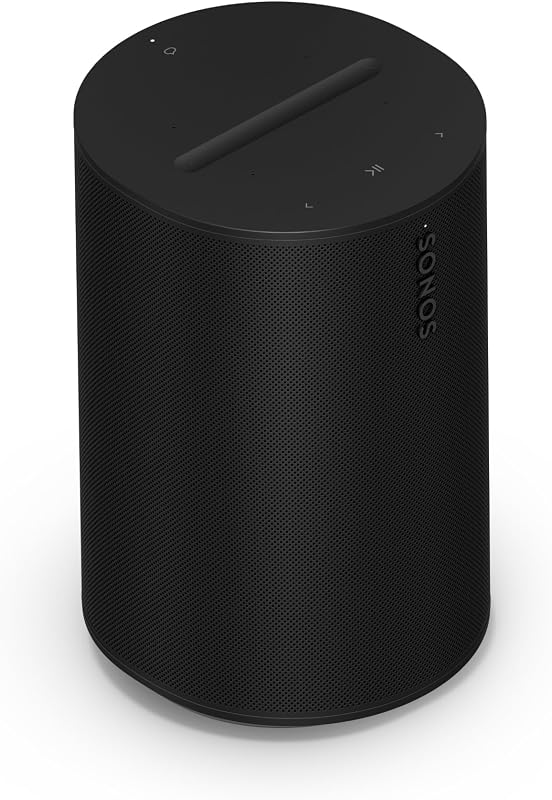 Best Smart Speakers for Music: Room-filling sound with a voice assistantWant a smart speaker that actually sounds good? Sonos, Bose and Echo compared.
 Best Smart Plugs: Top 5 on AmazonThe cheapest way into a smart home. The best smart plugs compared.
 Best Smart Light Bulbs: Top 5 on AmazonControl lights with your voice or phone, no electrician.