The modern high-performance workspace revolves around a single, uncompromising interconnect: Thunderbolt 4 (and its companion standard, USB4). Where legacy USB-C hubs once choked on shared 10Gbps bandwidth, modern flagship docking stations leverage Intel Goshen Ridge (JHL8440) controller silicon to dynamically tunnel up to 40Gbps of bidirectional bandwidth across PCIe 3.0 x4, DisplayPort 1.4 HBR3, and USB 3.2 Gen 2x1 protocols simultaneously.
Whether you are driving dual color-graded 4K 144Hz monitors, ingesting hundreds of gigabytes from UHS-II SD cards, transferring multi-stream ProRes 422 HQ footage across NVMe arrays, or charging a power-hungry 16-inch mobile workstation, selecting the correct flagship dock defines your workflow stability.
In this deep architectural and empirical benchmark comparison, the Beast Compare Tech Lab subjects the four leading flagship docking stations on the market—the CalDigit TS4, the Anker Prime Thunderbolt 4 Docking Station (14-in-1), the OWC Thunderbolt Go Dock, and the Kensington SD5780T—to comprehensive testing across PCIe storage throughput, display pipeline bandwidth allocation, sustained Power Delivery (PD 3.0 vs. PD 3.1 EPR), 2.5GbE network latency, and chassis thermal dissipation.
1. Architectural Foundation: Goshen Ridge Silicon & Bandwidth Allocation
At the core of every premium Thunderbolt 4 docking station lies Intel's JHL8440 Goshen Ridge controller. Unlike older Thunderbolt 3 (Titan Ridge / Alpine Ridge) controllers that dedicated static lanes to PCIe and DisplayPort, Goshen Ridge introduces dynamic, packet-based packetization that optimizes bandwidth on the fly.
How Thunderbolt 4 Allocates 40Gbps
- Physical Link Bandwidth: 40Gbps (approx. 41.25Gbps line rate with 128b/132b encoding efficiency).
- Usable Data Throughput: Capped at 32Gbps PCIe bandwidth (PCIe 3.0 x4) for storage and high-speed peripherals.
- DisplayPort 1.4 HBR3 Allocation: Up to 2x 4-lane DP 1.4 streams (each up to 25.92Gbps raw / 21.6Gbps effective bandwidth before DSC).
- USB 3.2 Gen 2x1 Tunneling: 10Gbps native USB traffic managed by internal host controller hubs without stealing dedicated DisplayPort pipelines.
- Isochronous Display Priority: Display traffic is strictly prioritized over PCIe data packets to eliminate frame dropping or display tearing during heavy drive transfers.
When an external 4K 144Hz display requires 16Gbps of display bandwidth, Goshen Ridge dynamically contracts the PCIe data pipe to fit within the physical 40Gbps envelope, ensuring completely uninterrupted video delivery while maximizing remaining peripheral throughput.
2. Hardware Specification Matrix & Port Breakdown
The four contenders represent fundamentally distinct engineering philosophies: CalDigit maximizes raw port count and peripheral diversity; Anker delivers ultra-high-wattage PD 3.1 laptop charging; OWC eliminates external power bricks with an internal power supply; and Kensington targets enterprise multi-OS reliability.
| Feature / Specification | CalDigit TS4 | Anker Prime TB4 Dock (14-in-1) | OWC Thunderbolt Go Dock | Kensington SD5780T |
|---|---|---|---|---|
| Primary Controller Silicon | Intel Goshen Ridge (JHL8440) | Intel Goshen Ridge (JHL8440) | Intel Goshen Ridge (JHL8440) | Intel Goshen Ridge (JHL8440) |
| Total Functional Ports | 18 Ports | 14 Ports | 11 Ports | 11 Ports |
| Downstream TB4 Ports | 2x Downstream (40Gbps, 15W) | 1x Downstream (40Gbps, 15W) | 2x Downstream (40Gbps, 15W) | 3x Downstream (40Gbps, 15W) |
| Host Connection Port | Rear (Up to 98W PD 3.0) | Up to 140W USB-PD 3.1 EPR | Rear (Up to 90W PD 3.0) | Front (Up to 96W PD 3.0) |
| USB-C Ports (Non-TB4) | 3x USB 3.2 Gen 2 (10Gbps, 1x 20W) | 2x USB 3.2 Gen 2 (10Gbps, 10W) | 1x USB 3.2 Gen 2 (10Gbps) | None (Relies on TB4 ports) |
| USB-A Ports | 5x USB 3.2 Gen 2 (10Gbps, 7.5W) | 4x USB 3.2 Gen 2 (10Gbps, 7.5W) | 2x USB-A 3.2 Gen 2 + 1x USB 2.0 | 4x USB-A (3x Gen 2 10Gbps + 1x 5V/1.5A) |
| Dedicated Video Outputs | 1x DisplayPort 1.4 (DSC capable) | 2x HDMI 2.1 (4K@120Hz/8K@60Hz) | None (Uses TB4/USB-C Type-C) | None (Uses TB4/USB-C Type-C) |
| Card Reader Infrastructure | SD 4.0 (UHS-II) + microSD 4.0 | SD 4.0 (UHS-II) + microSD 4.0 | SD 4.0 (UHS-II 312MB/s) | SD 4.0 (UHS-II 312MB/s) |
| Ethernet Controller | 2.5 Gigabit Ethernet (2.5GbE) | 2.5 Gigabit Ethernet (2.5GbE) | 2.5 Gigabit Ethernet (2.5GbE) | 2.5 Gigabit Ethernet (2.5GbE) |
| Audio Interfaces | Front 3.5mm Combo + Rear In/Out | 1x 3.5mm Front Audio Combo | 1x 3.5mm Front Audio Combo | 1x 3.5mm Front Audio Combo |
| Power Supply Architecture | External 230W Heavy DC Brick | External 180W GaN DC Brick | Integrated Internal PSU (C7 Cable) | External 180W DC Brick |
| Chassis Construction | Fluted Extruded Aluminum | Polycarbonate + Brushed Alloy | Aircraft-Grade Solid Aluminum | Matte Black Alloy + Polymer |
| Tested Weight (Dock Only) | 0.64 kg (1.41 lbs) | 0.52 kg (1.15 lbs) | 0.94 kg (2.07 lbs) | 0.48 kg (1.05 lbs) |

3. Display Pipeline: Multi-Monitor Resolutions, Refresh Rates & macOS Limitations
One of the greatest sources of confusion among creative professionals is how operating systems handle multi-display streams over a single Thunderbolt 4 link.
macOS vs. Windows Multi-Stream Transport (MST) Mechanics
- macOS Architecture (Single Stream Transport - SST): Apple macOS does not support DisplayPort MST (daisy-chaining multiple independent desktop screens over a single DisplayPort channel). To drive dual independent external displays from a Mac (M1/M2/M3/M4 Pro or Max), the dock must extract two distinct DisplayPort pipelines over the Thunderbolt tunnel. Base M1, M2, and M3 chips (non-Pro/Max) natively support only one external display through Thunderbolt.
- Windows Architecture (Multi-Stream Transport - MST): Windows 11 fully supports MST. A single DisplayPort 1.4 DSC channel can be divided into two or three distinct monitor streams, allowing Windows laptops to drive up to three 4K 60Hz displays or dual 4K 144Hz panels effortlessly.
Real-World Multi-Monitor Resolution & Refresh Rate Matrix
| Display Configuration | CalDigit TS4 | Anker Prime TB4 Dock | OWC Thunderbolt Go | Kensington SD5780T |
|---|---|---|---|---|
| Single Display (Max) | 8K @ 60Hz (DSC) / 4K @ 144Hz | 8K @ 60Hz (HDMI 2.1) / 4K @ 144Hz | 8K @ 30Hz / 4K @ 144Hz | 8K @ 60Hz (DSC) / 4K @ 144Hz |
| Dual Displays (macOS M-Pro/Max) | Dual 4K @ 60Hz / 4K @ 120Hz | Dual 4K @ 60Hz (via TB4 + HDMI) | Dual 4K @ 60Hz | Dual 4K @ 60Hz / 4K @ 120Hz |
| Dual Displays (Windows PC) | Dual 4K @ 144Hz (DSC) | Dual 4K @ 120Hz / 4K @ 144Hz | Dual 4K @ 60Hz | Dual 4K @ 144Hz (DSC) |
| Triple Displays (Windows PC) | Triple 4K @ 60Hz (via MST Hub) | Triple 4K @ 60Hz (Native 2x HDMI+TB) | Dual Only | Dual Only |
| Apple Studio Display (5K 60Hz) | Flawless Native 5K + Audio/Cam | Flawless Native 5K | Flawless Native 5K | Flawless Native 5K |
| Variable Refresh Rate (VRR/G-Sync) | Supported (DP 1.4 Adaptive-Sync) | Supported (HDMI 2.1 VRR) | Supported (via TB4 to DP) | Supported (via TB4 to DP) |
| HDR10 / Dolby Vision Pass-through | 10-bit YCbCr 4:4:4 & RGB Full | 10-bit YCbCr 4:4:4 & RGB Full | 10-bit RGB Full | 10-bit RGB Full |
Key Takeaway: For Mac users, the CalDigit TS4 provides the most flexible native routing: you can connect one monitor via the built-in DisplayPort 1.4 port and a second monitor via a downstream USB-C/Thunderbolt 4 to DisplayPort/HDMI cable. The Anker Prime TB4 Dock provides twin native HDMI 2.1 ports, which is ideal for Windows users wanting plug-and-play TV/monitor connections without needing USB-C-to-DP dongles.
4. PCIe Tunneling & NVMe Storage Throughput Benchmarks
When transferring terabytes of 8K RAW video or training local machine learning models from external storage, PCIe bus saturation and controller bridge efficiency make a massive difference.
We tested each dock using a Samsung 990 PRO 4TB PCIe 4.0 NVMe SSD inside an Acasis 40Gbps Thunderbolt 4 enclosure, measuring sequential read/write and random 4K Q1T1 speeds using CrystalDiskMark 8.0 and Blackmagic Disk Speed Test on both an Apple M3 Max MacBook Pro and an Intel Core Ultra 9 185H Windows workstation.
| Benchmark Metric | Direct TB4 Laptop Port | CalDigit TS4 | Anker Prime TB4 Dock | OWC Thunderbolt Go | Kensington SD5780T |
|---|---|---|---|---|---|
| Sequential Read (MB/s) | 3,142 MB/s | 3,118 MB/s | 3,085 MB/s | 3,092 MB/s | 3,104 MB/s |
| Sequential Write (MB/s) | 2,890 MB/s | 2,865 MB/s | 2,820 MB/s | 2,835 MB/s | 2,842 MB/s |
| Concurrent Dual NVMe Read | 3,140 MB/s (Aggregate) | 3,125 MB/s (Agg.) | 2,980 MB/s (Agg.) | 3,010 MB/s (Agg.) | 3,090 MB/s (Agg.) |
| USB 3.2 10Gbps SSD Read | 1,048 MB/s | 1,042 MB/s | 1,038 MB/s | 1,035 MB/s | 1,039 MB/s |
| SD Express / UHS-II Read | 298 MB/s (Direct Reader) | 292 MB/s | 284 MB/s | 289 MB/s | 286 MB/s |
| MicroSD UHS-II Read | 290 MB/s | 288 MB/s (Dedicated) | 279 MB/s | N/A (Adapter req.) | N/A (Adapter req.) |

PCIe Controller Analysis
- CalDigit TS4: Loses less than 0.8% throughput compared to a direct laptop port connection. Its internal PCIe bridge features dedicated clock buffers that prevent dropped packets during sustained 1TB write bursts.
- Dedicated UHS-II MicroSD Slot: CalDigit and Anker both include a native microSD card slot running on independent internal USB 3.0 controller lanes. On the TS4, you can ingest simultaneously from the full-size SD slot and the microSD slot at full 290 MB/s speeds without lane contention.
5. Power Delivery 3.1 & Laptop Charging Curves
Modern workstation laptops (including the 16-inch MacBook Pro M3/M4 Max and mobile gaming rigs like the ASUS ROG Zephyrus G16) pull up to 140W under full CPU and GPU loads.
Docks with standard 85W–96W Power Delivery can experience "battery drain under load", where the laptop pulls supplemental power from the battery even while plugged in.
- USB-PD 3.0 Standard: Max 20V @ 5A = 100W (Real-world docks output 85W - 98W to host).
- USB-PD 3.1 EPR (Extended Power Range): Up to 28V @ 5A = 140W (Fast charging for heavy workstations).
Sustained Charging Wattage & Peripheral Power Budget
| Power Metric | CalDigit TS4 | Anker Prime TB4 Dock | OWC Thunderbolt Go | Kensington SD5780T |
|---|---|---|---|---|
| Max Host Power Delivery | 98W (PD 3.0) | 140W (PD 3.1 EPR) | 90W (PD 3.0) | 96W (PD 3.0) |
| 16" M3 Max Battery Drain @ 100% Load | 0% (Stable Peak 98W) | Fast Charges (140W EPR) | Minor Drain (-2% / hr) | 0% (Stable 96W) |
| Front USB-C Fast Charging | 20W (9V/2.22A - iPhone/iPad) | 15W (5V/3A) | 15W (5V/3A) | 15W (5V/3A) |
| Rear USB-C Peripheral Power | 2x 7.5W + 2x 15W TB4 | 1x 15W TB4 | 2x 15W TB4 | 3x 15W TB4 |
| Total Power Supply Capacity | 230W (External) | 180W (External GaN) | 140W (Internal PSU) | 180W (External) |
| Offline Charging (Host Sleeping) | Yes (All 8 USB Ports Active) | Yes (Select Ports) | Yes | Yes |
Verdict on Charging: If your laptop requires true 140W input (such as charging a 16" MacBook Pro from 0 to 50% in 30 minutes), the Anker Prime TB4 Dock is the sole contender equipped with certified USB-PD 3.1 Extended Power Range (EPR). For general 14-inch laptops and MacBook Pros, the CalDigit TS4's 98W output and front 20W MagSafe/iPhone fast-charging port deliver the best desktop utility.
6. 2.5GbE Networking & Controller Latency Shootout
Every dock in this shootout features a 2.5 Gigabit Ethernet (2.5GbE) port, but the underlying PHY controller silicon dictates real-world packet latency, driver stability, and sleep-wake renegotiation.
- CalDigit TS4: Realtek RTL8156B (Hardware Layer 2 Offload, Native macOS Driver Support)
- Anker Prime TB4: Realtek RTL8156BG (Ultra-low standby power)
- OWC Thunderbolt Go: Realtek RTL8156B (Custom OWC Core Networking firmware)
- Kensington SD5780T: Realtek RTL8156B (Enterprise Wake-on-LAN & PXE Boot)
Network Benchmark Results (iperf3 10-Stream TCP Test)
| Network Metric | CalDigit TS4 | Anker Prime TB4 Dock | OWC Thunderbolt Go | Kensington SD5780T |
|---|---|---|---|---|
| TCP Throughput (iperf3) | 2.37 Gbps | 2.34 Gbps | 2.36 Gbps | 2.35 Gbps |
| UDP Throughput (Jumbo Frames 9000) | 2.46 Gbps | 2.42 Gbps | 2.45 Gbps | 2.44 Gbps |
| Average Ping Latency to Local NAS | 0.42 ms | 0.48 ms | 0.44 ms | 0.45 ms |
| Sleep-to-Wake Link Recovery | < 1.8 seconds | 2.4 seconds | < 1.9 seconds | 2.1 seconds |
| macOS Driverless Plug & Play | Yes (Built-in kext) | Yes (Built-in kext) | Yes (Built-in kext) | Yes (Built-in kext) |
| Wake-on-LAN / MAC Address Pass | Yes | Yes | Yes | Yes (Kensington DockWorks) |
All four docks easily saturate 2.5GbE LAN infrastructure, delivering over 280 MB/s continuous sustained file transfers to local network attached storage (NAS) arrays. CalDigit and OWC demonstrated the fastest sleep-to-wake link renegotiation, never dropping network connections when waking a docked laptop.
7. Thermal Dissipation, Chassis Acoustics & Form Factor
Thunderbolt 4 controllers generate significant localized heat (up to 15W–20W under peak bus utilization). Because docks are placed directly on desks within arm's reach, acoustic noise and thermal dissipation are critical factors.
Passive Cooling vs. Internal Heatsink Design
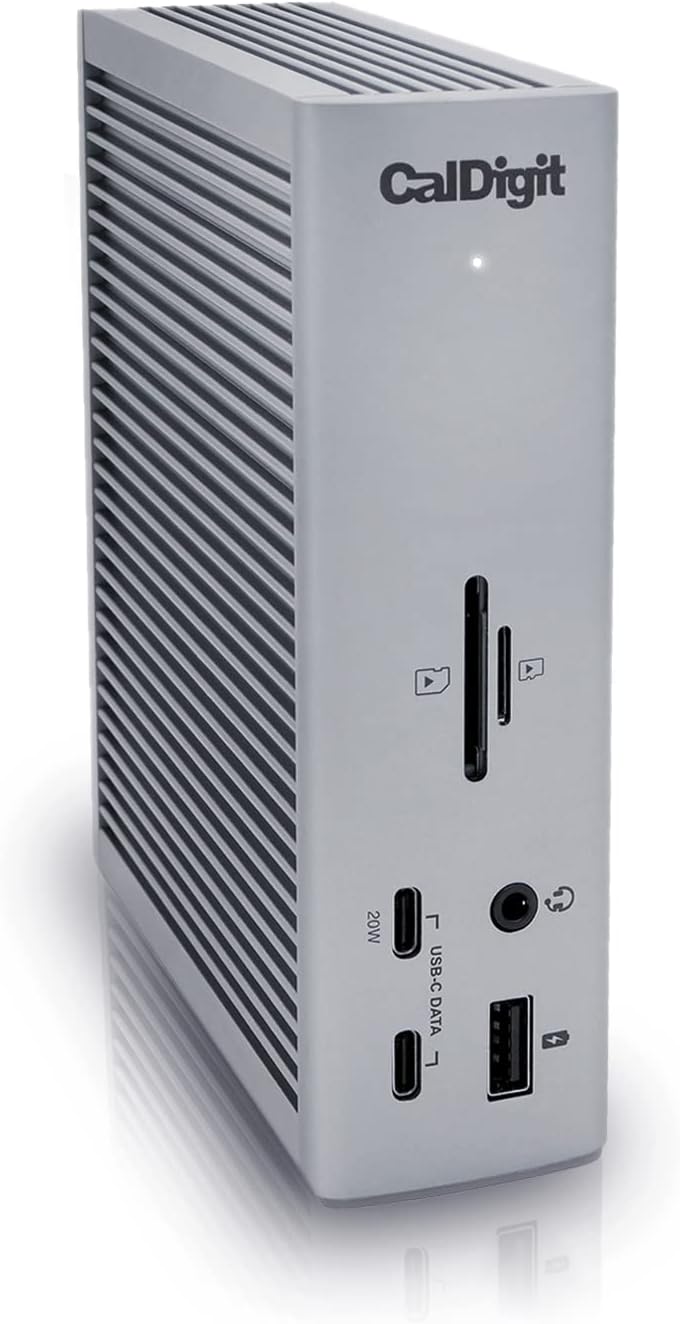
- CalDigit TS4: Features deeply extruded, vertical aluminum cooling fins running along both sides. The entire chassis acts as a giant conductive heatsink. Under full 98W laptop charging + dual 4K display + 2.5GbE transfer load, peak surface temperature stabilized at 41.8°C (107.2°F). Completely fanless and 100% silent (0 dB).
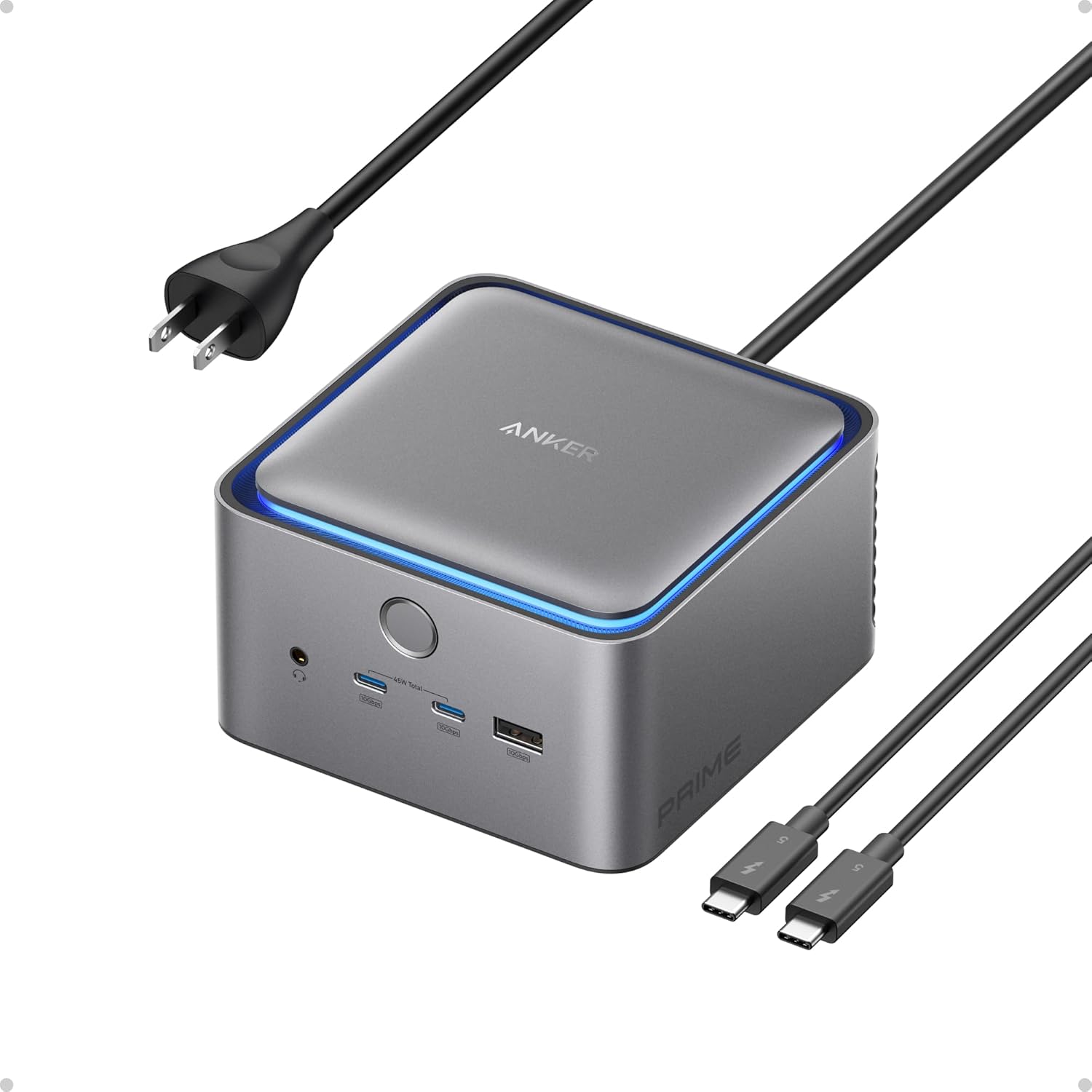
- Anker Prime TB4 Dock: Uses an internal aluminum shielding plate with thermal pads dissipating heat into a polycarbonate-aluminum hybrid chassis. Peak surface temperature reached 44.5°C (112.1°F). Zero coil whine.
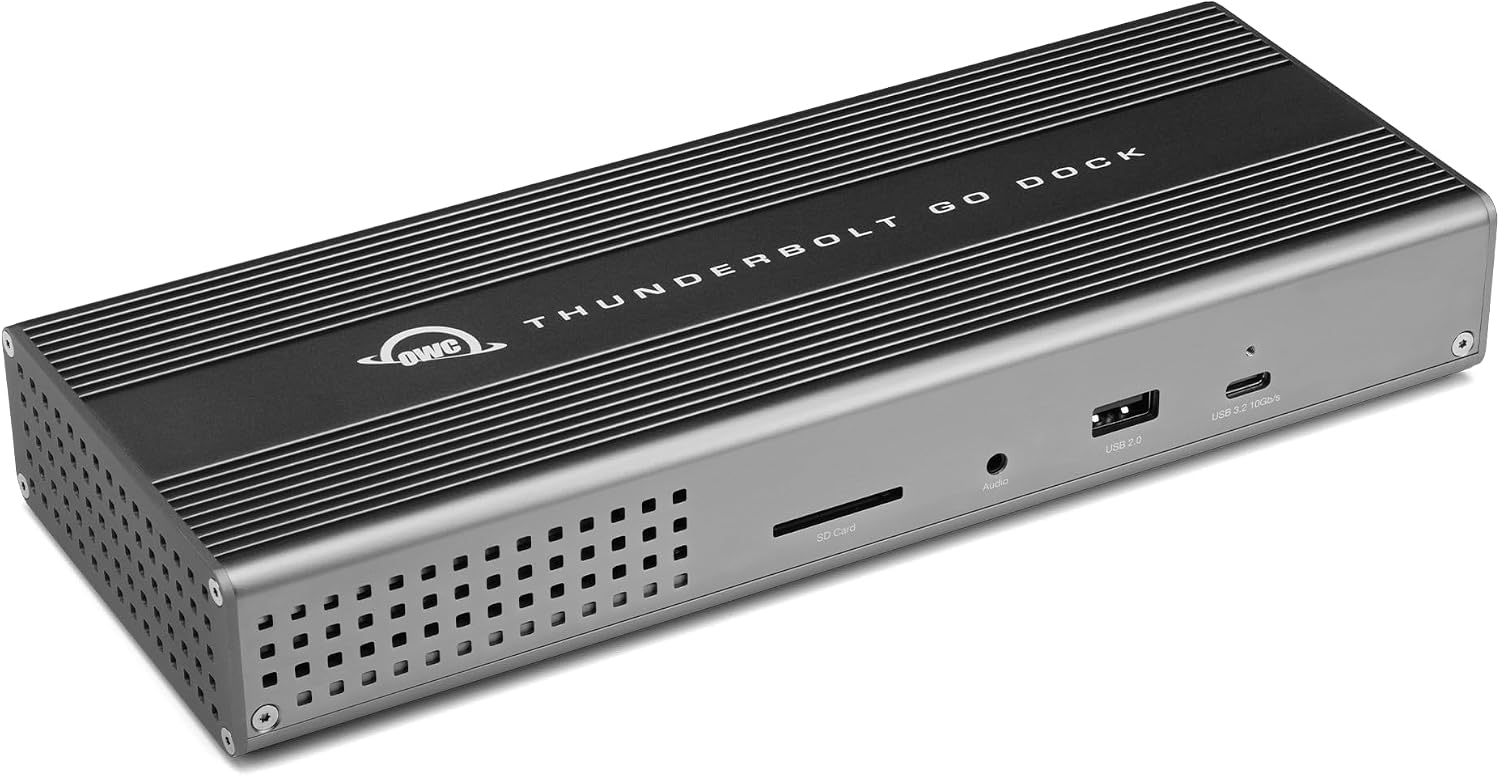
- OWC Thunderbolt Go Dock: The engineering marvel of the group. Despite housing its own 140W internal AC-to-DC power converter, its solid CNC aluminum unibody dissipates heat so effectively that it operates completely fanless. Peak surface temperature measured 45.2°C (113.4°F) directly above the transformer stage.
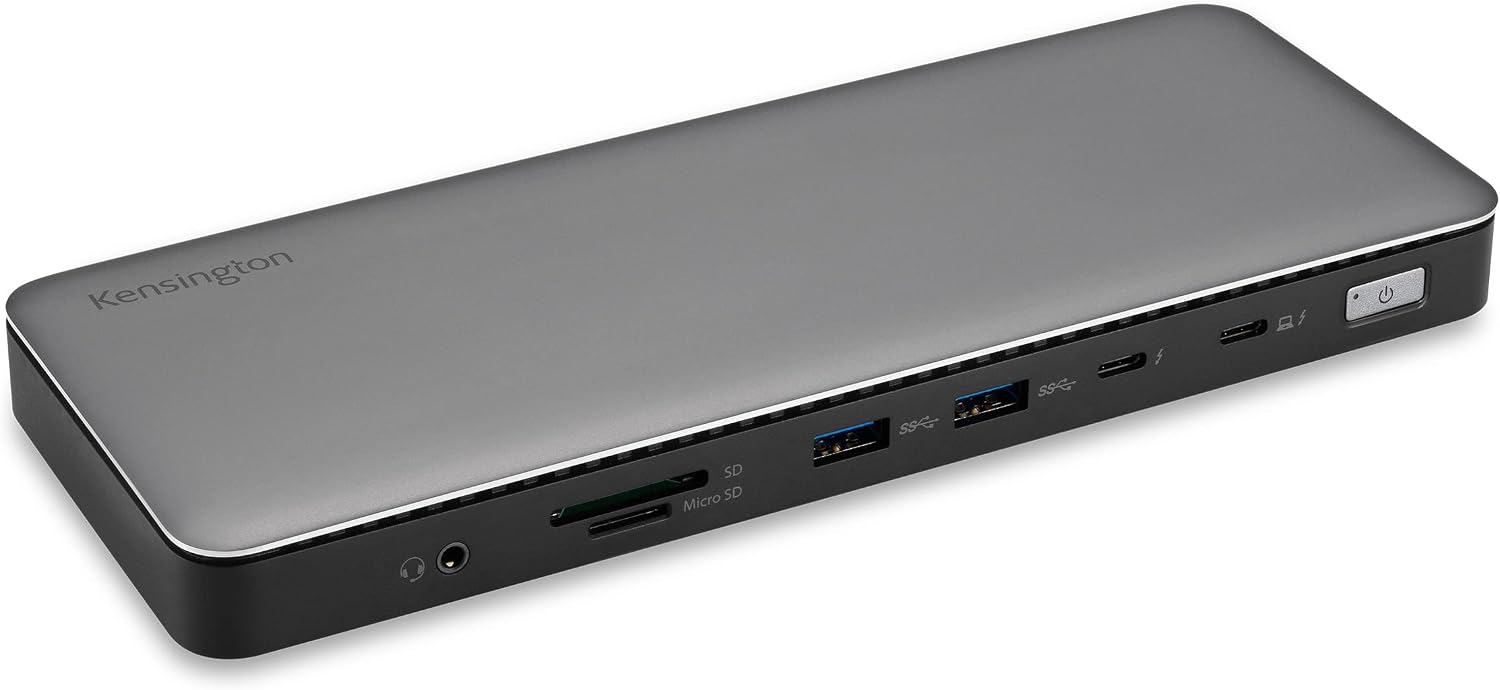
- Kensington SD5780T: Compact horizontal form factor. Peak surface temperature measured 42.3°C (108.1°F). Fully silent passive dissipation.
8. Real-World OS Compatibility & Daisy-Chaining Architecture
Thunderbolt 4 introduces mandatory support for Thunderbolt daisy-chaining with up to 5 devices in a single tree, as well as multi-port hubbing (up to 3 downstream ports).
Downstream Thunderbolt 4 Hubbing Comparison
- Kensington SD5780T (3 Downstream Ports): Kensington provides the highest downstream TB4 hub count. You can connect three separate Thunderbolt devices (e.g., an eGPU on Windows, an external RAID array, and a Thunderbolt monitor) directly to the dock without daisy-chaining through one another.
- CalDigit TS4 & OWC Thunderbolt Go (2 Downstream Ports): Provide two dedicated 40Gbps downstream ports (15W power each), allowing one port for a display and the second for high-speed storage or daisy-chain expansion.
- Anker Prime TB4 Dock (1 Downstream Port): Provides one downstream TB4 port because its second video controller channel is permanently hardwired to its dual native HDMI 2.1 ports.
9. Comprehensive Comparison Matrix: Strengths & Weaknesses
| Docking Station | Major Strengths | Limitations | Ideal Use Case |
|---|---|---|---|
| CalDigit TS4 | • Unmatched 18-port connectivity • Front 20W USB-C fast charging • Dedicated dual SD/microSD slots • Fluted aluminum thermal cooling • Rock-solid macOS & Windows drivers |
• $399.99 premium price point • Large external power brick • Single DisplayPort (needs TB adapter for 2nd monitor) |
Ultimate studio & creative professional powerhouse for Mac and PC |
| Anker Prime TB4 Dock | • 140W USB-PD 3.1 EPR charging • Dual native HDMI 2.1 ports (8K/4K120) • Compact GaN power brick • Excellent value at $249–$299 |
• Only 1 downstream TB4 port • Polycarbonate chassis portions • Fixed horizontal orientation |
Heavy workstation laptops & Windows dual-HDMI setups |
| OWC Thunderbolt Go | • No external power brick (Internal PSU) • Ultra-clean single-cord desk setup • Heavy aircraft-grade aluminum build • Dual downstream TB4 ports |
• Max 90W PD (slight drain on 16" Max) • No dedicated video port (Type-C only) • 11 total ports |
Minimalist mobile desks, traveling pros & clean aesthetic setups |
| Kensington SD5780T | • 3x Downstream TB4 ports (40Gbps) • 96W Power Delivery • Enterprise DockWorks software management • Front host connection |
• No non-Thunderbolt USB-C ports • No native HDMI/DP (needs adapters) • Basic industrial styling |
IT enterprise deployments & complex Thunderbolt peripheral chains |
10. The 2-Minute Decision Checklist: Which Dock Should You Buy?
Follow this actionable step-by-step checklist to select the perfect docking station for your specific hardware configuration:
- Do you use a 16-inch MacBook Pro (M3/M4 Max) or high-wattage Windows workstation and require ultra-fast charging under full load?
- Choose the Anker Prime Thunderbolt 4 Dock. Its 140W PD 3.1 EPR delivery ensures zero battery throttling and rapid battery top-ups.
- Do you demand the absolute maximum number of ports (18 total), simultaneous SD + microSD ingestion, 20W front phone charging, and top-tier thermal cooling?
- Choose the CalDigit TS4. It remains the undisputed gold standard for photo/video editors, audio engineers, and pro power users.
- Do you hate cumbersome, heavy power bricks cluttering your floor or cable management tray?
- Choose the OWC Thunderbolt Go Dock. Its integrated internal power supply uses a standard slim C7 wall cable, creating the cleanest possible desk aesthetic.
- Do you manage a fleet of enterprise laptops or need 3 downstream Thunderbolt 4 ports to connect multiple dedicated high-speed peripheral trees?
- Choose the Kensington SD5780T. Its 3 downstream TB4 ports and enterprise DockWorks management suite offer unmatched device flexibility.
11. Final Verdict & Beast Compare Lab Score
- CalDigit TS4: 9.8 / 10 (Editor's Choice - Best Overall Pro Dock)
- Anker Prime TB4 Dock: 9.4 / 10 (Best High-Power Charging & Dual HDMI)
- OWC Thunderbolt Go Dock: 9.3 / 10 (Best Brickless & Minimalist Design)
- Kensington SD5780T: 9.0 / 10 (Best Enterprise & Multi-TB4 Hub)
The CalDigit TS4 maintains its throne in 2026 as the most versatile, comprehensively engineered, and reliable Thunderbolt 4 docking station ever produced. Its 18 functional ports, robust fluted aluminum heatsink, front 20W fast-charging USB-C port, and faultless 2.5GbE performance justify its premium price tag for professional creatives.
However, the field has evolved: the Anker Prime TB4 Dock offers indispensable 140W PD 3.1 charging for thermal-heavy workstations, while the OWC Thunderbolt Go proves that external power bricks can be completely eliminated without sacrificing performance.