

The short answer: 8GB is enough for everyday work, such as browsing, documents, email, video calls and school tasks. Try the free fix first: open Activity Monitor and watch the Memory Pressure graph. If it stays green, you do not need more RAM. Buy the MacBook Neo 8GB for light work. Pay for the MacBook Air M5 with 16GB if you edit video, run virtual machines or use local AI. You cannot add RAM later, so choose before you buy.
Apple has not announced a MacBook Neo 2. Everything about it below is a report, not an Apple fact. We did not test any of these laptops. The facts come from Apple and the sources at the end.
What is new
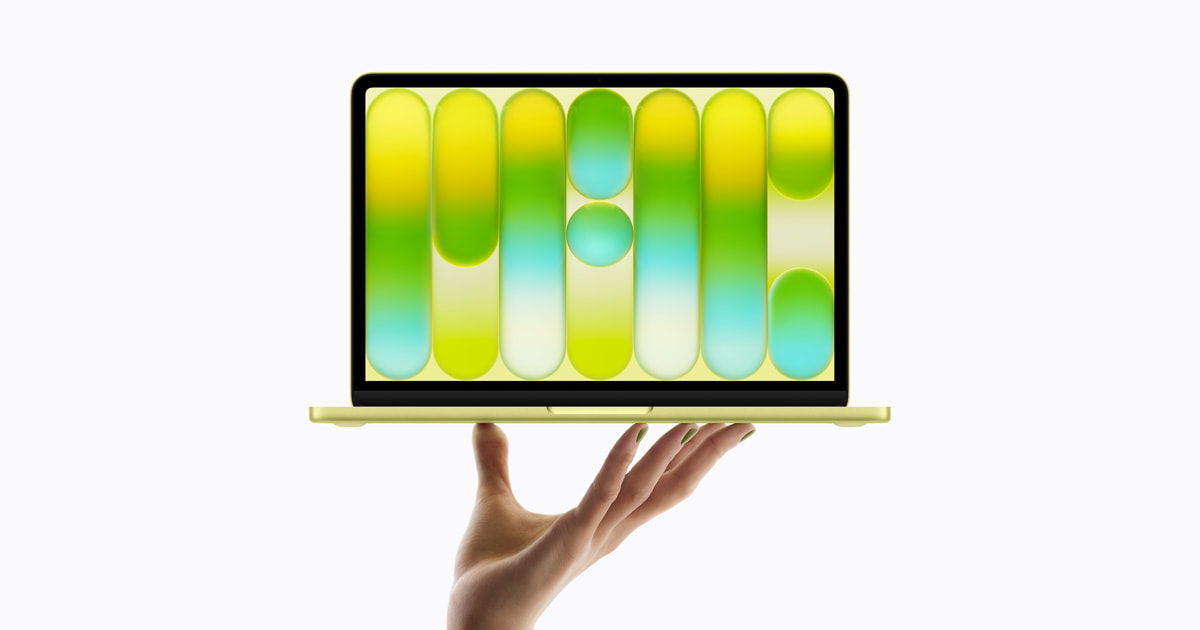
Apple announced the MacBook Neo on March 4, 2026, and it went on sale on March 11. It has an A18 Pro chip and 8GB of memory. Apple raised the US price on June 25, 2026, and MacRumors linked the rise to the memory chip shortage.
On October 27, 2026, MacTrast reported that Bloomberg's Mark Gurman expects a second-generation MacBook Neo in the first half of 2027. The report lists an A19 Pro chip, 12GB of RAM and new colors, but no price. On November 4, 9to5Mac wrote that Digitimes says Apple told suppliers to expect 16 million Neo units in 2027, about double the nearly 8 million expected in 2026. That is a supplier forecast, not a sales number.
Key dates
| Date | What happened |
|---|---|
| Mar 4, 2026 | Apple announces MacBook Neo at $599. On sale Mar 11 |
| Jun 25, 2026 | Apple raises US prices. Neo goes to $699, MacBook Air 13-inch to $1,299 |
| Oct 27, 2026 | Report: Neo 2 planned for first half of 2027 (Bloomberg, via MacTrast) |
| Nov 4, 2026 | Report: 16 million Neo units forecast for 2027 (Digitimes, via 9to5Mac) |
| First half of 2027 | Reported Neo 2 window. Not confirmed by Apple |
Try the free fix first
Open Activity Monitor, click Memory, and look at the Memory Pressure graph. Apple says green means your Mac is using its RAM efficiently. Yellow means it might eventually need more. Red means it needs more RAM. Apple also says free memory does not always mean better speed, so a low "free" number is not a problem.
Check this on a Mac you already use, with your normal apps and tabs. If it stays green, 8GB will probably be fine. If it often turns yellow or red, close tabs, turn on Chrome's Memory Saver (Tom's Guide recommends it) or look at 16GB. This is a rough guide, not a promise.
What reviewers found, as single-tester impressions:
- Tom's Guide (Mar 16) opened Chrome tabs one by one with Memory Saver off. It says the Neo handled more than expected, but do not expect 4K video rendering or other heavy apps without limits.
- 9to5Mac (Mar 18) reported that Macworld's Roman Loyola reached 59 Chrome tabs. Swap grew to nearly 8GB, yet tab switching stayed easy. In Premiere Pro with 1080p and 4K footage, swap reached about 2.58GB with no hiccups noticed. Swap means the Mac borrows SSD space as memory. It works, but it is slower than RAM.
- Tom's Guide lab tests show the gap is also chip speed. A Handbrake export took 9:57 on the Neo and 4:34 on the Air M5. Geekbench 6 multi-core scored 8,920 vs 17,276.
MacBook Neo vs MacBook Air M5 vs Neo 2: the real differences
| Neo 8GB/256GB | Neo 8GB/512GB | Air M5 16GB/512GB | Neo 2 (reported) | |
|---|---|---|---|---|
| Memory | 8GB | 8GB | 16GB (24GB option) | 12GB |
| Chip | A18 Pro | A18 Pro | M5, 10-core CPU | A19 Pro |
| Touch ID | No | Yes | Yes | Not reported |
| MagSafe | No | No | Yes | Not reported |
| Battery in Tom's Guide test | 13h 28m | Not listed | 15h 37m | Not reported |
| US price (Apple, after Jun 25) | $699 | $799 | $1,299 | Not reported |
Apple lists only 8GB on both Neo models. Tom's Guide's March prices ($599 and $1,099) were before the June increase. Amazon prices change, so check the current price on the Amazon page.
When 8GB is fine, and when it is not
8GB is fine for:
- Web browsing with many tabs, ideally with Memory Saver on
- Docs, spreadsheets, email and video calls
- School work, streaming and light photo edits
8GB is too tight for:
- Video editing with a browser and other apps open at the same time
- Virtual machines, which take a fixed share of RAM from macOS (our reading)
- Local AI, heavy photo editing and gaming. Tom's Guide says the Air M5 is better for these
- Keeping it more than three years. Tom's Guide says 16GB is wise for that
Where each pick wins
MacBook Neo 8GB/256GB. Fixes: the need for a cheap, light Mac for browsing and school.
- It has the lowest price of the three. Tom's Guide says it is best for most people.
- Trade-offs per Tom's Guide: no backlit keyboard, no MagSafe, no Touch ID.
MacBook Neo 8GB/512GB with Touch ID. Fixes: typing your password all day and a full drive. It costs $100 more than the base Neo and does not fix the RAM limit.
MacBook Air M5 16GB/512GB. Fixes: slow exports, tight memory and long-term headroom.
- It exported in about half the time in Tom's Guide's Handbrake test and has 16GB.
- It costs $600 more than the base Neo at Apple's June 25 prices.
Wait for the Neo 2. Fixes: the 8GB worry, if the report is right.
- The report says 12GB and an A19 Pro chip in the first half of 2027. Apple has not confirmed it, and no price is reported.
Which should you buy?
- Most people: MacBook Neo 8GB/256GB. It covers browsing, school and office work for the lowest price. Spend $100 more for 512GB and Touch ID only if you want the extra storage.
- Video editing, virtual machines, local AI, heavy multitasking: MacBook Air M5 16GB/512GB. It is the safe choice for work that fills memory.
- Wait for the Neo 2 if your current laptop still works and you can hold on until spring 2027. If you need one now, do not wait.
- Unsure? Run the Activity Monitor check first. Green means the Neo. Often yellow or red means the Air.
Check MacBook Air M5 16GB price on Amazon
Check MacBook Neo 8GB price on Amazon
Black Friday is November 27, 2026. See our Black Friday Apple deals or the best laptops guide.
What to skip
- The Neo 512GB just for RAM. It still has 8GB. Buy it for Touch ID and storage.
- The MacBook Air M5 if you only browse and write. You pay $600 more for power you may not use.
- Waiting only for a rumor. No Neo 2 date or price is official.
Other tech news this week
- Safari vertical tabs. The first iOS 27.3 and macOS 27.3 developer betas add vertical tabs and Siri AI tab controls to Safari (9to5Mac, Nov 3).
- Siri AI languages. iOS 27.3 beta adds Norwegian, Traditional Chinese, Turkish and Vietnamese, for 10 languages in all (9to5Mac, Nov 3).
Sources
- Apple Newsroom: Say hello to MacBook Neo
- Apple: MacBook Neo tech specs
- Apple: Buy MacBook Air (M5 options)
- Apple Support: Check if your Mac needs more RAM
- MacRumors: Apple raises MacBook Neo prices (Jun 25)
- 9to5Mac: Apple price increases (Jun 25)
- MacTrast: Neo 2 in first half of 2027
- 9to5Mac: MacBook Neo 2 is coming
- Tom's Guide: MacBook Neo vs MacBook Air M5
- Tom's Guide: MacBook Neo Chrome tab test
- 9to5Mac: MacBook Neo with 4K editing and 59 Chrome tabs
- 9to5Mac: Safari vertical tabs in 27.3
- 9to5Mac: Siri AI languages in iOS 27.3
Image: Apple press materials (MacBook Neo). As an Amazon Associate, BeastCompare earns from qualifying purchases.