
Desk Gadgets for Productivity
18 worth the space
A price band for every pick, grouped by the job it does: faster input, focus, light and screen, cables and power, comfort, notes and capture, and desk upkeep.
Whole kit: about $1,028–$1,261 on Amazon (typical prices, checked November 11, 2026)
How we built this kit: one item for each job, picked from Amazon listings with strong owner reviews. Prices are typical price bands, not live prices. We don’t test these products hands-on.
By Jamilur Rahman, Founder & Editor · Updated November 11, 2026
- One item per job
- Owner reviews checked
- Typical prices shown
- Add the kit in one click
Why this kit
The best desk gadget for productivity is the Logitech MX Master 3S Wireless Bluetooth Mouse. It suits anyone who spends hours a day in documents, spreadsheets, design files and browser tabs, because the mouse is the one tool you touch every minute of the workday. The listing gives it MagSpeed scrolling, quiet clicks, an 8K DPI sensor that tracks on glass and Flow control across a Windows and a Mac computer. A faster, quieter hand on the screen saves small bits of time hundreds of times a day, which is why it leads this list of 18.
After that, pick by the job you need done. Faster input: the Logitech MX Keys S Wireless Keyboard and the Elgato Stream Deck Neo macro pad. Focus: the Time Timer Home MOD 60-Minute Visual Timer, the Sony WH-1000XM6 Noise Cancelling Headphones and the Mindsight Timed Lock Box for your phone. Light and screen: the Quntis ScreenLinear Monitor Light Bar and the HUANUO FlowLift Single Monitor Mount. Cables and power: the UGREEN 7-in-1 USB-C Docking Station, the UGREEN Nexode 100W GaN USB-C Charger, the Acozvin Desk Clamp Power Strip and the Scanfield Under Desk Cable Management Tray. Comfort: the HUANUO Adjustable Under Desk Foot Rest and the Gimars Memory Foam Wrist Rest Set. Notes and capture: the Rocketbook Fusion Reusable Planner Notebook, the Logitech Brio 101 Full HD 1080p Webcam and the Brother P-Touch PT-D210 Label Maker Bundle. Desk upkeep: the SWEETFULL Coffee Mug Warmer. Most ranking pages we compared list gadgets in one long pile, with no price bands, no kit cost, plenty of AI-gadget hype and no “what to skip.” Here every pick has a price band, 14 of the 18 sold for under $50 when we checked, and the Sony headphones are the only one over $150.
Don’t buy all 18. The kit total at the top adds up every pick, roughly $1,030 to $1,260, so treat the list as a menu. A sensible starter kit is 4 to 6 items: the HUANUO FlowLift mount, the Quntis light bar, the Time Timer, the Gimars wrist rest and the Scanfield cable tray cost about $120 to $160 together, and the MX Master 3S on top brings it to about $230 to $290. Skip the Stream Deck Neo if you rarely repeat the same steps, the foot rest if your feet already sit flat on the floor, the webcam if your laptop camera looks fine, the dock if you run one screen and a couple of devices, and the Mindsight box if you can leave your phone in another room. What to skip: AI desk gadgets such as voice pendants, “smart” desk companions and note-taking pins, which mostly repeat what your phone already does and often need an app to do it, plus fidget toys and anything that duplicates your laptop or phone, like a standalone alarm clock, voice recorder or calculator. A gadget should save you time or discomfort on most working days, or it is clutter.
How we picked: we read the live Amazon listings for each item, checked the specs and who it suits, read owner reports and compared the big ranking guides, and kept only real brand listings with plenty of buyers behind them. We don’t test products hands-on. Price bands were checked on November 11, 2026.
What’s in the kit
18 items, one job each. Already own one? Skip it and get the rest.
- 1
 Faster scrolling and cursor control
Logitech MX Master 3S Wireless Bluetooth Mouse
Performance wireless mouse · typically $110–$130 on AmazonA mouse is the one tool you touch every minute of the workday, so a better one pays back more often than anything else here. The MX Master 3S has MagSpeed scrolling, quiet clicks and an 8K DPI sensor that tracks on any surface, glass included. Flow control moves text, images and files between a Windows and a Mac computer. A Logi Bolt receiver and a USB-C charging cable come in the box. It is a large mouse shaped for the right hand, and it costs far more than a basic one. Skip it if you are left-handed, have small hands or only browse a few hours a week.
- Fast, near-silent scrolling through long documents and web pages
- Tracks on any surface, glass included
- One mouse can control two computers with Flow
- 2
 Quiet, comfortable all-day typing
Logitech MX Keys S Wireless Keyboard
Low-profile wireless keyboard · typically $120–$140 on AmazonTyping is the other half of desk work, and this keyboard is built for long stretches of it. The listing describes a low-profile board with dished keys for quieter, more fluid typing, plus backlighting that lights up as your hands approach. Smart Actions in the Logi Options+ app let one keystroke run several steps, and it pairs with up to three devices, so it moves between a laptop, a desktop and a tablet. The listing gives up to 10 days per charge, or 5 months with the backlight off. Skip it if you want the feel of a loud, clicky mechanical keyboard.
- Quiet, low-profile keys that feel like a laptop
- Backlight turns on as your hands approach
- Pairs with three devices and charges over USB-C
- 3
 One-key shortcuts for repeat tasks
Elgato Stream Deck Neo
8-key shortcut controller · typically $80–$100 on AmazonThis is the macro pad for people who don’t stream. Each of the eight keys can open an app, mute a call, paste a snippet or run a chain of actions, set up by drag and drop in the free Stream Deck app. The listing names Zoom, Teams, PowerPoint, Excel, Photoshop and Spotify, and it can also control smart lights and plugs. It is the smaller, cheaper sibling of the 15-key Stream Deck MK.2. It only pays off if you repeat the same steps daily. Skip it if you never use more than a few keyboard shortcuts.
- Eight keys cover app launches, mute, snippets and smart lights
- Drag-and-drop setup in a free app
- Smaller and cheaper than the 15-key MK.2
- 4
 Shows how much focus time is left
Time Timer Home MOD 60-Minute Visual Timer
Analog visual countdown timer · typically $18–$25 on AmazonA visual timer is the cheapest focus tool on this page, and this is the classic one. The listing calls it an analog countdown that anyone can read at a glance, so you see the time left instead of reading digits. It tops out at 60 minutes, runs silently and has an optional alert for quiet offices. It takes one AA battery, which is not included. The listing pitches it at people with ADHD and others who lose track of time, but any desk worker can use it for a 25-minute work sprint or to cap a meeting. Skip it if a phone timer already works for you.
- The time left shows at a glance, with no numbers to read
- Silent, with an optional alert
- Cheap, and one AA battery runs it
- 5
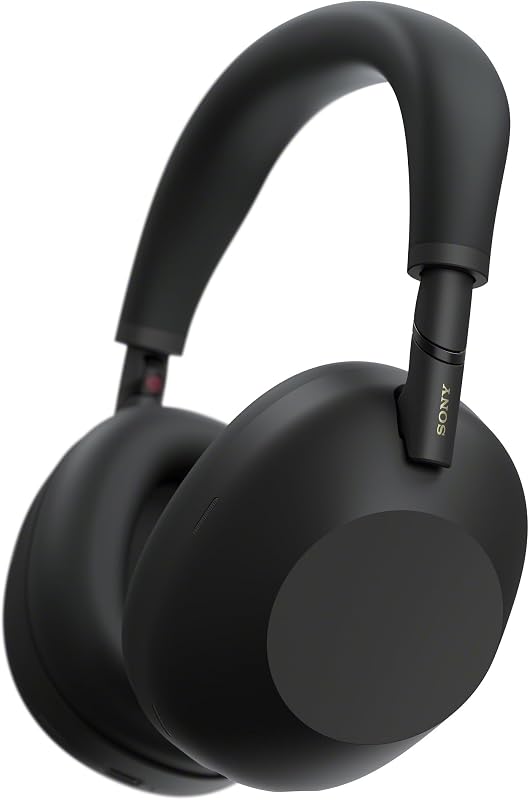 Cancels office and home noise
Sony WH-1000XM6 Noise Cancelling Headphones
Over-ear noise-cancelling headphones · typically $350–$400 on AmazonNoise is the biggest focus killer in open offices and shared homes, and these headphones are the strongest answer on this page. The listing says the QN3 processor works with 12 microphones to cancel noise in real time, and a six-microphone system cleans up your voice on calls. The headband is wider and the earcups swivel, aimed at all-day wear, and the headphones fold into a small case. They cost far more than any other pick here. Skip them if you work in a quiet room, or if a cheaper noise-cancelling pair would do.
- Strong noise cancelling from 12 microphones
- Clear call pickup in busy rooms
- Wide headband made for all-day wear
- 6
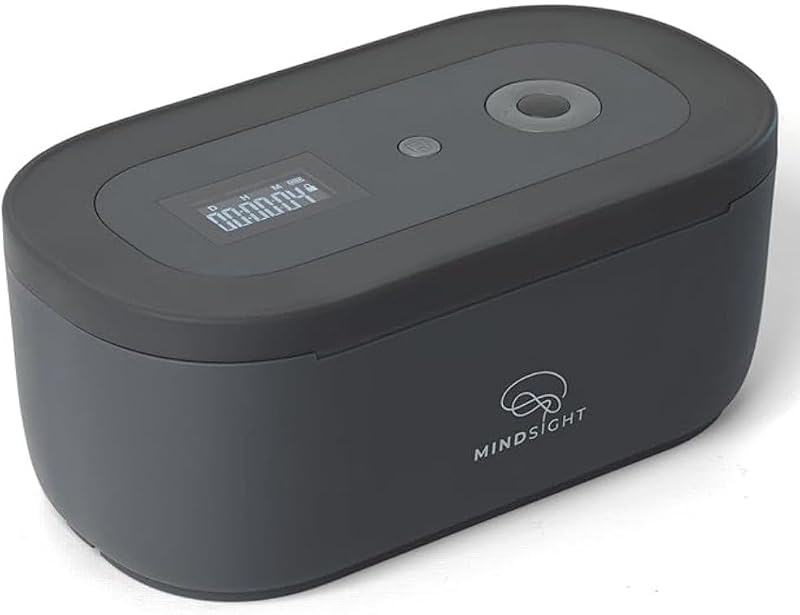 Puts the phone out of reach
Mindsight Timed Lock Box
Timed phone lock box · typically $35–$45 on AmazonThe simplest focus trick is a phone you cannot reach, and this box turns that into a timer so willpower is not part of the plan. The listing describes three modes: a plain lock, a timed lock with an unlock code and Fortress Mode with no code at all, where an emergency override goes through customer support. The timer runs from 1 minute to 30 days, the box holds three or four phones, and a charging slot lets the phone stay plugged in. It is a blunt tool. Skip it if you need your phone for work calls or two-factor codes during the day.
- Takes the phone out of reach for a set time
- Charging slot keeps the phone powered while locked
- Batteries are included
- 7
 Desk light with no screen glare
Quntis ScreenLinear Monitor Light Bar
Clip-on monitor light bar · typically $35–$45 on AmazonA light bar sits on top of the monitor, so it takes no desk space and lights your keyboard and notes without throwing glare on the screen. The listing says its asymmetrical optics aim light at the desk only, that a built-in sensor adjusts brightness to about 900 lux and that you can set brightness and color temperature from 3000K to 6500K. It is also listed as flicker-free with a Ra98 color rendering index. It is one of the most-reviewed monitor lights on Amazon. Skip it if you work mostly in daylight, or if your monitor has an odd top edge, so check the clip fit first.
- Uses no desk space
- Keeps glare off the screen
- Auto-dimming plus adjustable warm and cool light
- 8
 Lifts the screen to eye level
HUANUO FlowLift Single Monitor Mount
Clamp-on single monitor arm · typically $25–$35 on AmazonA monitor arm sets the screen at the right height and frees the desk under it, so it is a comfort win and a space win. This arm holds 13 to 32 inch screens up to 19.8 lb, and the listing says it stays at any angle without extra tightening, tilts from −50° to +85° and rotates 360°. It clamps to the desk edge or fits through a grommet hole, and the one-piece design is listed at about 3 minutes to install. Skip it if your monitor has no VESA mounting holes, your screen is heavier than 19.8 lb or your desktop is under 0.59 inches thick.
- Raise, lower and rotate the screen with one hand
- Frees the desk surface under the monitor
- Clamp or grommet mount, hardware included
- 9
 One cable for screens and ports
UGREEN 7-in-1 USB-C Docking Station
USB-C dock with two HDMI ports · typically $25–$35 on AmazonA dock turns a pile of cables into one plug: monitors, mouse, keyboard and charger connect to the dock once, and the laptop connects to the dock. This one has two HDMI ports for 4K at 60 Hz, two USB-A and two USB-C data ports and a 100W power input. The big catch is on the listing itself: on a Mac, both screens show the same picture because of macOS limits. Your laptop’s USB-C port also needs full video support, and the charger is not included. Skip it if you use a Mac and want two different screens.
- Screens, mouse, keyboard and charging on one cable
- Dual 4K at 60 Hz HDMI on a Windows laptop
- Low price for a dual-HDMI dock
- 10
 One charger for laptop and phone
UGREEN Nexode 100W GaN USB-C Charger
100W four-port GaN charger · typically $40–$50 on AmazonOne small charger can replace the bricks that clutter an outlet. This one has three USB-C ports and one USB-A port, and the listing says a single USB-C port gives up to 100W, enough to take a MacBook Air M3 to 55% in under 30 minutes. It covers a phone, a tablet and earbuds at the same time, and the plug folds flat for a bag. The listing warns that some Dell and Lenovo laptops cannot charge at full speed, and that you need a 100W 5A cable to reach 100W. Skip it if your laptop uses a round proprietary charger.
- Charges a laptop, phone and tablet from one outlet
- Small GaN body with a foldable plug
- Three USB-C ports plus one USB-A
- 11
 Outlets within reach of the desk
Acozvin Desk Clamp Power Strip
Desk-edge power strip with USB ports · typically $25–$35 on AmazonReaching behind a monitor for an outlet is a daily annoyance, and this strip clamps to the desk edge so plugs sit within reach. It has nine AC outlets and eight USB ports, four USB-A and four USB-C, and a 10-foot cord with a thin flat plug that tucks behind furniture. It mounts with a clamp or screws and fits a tabletop up to 1.7 inches thick. The USB output is modest: the listing says 40W in total, with the two fastest USB-C ports at 20W each. Skip it if you want to fast-charge a laptop over USB or your desk edge is thicker than 1.7 inches.
- Nine outlets and eight USB ports in one strip
- Clamps to the desk edge so plugs stay in reach
- 10 ft flat-plug cord that tucks behind furniture
- 12
 Hides cables and power bricks
Scanfield Under Desk Cable Management Tray
Adhesive under-desk wire trays, 2 x 17-inch · typically $30–$35 on AmazonA cable tray hides the power strip, adapters and loose cable under the desk, so the surface looks calm and the vacuum stops eating cords. This pack gives you two 17-inch trays that stick on with adhesive backing, with no drilling. The listing’s own summary of buyer feedback says they are roomy enough for several cables, power strips and transformers, and that the adhesive held. Use one under the monitor and one near your feet. Skip them if your desk underside is glass, textured or very thin, or if you have a heavy brick that needs a screw-in tray.
- No drilling or screws
- Two trays in the pack
- Holds cords, a power strip and adapters
- 13
 Raises feet to a better angle
HUANUO Adjustable Under Desk Foot Rest
Adjustable rocking foot rest · typically $25–$35 on AmazonIf your feet don’t rest flat on the floor, your legs and lower back pay for it, and a foot rest lifts them. This one sets to three heights from 4.3 to 6.7 inches, and it rocks 30° each way so your legs keep moving. The platform is a large 17 by 13 inches with a textured, non-skid top, and it arrives pre-assembled. Skip it if your feet already sit flat when you type, if you stand at a sit-stand desk most of the day or if the bumpy surface bothers you through thin socks.
- Three height settings
- Rocks 30° each way to keep legs moving
- Large non-skid platform, pre-assembled
- 14
 Lifts wrists to a better height
Gimars Memory Foam Wrist Rest Set
Gel memory foam wrist rest pair · typically $12–$16 on AmazonA wrist rest costs about the same as lunch and fixes a posture problem most people never notice. The listing says this set uses 1.2 inch memory foam to lift your wrists, with a 3-layer build, a rubber base that grips the desk and a spandex top that wipes clean. You get both a keyboard rest and a mouse rest. It is one of the cheapest and most-reviewed picks on the page. Check the height first: with a low-profile keyboard such as the Logitech MX Keys S, 1.2 inches of foam may sit above the keys. Skip it if you type with floating wrists.
- Keyboard and mouse rests in one set
- Wipe-clean, water-resistant top
- One of the cheapest picks here
- 15
 Paper notes that scan to the cloud
Rocketbook Fusion Reusable Planner Notebook
Reusable smart planner notebook · typically $30–$40 on AmazonSome people plan better with a pen, and this notebook keeps paper from becoming a pile. Write to-dos and notes with a Pilot Frixion pen, scan the page with the Rocketbook app to send it to Google Drive, Dropbox or OneNote, then wipe the page clean with a damp cloth. The listing gives seven templates, including monthly and weekly calendars, a to-do list and a goal tracker, and a spiral binding that lies flat. It is one of the most-reviewed notebooks on Amazon. Skip it if you already keep every note on your phone or laptop.
- Seven planner and note templates in one book
- Scans to Google Drive, Dropbox and OneNote
- Wipe the pages clean and reuse them
- 16
 Sharper video on daily calls
Logitech Brio 101 Full HD 1080p Webcam
1080p USB webcam with privacy cover · typically $35–$45 on AmazonA clearer picture and a plain, reliable mic make daily calls less of a chore. The Brio 101 gives you 1080p video, and the listing says RightLight brightens the picture by up to 50% over earlier Logitech webcams. The mic is built in, a slide cover shuts the lens when you are done and it works with Teams, Zoom and Google Meet with no setup. It is a simple webcam, not a 4K one. Skip it if your laptop camera already looks fine, or if you are on video calls only a few times a month.
- Full HD 1080p video with automatic light balance
- Slide privacy cover for the lens
- Plug and play with Teams, Zoom and Meet
- 17
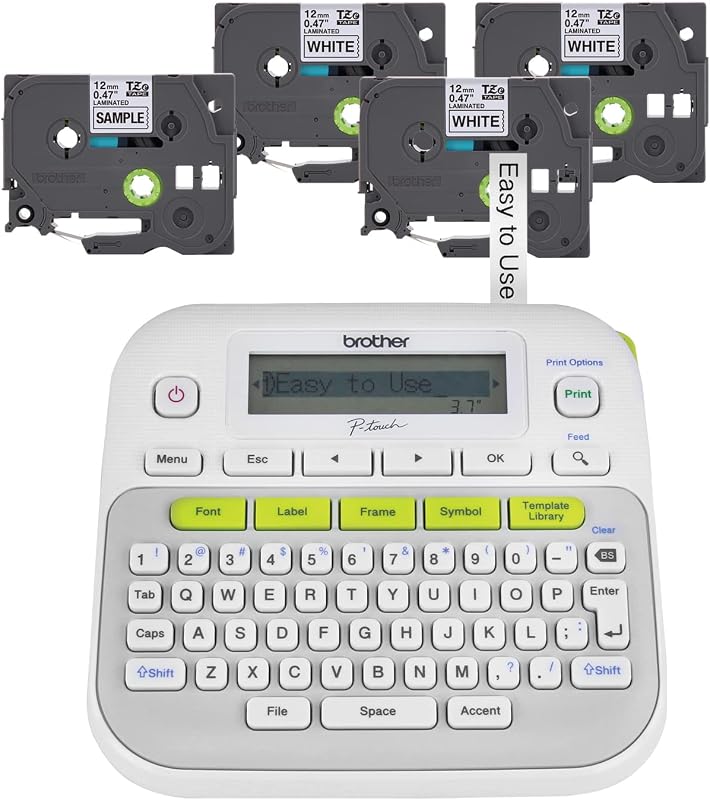 Labels folders, bins and cables
Brother P-Touch PT-D210 Label Maker Bundle
Handheld label maker with 4 tapes · typically $15–$25 on AmazonA label maker is a small gadget that removes a daily guess: which folder, which bin, which charger. The PT-D210 has a screen so you can preview a label before it prints, plus 14 fonts, 98 frames and over 600 symbols. It takes 12, 9, 6 and 3.5 mm Brother tape, and this bundle includes four tapes, one sample and three full-length. It runs on six AAA batteries, sold separately, or an optional AC adapter. Skip it if you have only a handful of items to label, because a pen and tape will do.
- Screen preview before you print
- Four tapes in the bundle
- Lots of fonts, frames and symbols
- 18
 Keeps coffee warm during long tasks
SWEETFULL Coffee Mug Warmer
Electric desk mug warmer · typically $18–$25 on AmazonA cold coffee pulls you out of a task for a refill, and a mug warmer keeps the next sip hot so you stay put. The listing gives three temperature settings, 105°F, 130°F and 180°F, on a 5.2 inch panel with a waterproof glass top that wipes clean. A 4-hour auto shut-off is built in and the listing says it is certified by TÜV SÜD to UL 1026. It works best with a flat-bottomed stainless steel, ceramic or glass mug, and a lid helps hold the heat. Skip it if you drink coffee fast or already use an insulated mug.
- Three temperatures on a large heating panel
- 4-hour auto shut-off for safety
- Waterproof glass top wipes clean
The kit at a glance
- 1. Logitech MX Master 3S Wireless Bluetooth MouseFaster scrolling and cursor control$110–$130
- 2. Logitech MX Keys S Wireless KeyboardQuiet, comfortable all-day typing$120–$140
- 3. Elgato Stream Deck NeoOne-key shortcuts for repeat tasks$80–$100
- 4. Time Timer Home MOD 60-Minute Visual TimerShows how much focus time is left$18–$25
- 5. Sony WH-1000XM6 Noise Cancelling HeadphonesCancels office and home noise$350–$400
- 6. Mindsight Timed Lock BoxPuts the phone out of reach$35–$45
- 7. Quntis ScreenLinear Monitor Light BarDesk light with no screen glare$35–$45
- 8. HUANUO FlowLift Single Monitor MountLifts the screen to eye level$25–$35
- 9. UGREEN 7-in-1 USB-C Docking StationOne cable for screens and ports$25–$35
- 10. UGREEN Nexode 100W GaN USB-C ChargerOne charger for laptop and phone$40–$50
- 11. Acozvin Desk Clamp Power StripOutlets within reach of the desk$25–$35
- 12. Scanfield Under Desk Cable Management TrayHides cables and power bricks$30–$35
- 13. HUANUO Adjustable Under Desk Foot RestRaises feet to a better angle$25–$35
- 14. Gimars Memory Foam Wrist Rest SetLifts wrists to a better height$12–$16
- 15. Rocketbook Fusion Reusable Planner NotebookPaper notes that scan to the cloud$30–$40
- 16. Logitech Brio 101 Full HD 1080p WebcamSharper video on daily calls$35–$45
- 17. Brother P-Touch PT-D210 Label Maker BundleLabels folders, bins and cables$15–$25
- 18. SWEETFULL Coffee Mug WarmerKeeps coffee warm during long tasks$18–$25
Quick tips before you buy
The kit total on this page adds up all 18 picks, roughly $1,030 to $1,260, so treat the list as a menu. A starter kit of a monitor arm, a light bar, a visual timer, a wrist rest and a cable tray costs about $120 to $160. Add the mouse and you are at about $230 to $290. Buy the next gadget only when a daily annoyance asks for it.
The UGREEN dock needs a USB-C port that supports video, and the listing says a Mac will mirror the same image on both screens. The Nexode charger needs a 100W 5A cable to give its full 100W. Check your laptop’s charging wattage and port type on its spec sheet before you buy either one.
The HUANUO arm needs 75 or 100 mm VESA holes and a desk that is 0.59 to 3.54 inches thick. The Acozvin strip clamps to tabletops up to 1.7 inches thick. The Gimars wrist rest is 1.2 inches high, which may sit above a low-profile keyboard like the MX Keys S. Measure first.
The Time Timer needs one AA battery and the Brother P-Touch needs six AAA batteries, and the listings say neither comes with them. The Mindsight box comes with two AA batteries. The MX Master 3S, the MX Keys S and the Sony headphones charge over USB, so a spare USB-C cable is worth having.
Quick answers
What desk gadgets actually improve productivity?+
The ones that remove a daily annoyance. A better mouse and keyboard speed up input, a monitor arm and a light bar fix screen height and glare, a dock and a cable tray tame cords, and a visual timer or noise-cancelling headphones protect focus. Gadgets that duplicate your phone, such as AI pendants, a standalone alarm clock or a recorder, rarely earn their space.
What should I put on my desk to be more productive?+
Start with comfort and clutter: a monitor arm, a light bar, a wrist rest and a cable tray cost about $100 to $130 together and change how the desk feels every day. Add a visual timer if you lose track of time, then upgrade your input with a mouse or keyboard. Leave the desk surface clear, because every gadget on it is one more thing to dust and move.
What are the best desk accessories for productivity?+
Our top picks are the Logitech MX Master 3S mouse for faster input, the HUANUO FlowLift monitor arm for screen height, the Quntis ScreenLinear light bar for glare-free light, the Time Timer Home MOD for focus blocks and the Gimars wrist rest set for comfort. They cover the five jobs most desk workers need, and four of them sell for under $50.
Are monitor light bars worth it?+
Yes if you work late, in a dim room or next to a window that leaves the desk in shadow. A light bar clips on top of the monitor, uses no desk space and lights the desk without glare on the screen. The Quntis ScreenLinear adds an auto-dimming sensor and 3000K to 6500K color control. Skip one if you work mostly in bright daylight.
Is a Stream Deck useful if you don’t stream?+
Yes, if you repeat the same steps all day. Each key can open an app, mute a call, paste text or run several actions, and the listing says the Stream Deck Neo works with Zoom, Teams, PowerPoint, Excel, Photoshop and Spotify. It has eight keys, so it suits a focused set of tasks. If you only use a few shortcuts, your keyboard already covers them.
What’s a good productivity gift for a coworker under $50?+
Pick something small they will use every day. The Time Timer Home MOD, the Gimars wrist rest set, the SWEETFULL mug warmer and the Brother P-Touch label maker each sold for under $25 at the prices we saw. The Quntis ScreenLinear light bar and the Logitech Brio 101 webcam are the best picks in the $35 to $45 range.
Do I need a USB-C dock for my desk?+
You need one if you want two monitors, a keyboard, a mouse and a charger on a single cable, and your laptop has few ports. With one screen and a couple of devices, a dock is extra cost. On a Mac, the UGREEN dock mirrors the same picture on both screens, so Mac users who want two different screens need a different dock.
More combo packs and guides
All combo packs →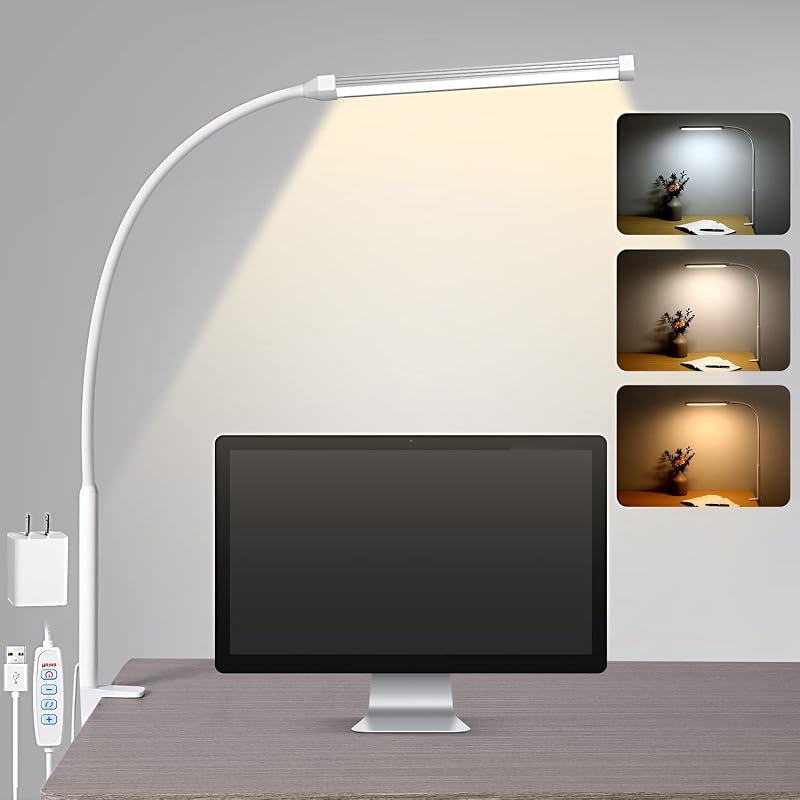 Desk Gadgets for Students: The 5-Item Study Desk KitLight, focus, posture, noise and a clean surface: 5 things for a study desk.
 Desk Gadgets for Men: The 5-Item Desk Upgrade KitScreen height, a clean surface, power and charging: 5 upgrades for your desk.
 Best Standing Desks: Top 5 on AmazonSit less, feel better. Electric desks and converters compared.
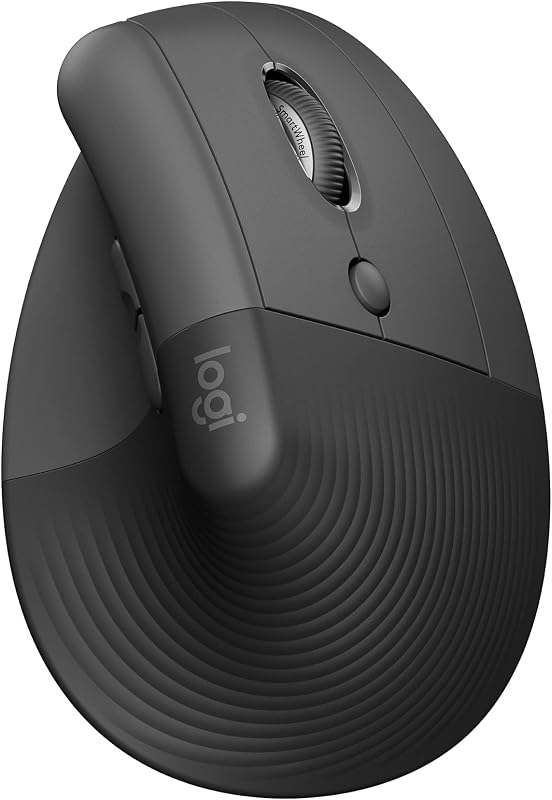 Best Ergonomic Mice: Vertical & Trackball PicksVertical and trackball mice that take strain off your wrist.
As an Amazon Associate, BeastCompare earns from qualifying purchases. Prices change often; check the price on Amazon before you buy. Affiliate disclosure