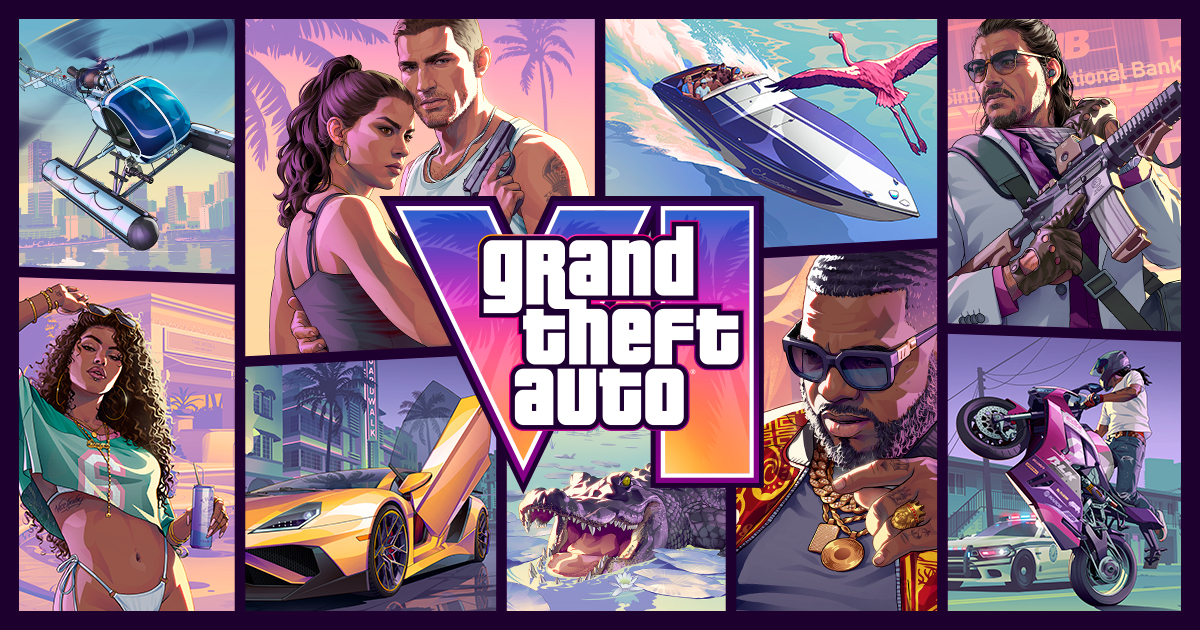


The short answer: Rockstar says GTA 6 needs up to 212GB of free space to pre-load on PS5. A PS5 shows less space than the number on the box (the original 825GB model shows about 667GB), so one game takes a big bite. Try the free fix first: delete or move other games, and move finished PS5 games to a USB drive. Buy an M.2 SSD only if that still leaves you short. The size and dates come from Rockstar's own pre-load FAQ. We did not test any console or drive.
What is new
On November 3, Rockstar posted its pre-load FAQ. It says PS5 digital pre-load opens at midnight local time on November 10, and that the pre-load needs up to 212GB of free space, "depending on your device." The game launches on November 19.
Before that, a tracking account called PlayStation Game Size reported 210GB from PS Store data in late October. Several outlets also said pre-load would start on November 12. Rockstar's FAQ now gives the official numbers: November 10 and up to 212GB. November 12 is the date boxed copies are reported to arrive. A boxed copy has no disc, only a download code (BGR, Oct 27), so it still needs the download.
Rockstar's FAQ does not say how big the first patch will be. Leave some spare room.
Key dates
| Date | What happens |
|---|---|
| Late Oct 2026 | PlayStation Game Size reports 210GB on PS5. Outlets say pre-load is Nov 12 |
| Nov 3 | Rockstar FAQ: up to 212GB, PS5 pre-load on Nov 10 |
| Nov 10 | PS5 digital pre-load opens at midnight local time (Xbox: 12 a.m. GMT) |
| Nov 12 | Boxed copies (a download code in the box) reported to start arriving |
| Nov 19 | Launch on PS5 and Xbox Series X and S |
The older reports disagreed on the pre-load date (Nov 10 vs Nov 12). Rockstar's own FAQ says Nov 10, so go with that.
How much room is left on each PS5?
| PS5 model | On the box | Usable on a new console (reported) | Left after 212GB |
|---|---|---|---|
| Original PS5 | 825GB | about 667GB | about 455GB (667.2 - 212) |
| PS5 1TB model | 1TB | about 842GB | about 630GB (842.2 - 212) |
| PS5 Pro | 2TB | about 1.89TB | about 1.68TB (1.89 - 0.212) |
These are second-hand numbers for a console with almost nothing installed: TechRadar's launch review, Digital Trends' test of the 1TB model, and early PS5 Pro reviews reported by PlayStation Universe. Sony says a part of the SSD is reserved for system software, so the space you get can vary. Subtract the games you already have. The real number is on your own Settings > Storage screen.
Try the free fixes first
These steps come from Sony's PlayStation support pages.
- Check your space. Go to Settings > Storage and see what is free.
- Delete games you finished. Go to Settings > Storage > Console Storage > Games and Apps, pick the data and select Delete. You keep access to your purchases and can download them again.
- Trim a game instead of deleting it. If you see Customize next to a title, you can remove add-ons or parts you do not use.
- Move PS5 games to a USB drive. Use a USB drive with SuperSpeed USB 5Gbps or faster, 250GB to 8TB, plugged in directly (no hub). In the Game Library, highlight a game, press Options and pick Move Games and Apps. PS5 games cannot be played from USB, so copy them back to play. GTA 6 itself has to live on the console or an M.2 SSD.
- Move captures. Sony lists screenshots and video clips as data on console storage and says you can copy them to a USB drive.
- Set up the pre-load. Rockstar says to turn on auto-downloads and leave the PS5 on or in Rest Mode.
Storage full but no games? Sony says console storage holds game data, saved data and other data. It also says part of the SSD is reserved for system software. Digital Trends found 6.33GB of system files on the 1TB model that cannot be removed. You cannot clear that reserved space.
What Sony requires for an M.2 SSD
- PCIe Gen4x4 NVMe, Key M, from 250GB to 8TB. M.2 SATA is not supported.
- Sony recommends 5,500MB/s or faster read speed.
- A heatsink or other cooling is required. Drive plus cooling must be 25mm wide and 11.25mm thick at most.
- Update the PS5 system software before you install it.
- Sony cannot guarantee that every drive that meets the list will work, and not all games run exactly as fast as on the internal SSD.
Where each SSD wins
All three below are 2TB drives with a heatsink, sold new by Amazon.com when we checked on November 6.
Lexar NM790 2TB with heatsink. Fixes: no room for GTA 6 plus your other games.
- Our pick. It lists the highest read speed of the three (7,400MB/s) and has a built-in heatsink. It is the plain, no-fuss way to add 2TB. Check the live price before you buy.
- Do not buy it if you want a drive Sony has licensed. Its listing names PS5 as compatible, but it does not say it is licensed.
SanDisk Optimus GX PRO 850P 2TB. Fixes: worry that an SSD will not fit or work.
- Its listing says it is officially licensed for PS5 and PS5 Pro and comes with a heatsink made for the console. That is the lowest-risk choice.
- Do not buy it if price matters most. It is also a newer listing, so there is little owner feedback yet.
Corsair MP600 PRO LPX 2TB. Fixes: tight fit worries, with a low-profile heatspreader.
- It comes with a low-profile aluminum heatspreader already fitted and is marked "Optimized for PS5."
- Do not buy it for speed. It lists 7,100MB/s read, below the Lexar. Both clear Sony's 5,500MB/s advice.
Which should you buy?
- Buy nothing if you have about 250GB free. Rockstar says up to 212GB. The extra is our margin for a first patch.
- Short by a little? Delete and move games first. A USB drive can hold your finished PS5 games.
- Big library and an 825GB PS5? Lexar NM790 2TB. It is the best match for the problem.
- Want the safest fit? SanDisk Optimus GX PRO 850P 2TB.
- Waiting for Black Friday (November 27)? Do not count on a drop. TrendForce expects NAND contract prices to rise another 15% to 20% in Q4 (Notebookcheck, Oct 25). That is wholesale pricing, not shelf pricing.
Check SanDisk Optimus GX PRO 850P 2TB price on Amazon
Check Lexar NM790 2TB price on Amazon
What to skip
- A drive with no heatsink. Sony says not to use an M.2 SSD without heat dissipation.
- M.2 SATA drives. Sony does not support them.
- A heatsink that is too thick. Sony says that if the slot cover will not close, the cooling likely exceeds the size limit.
- A USB drive as GTA 6's home. PS5 games cannot be played from USB.
- Paying extra for PCIe 5.0 speeds. Sony's list asks for Gen4x4, not Gen5.
- 8TB for one game. It is Sony's top size, and most people only need room for a 212GB game.
Need more drives? See our best PS5 SSDs. No PS5 yet? Read our GTA 6 PS5 bundle guide.
Other tech news this week
- PS Plus November games. Dead Island 2, Tomb Raider IV-VI Remastered and Monster Train 2 can be added from November 3 to November 30 (Player.One, Oct 29).
- Xbox pre-load time. GTA 6 pre-load on Xbox Series X|S opens at 12 a.m. GMT on November 10 (Rockstar FAQ, Nov 3).
Sources
- Rockstar Support: Grand Theft Auto VI Pre-Load FAQ
- Rockstar Games: Grand Theft Auto VI
- PlayStation Support: Manage PS5 console storage space
- PlayStation Support: USB extended storage on PS5
- PlayStation Support: Add an M.2 SSD to a PS5
- PlayStation: PS5 Pro
- Notebookcheck: GTA 6 download size confirmed, pre-load moved forward
- KeenGamer: GTA 6 pre-load starts Nov 10 with a 212GB file
- Gfinity: GTA 6 pre-load times and download size confirmed
- BGR: GTA 6 has no disc, only a code in the box
- TechRadar: PS5 usable storage (667.2GB)
- Digital Trends: 1TB PS5 usable storage
- PlayStation Universe: PS5 Pro has 1.89TB usable
- Player.One: PS Plus November 2026 games
- Notebookcheck: SSD prices up 303% in a year
Image: Rockstar Games. As an Amazon Associate, BeastCompare earns from qualifying purchases.