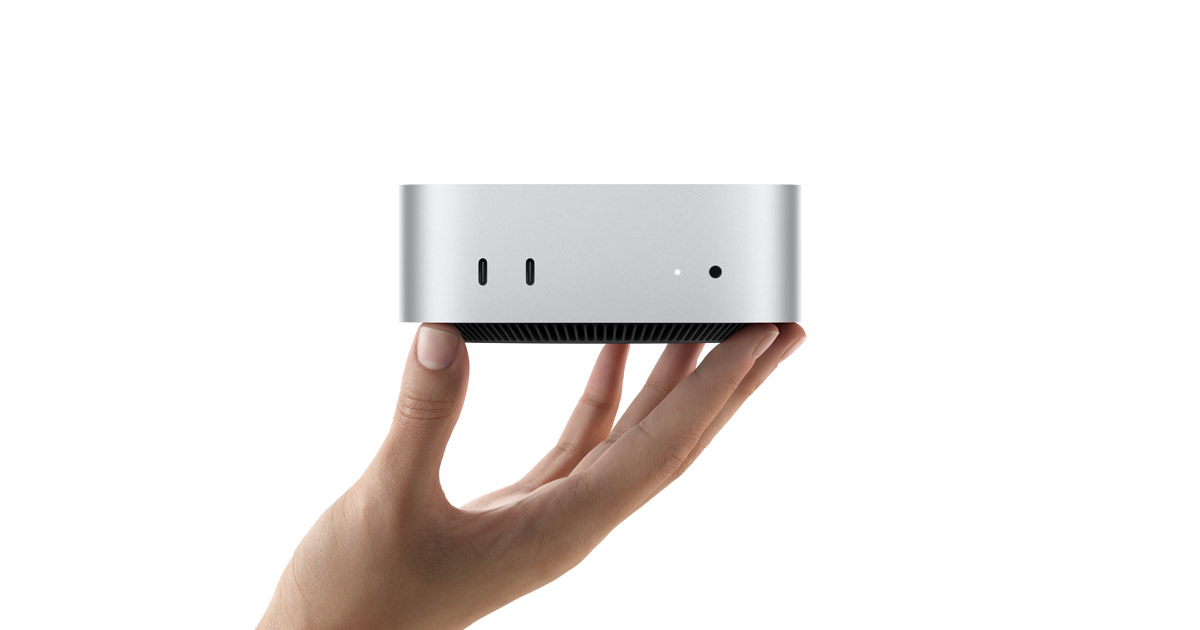


The short answer: 4K lag often comes from the type of footage, a slow drive or too little memory, more than from chip speed. Try the free fix first: make proxy or optimized media in your editor. If you still need a new Mac, the Mac mini M6 with 24GB of memory and 512GB of storage is the pick for most 4K editors. Choose the Mac mini M5 Pro if you cut multicam or ProRes RAW.
Apple announced both Mac minis on August 25, 2026, opened pre-orders the same day, and started selling them on September 22, 2026. We did not test either Mac mini. Everything below comes from Apple and the reviewers listed in Sources.
Key dates
| Date | What happened |
|---|---|
| Aug 25, 2026 | Apple announces Mac mini M6 and Mac mini M5 Pro. Pre-orders open |
| Sept 22, 2026 | Both go on sale in stores and online |
| Oct 16, 2026 | Macworld reports the M6 with 16GB and 512GB at $949 on Amazon, down from $1,099 |
| Nov 27, 2026 | Black Friday. No 2026 Mac mini deal has been confirmed yet |
Try the free fix first
Lag when you scrub a 4K timeline is often a footage problem. A July 2026 guide says HEVC clips scrub poorly, and proxies help most with high-bitrate footage such as drone clips. It adds that a clip that still stutters may need a faster disk, not a proxy.
Apple's Final Cut Pro guide says optimized media (ProRes 422) gives better editing performance, and proxy files take far less space. Larry Jordan wrote in 2020 that proxies are not needed for HD but help with bigger frames and multicam.
How to turn them on:
- Final Cut Pro: right-click your clips, choose Transcode Media, tick Create proxy media, then pick Proxy Preferred in the View menu.
- Premiere Pro: right-click clips in the Project panel and choose Proxy, then Create Proxies.
- DaVinci Resolve: right-click clips in the Media Pool and choose Generate Proxy Media.
Switch back to original or optimized media before your final export. Apple says this gives the best quality.
Chip support will not decide this for you. Apple lists the same hardware video engine for both chips: H.264, HEVC, ProRes and ProRes RAW. In Fstoppers' test on an M5 Pro, a 4K H.264 clip exported to ProRes 422 HQ at about 8x real time, but to H.264 or H.265 at only about 2.4x. That is an export test, not a timeline test.
Mac mini M6 vs M5 Pro: the real differences
| Mac mini M6 | Mac mini M5 Pro | |
|---|---|---|
| Starting price (US) | $899 ($799 education) | $1,699 ($1,599 education) |
| CPU | 12 cores | 15 cores, up to 18 |
| GPU | 12 cores | 16 cores, up to 20 |
| Memory options | 16GB, 24GB, 32GB | 24GB, 48GB, 64GB |
| Memory bandwidth | 153GB/s (170GB/s with 24GB or 32GB) | 307GB/s |
| Storage options | 256GB to 2TB | 512GB to 8TB |
| Video engine | H.264, HEVC, ProRes, ProRes RAW | Same list |
| Thunderbolt | 3 x Thunderbolt 4 (40Gb/s) | 3 x Thunderbolt 5 (up to 120Gb/s) |
| Displays | Up to 3: two at 6K/60Hz or 4K/165Hz, plus one at 5K/60Hz or 4K/60Hz | Up to 3, each at 6K/60Hz or 4K/165Hz |
| Front ports | 2 USB-C (10Gb/s), headphone jack | Same |
Amazon's launch listings, per 9to5Toys on August 25, were $899 (16GB, 256GB), $1,099 (16GB, 512GB), $1,299 (24GB, 512GB) and $1,699 for the M5 Pro (24GB, 512GB).
What about the M4? Apple's Mac mini page now lists only the M6 and M5 Pro. Apple says the M6 CPU is 40% faster than the M4. By May 1, Apple had dropped the $599 M4, and it then started at $799 with 512GB. We could not find a new, non-renewed M4 on Amazon, so we skip it.
Where each Mac mini wins
Mac mini M6. Fixes: stutter when you scrub and export single-camera 4K H.264 and HEVC clips.
- A launch-day Final Cut Pro test, relayed by Zeera, ran a 16-minute 4K60 project on the base M6 (16GB, 256GB). The H.264 export took 12 minutes 1 second. Basic editing and voice-over stayed smooth.
- On a 4K Premiere export, The Verge measured 2 minutes 34 seconds on a 24GB M6 and 1 minute 51 seconds on a 48GB M5 Pro, a gap of 43 seconds.
- Zeera calls 24GB with 512GB the more balanced setup for regular Final Cut Pro work.
Mac mini M5 Pro. Fixes: dropped frames and slow renders on multicam, ProRes RAW and heavy effects.
- It has about twice the memory bandwidth of the M6 (307GB/s vs 153 to 170GB/s) and more GPU cores.
- Apple names ProRes RAW editing and complex video production as M5 Pro jobs.
- The Verge recommends the M5 Pro or a Mac Studio for long video, visual effects and 3D work, and the M6 for general use and occasional creative projects.
One caution. In the Zeera test, Final Cut Pro crashed once on the 16GB M6 when the reviewer pasted a large group of clips with Illustrator open. It worked after closing Illustrator. No crash log was shared, so memory is a likely cause, not a proven one. Fstoppers adds that the M5 Pro has one video encode engine, so it points big export queues to a Mac Studio.
Which should you buy?
- Most 4K editors: Mac mini M6, 24GB, 512GB. It handled 4K in the tests above and costs $1,299 at Amazon's launch listing. Use proxies for heavy clips.
- Tight budget: Mac mini M6, 16GB, 512GB. Amazon listed it at $1,099 at launch and Macworld saw $949 on October 16. Close other heavy apps while you edit.
- Multicam, ProRes RAW, big effect stacks: Mac mini M5 Pro. It starts at $1,699 with 24GB and 512GB. This is our reading of the sources, not a tested result.
- Wait if you can. Black Friday is November 27, 2026. No 2026 Mac mini deal is confirmed, and the $949 sale may have ended. Apple's education prices ($799 and $1,599) run all year.
Check Mac mini M5 Pro price on Amazon
Check Mac mini M6 price on Amazon
Check the memory and storage on the Amazon page before you buy. Want a laptop instead? Read MacBook Pro M6 vs M5. Want other small desktops? See the best mini PCs.
What to skip
- The 256GB M6 for video work. Ars Technica, quoted in iClarified's roundup, criticized the 256GB base drive and the memory and storage that cannot be upgraded later. 4K footage fills a small drive fast.
- 16GB if you edit with other heavy apps open. Wired called 16GB the limit for local AI work, and Zeera saw the one crash above.
- The M5 Pro just for codec support. Apple lists the same video codecs for both chips.
Other tech news this week
- macOS 27.3 beta. The first developer beta adds Live Activities to the Mac menu bar, and public release is expected in December (MacRumors, Nov 4).
- iCloud link checks. Apple will scan public iCloud links shared with "Anyone with the link" for harmful content from iOS 27.3 and macOS 27.3 (MacRumors, Nov 4).
- App Store cancel messages. Apps can now show retention offers to subscribers who try to cancel (MacRumors, Nov 4).
Sources
- Apple: Mac mini tech specs
- Apple Newsroom: Mac mini with M6 and M5 Pro
- Apple Newsroom: Available today
- Apple: Optimized and proxy files in Final Cut Pro
- MacRumors: Everything Apple announced (Aug 25)
- 9to5Toys: Mac mini pre-orders on Amazon
- Macworld: M6 Mac mini on sale for $949
- iClarified: Review roundup
- Zeera Wireless: M6 Mac mini real-world tests
- Fstoppers: Mac mini M5 Pro review
- Compresto: How to create proxy files
- Larry Jordan: FCP proxy workflow
- MacDailyNews: $599 Mac mini dropped
- MacRumors: macOS 27.3 Live Activities
- MacRumors: iCloud link checks in iOS 27.3
- MacRumors: App Store subscription retention messages
Image: Apple. As an Amazon Associate, BeastCompare earns from qualifying purchases.